Ghost
Ghost is an open-source, professional publishing platform built on Node.js.
Capabilities
| Feature | Support |
|---|---|
| Tags | Yes |
| Categories | No |
| Internal Links | Yes |
| Draft Support | Reversible (status field) |
| Math Rendering | SVG |
| Local Output | No |
Asset Strategies
| Strategy | Supported | Default | Notes |
|---|---|---|---|
embed | Yes | * | Images embedded as data URIs |
upload | Yes | Upload to Ghost’s image storage | |
external | Yes | Upload to S3/R2, use external URLs | |
copy | No | Ghost cannot fetch local file paths |
Prerequisites
- A Ghost site (self-hosted or Ghost(Pro))
- Admin access to create integrations
Getting Your API Key
Ghost uses Admin API keys for authentication. The key format is id:secret where both parts are hex strings.
Step 1: Access Ghost Admin
Navigate to your Ghost admin panel at https://your-site.com/ghost/.
Step 2: Open Integrations
- Click the Settings gear icon in the bottom-left corner
- Select Integrations from the menu
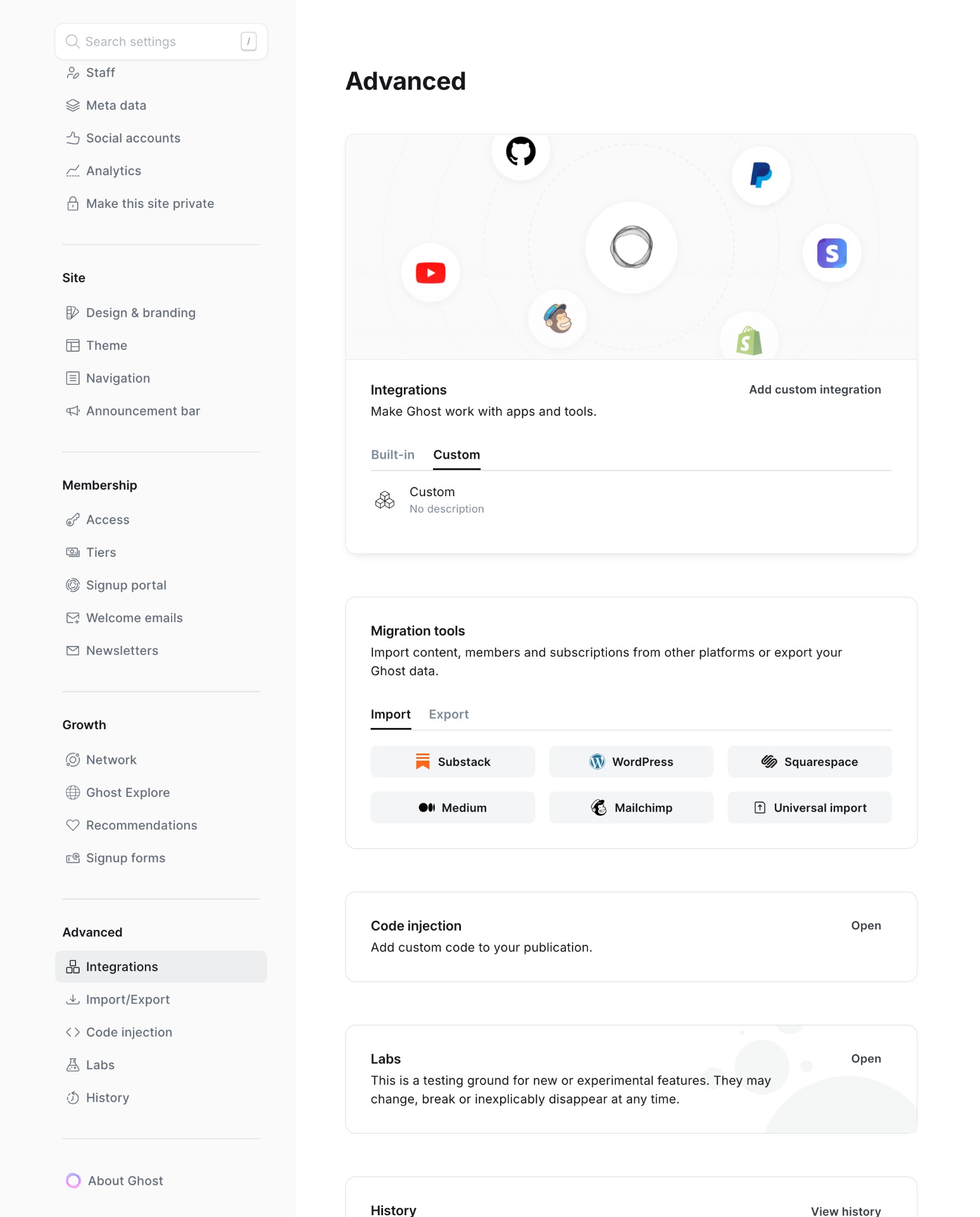
Step 3: Create Custom Integration
- Scroll down to Custom integrations
- Click Add custom integration
- Enter a name (e.g., “typub”)
- Click Create
Step 4: Copy Admin API Key
- In the integration details, locate Admin API Key
- Click the key to reveal it
- Copy the entire key (format:
abc123:def456...)
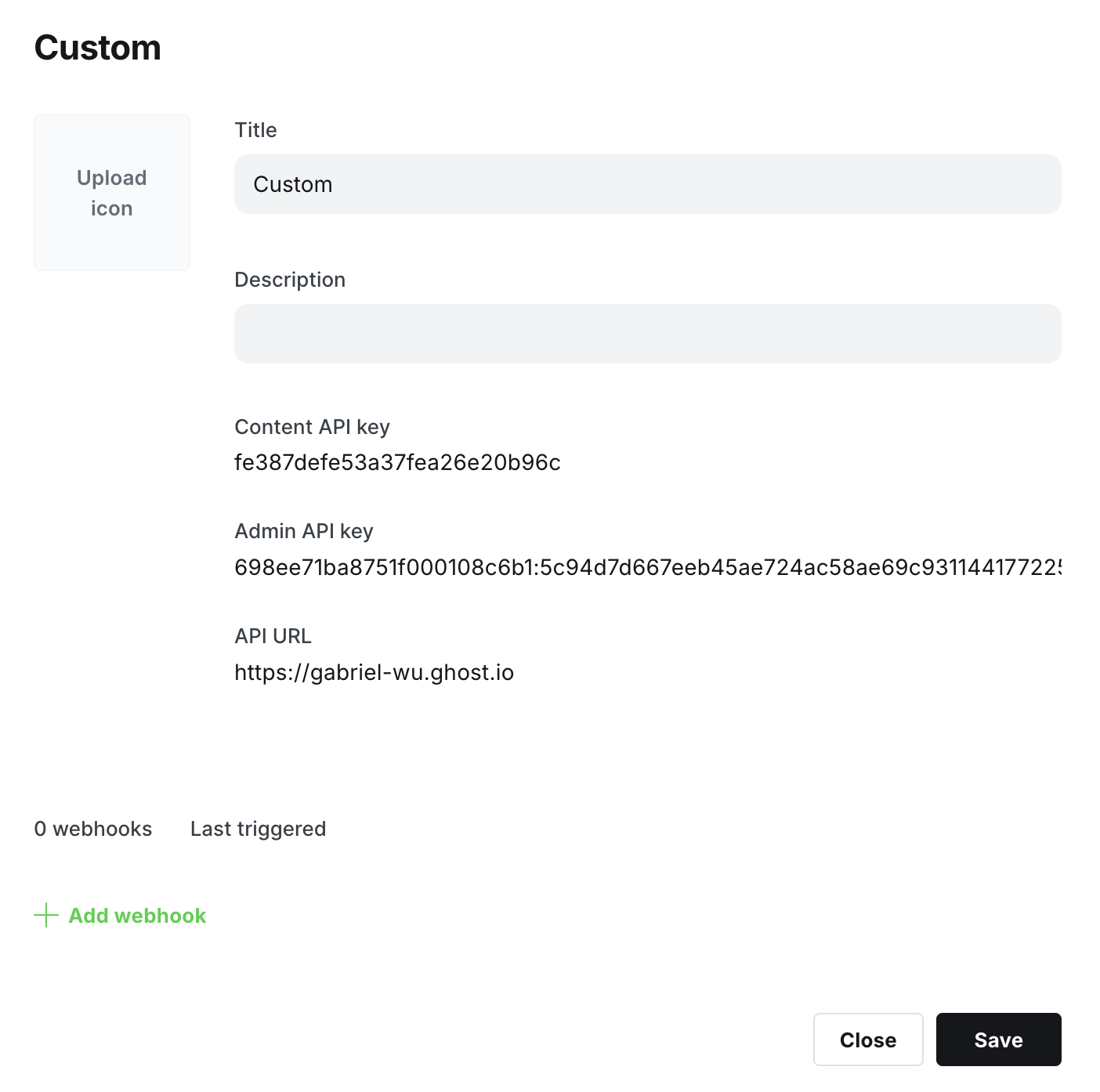
Important: The Admin API Key has full write access. Keep it secure and never commit it to version control.
Configuration
[platforms.ghost]
api_base = "https://your-site.com"  # Your Ghost site URL
published = true                     # true for published, false for draft
asset_strategy = "embed"             # or "upload", "external"
Environment Variables:
Set GHOST_ADMIN_API_KEY with your Admin API key:
export GHOST_ADMIN_API_KEY="your-id:your-secret"
Or in your shell profile:
# ~/.bashrc or ~/.zshrc
export GHOST_ADMIN_API_KEY="abc123def456:789xyz..."
Usage
# Preview content
typub dev posts/my-post -p ghost

# Publish to Ghost
typub publish posts/my-post -p ghost
Troubleshooting
“Invalid API key” error
- Ensure the key format is
id:secret(two hex strings separated by colon) - Verify the key hasn’t been regenerated in Ghost Admin
- Check that
api_basedoesn’t include/ghost/api/suffix
“Unauthorized” error
- Confirm the integration is still active in Ghost Admin
- Try regenerating the API key and updating your environment variable
Images not appearing
- For self-hosted Ghost, ensure your site URL is publicly accessible
- Try using
asset_strategy = "upload"to upload images directly to Ghost