Dev.to
Dev.to is a community of software developers sharing ideas and helping each other grow.
Capabilities
| Feature | Support |
|---|---|
| Tags | Yes (max 4) |
| Categories | No |
| Internal Links | Yes |
| Draft Support | Reversible (status field) |
| Math Rendering | PNG |
| Local Output | No |
Asset Strategies
| Strategy | Supported | Default |
|---|---|---|
embed | Yes | |
upload | No | |
external | Yes | * |
copy | No |
Note: Dev.to has limited support for embedded Base64 images.
Prerequisites
- A Dev.to account (free)
Getting Your API Key
Step 1: Sign In to Dev.to
Go to dev.to and sign in to your account.
Step 2: Access Settings
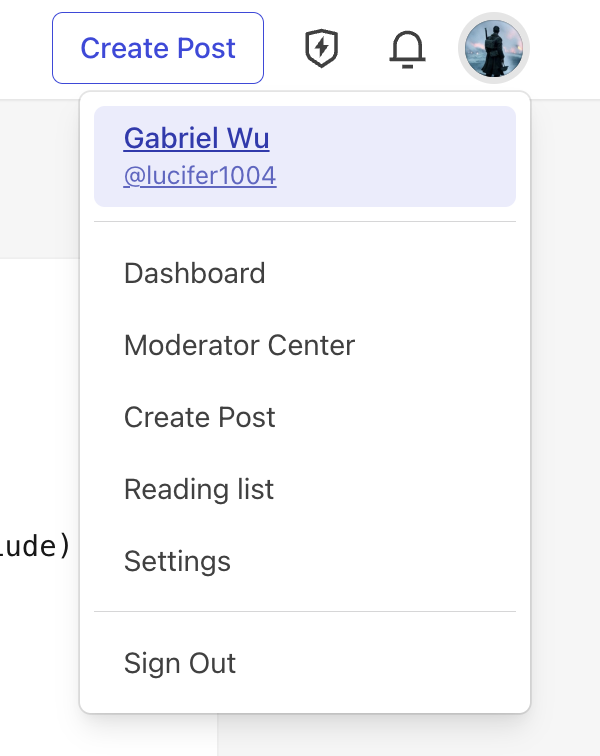
- Click your profile picture in the top-right corner
- Select Settings from the dropdown menu
Step 3: Navigate to Extensions
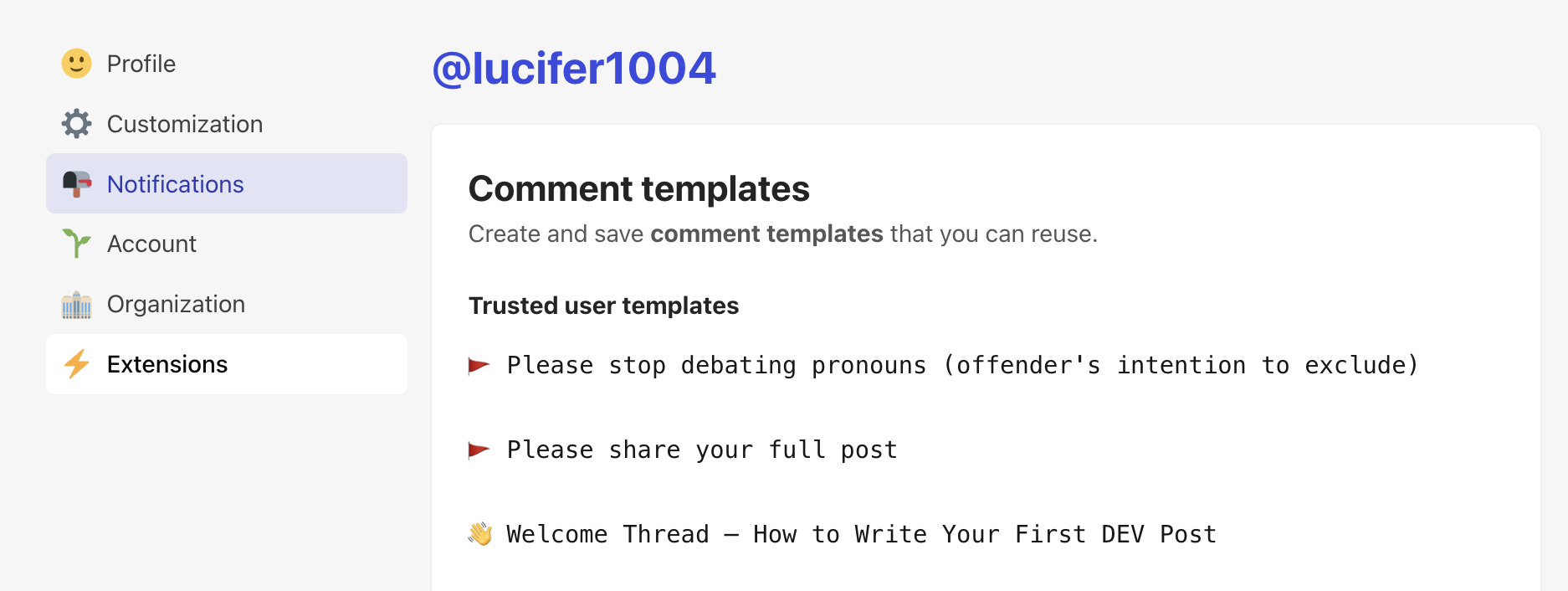
- In the left sidebar, click Extensions
- Scroll down to find DEV Community API Keys
Step 4: Generate API Key
- Enter a description (e.g., “typub”)
- Click Generate API Key
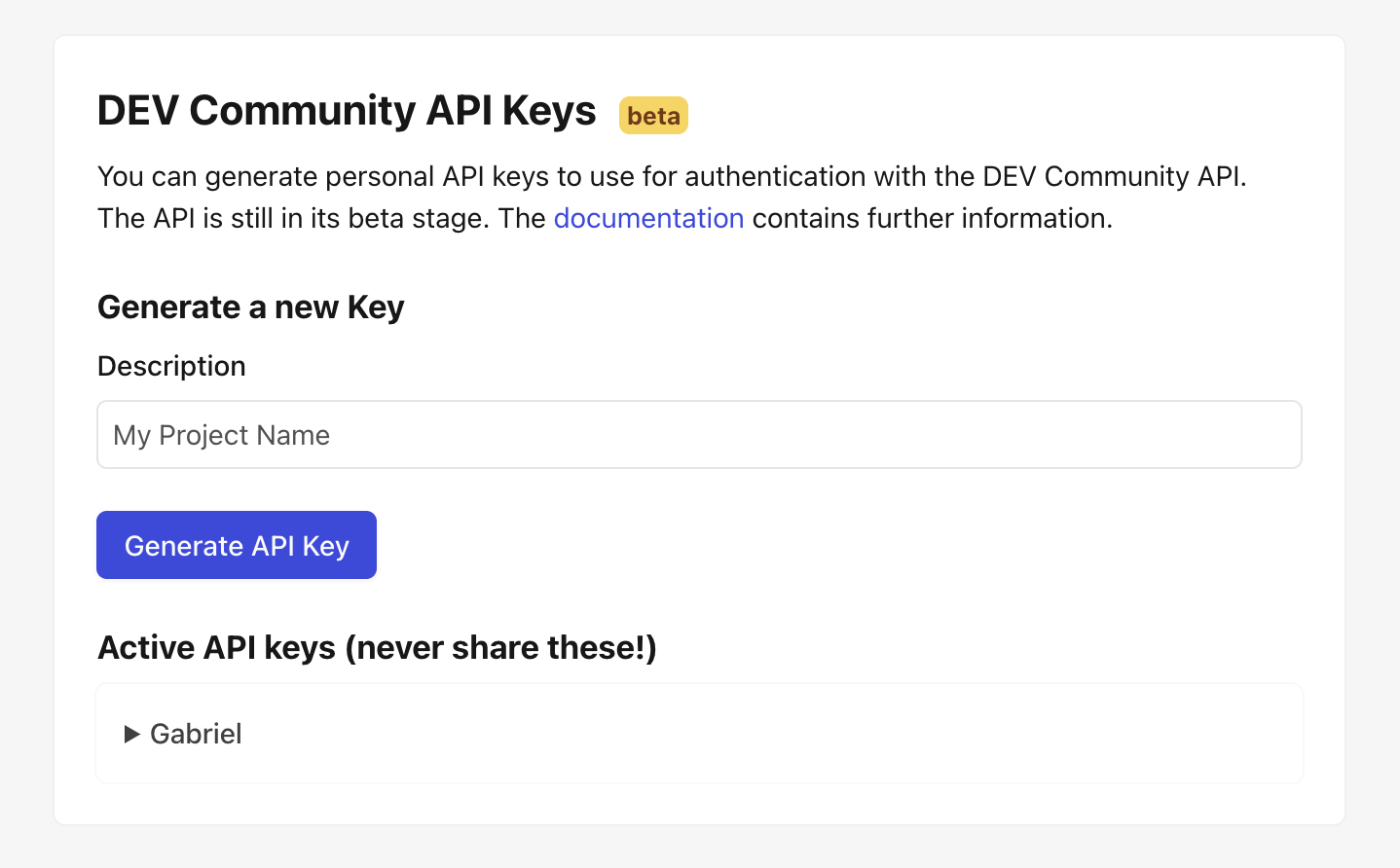
- The key will appear under Active API keys — expand it to copy
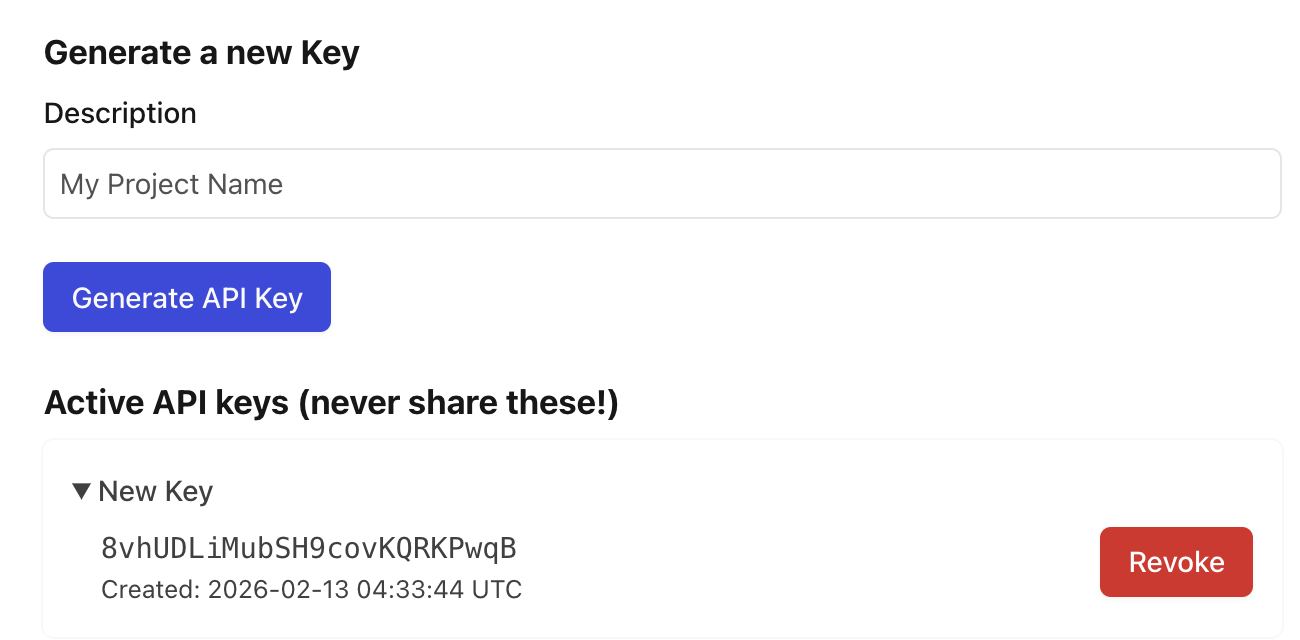
Security Warning:
- Never commit API keys to version control — use environment variables instead.
- If you suspect your key has been compromised, revoke it immediately and generate a new one.
Configuration
[platforms.devto]
api_base = "https://dev.to/api"  # optional, this is the default
published = true                  # true for published, false for draft
asset_strategy = "embed"          # or "external"
Environment Variables:
Set DEVTO_API_KEY with your API key:
export DEVTO_API_KEY="your-api-key-here"
Usage
# Preview content
typub dev posts/my-post -p devto

# Publish to Dev.to
typub publish posts/my-post -p devto
Tag Limits
Dev.to allows a maximum of 4 tags per article. If your content has more than 4 tags, typub will use the first 4.
# In your post's meta.toml
tags = ["rust", "webdev", "tutorial", "beginners"]  # All 4 will be used
Troubleshooting
“Unauthorized” error
- Verify your API key is correct
- Check that the key hasn’t been revoked in Dev.to settings
- Ensure
DEVTO_API_KEYenvironment variable is set
Article not appearing
- Check if
published = falsein your config (creates draft) - Draft articles are only visible to you in the Dev.to dashboard
Images not loading
- Dev.to requires images to be accessible via public URLs
- Use
asset_strategy = "external"with S3/R2 storage for reliable image hosting - Embedded base64 images may hit size limits for large images