Introduction
typub is a multi-platform content publishing pipeline for Typst documents. Write once in Typst, publish everywhere.
Audience and Reading Paths
User Path (publishing content)
- Start here: Guide Overview
- Getting Started for first publish
- Adapters for platform setup
- Asset Handling for image strategy
- Theme Customization for custom CSS and overrides
- Copy-paste Profiles for manual publishing targets
- Platforms Overview for per-platform instructions
- Advanced Customization for layered config and advanced overrides
Developer Path (contributing to typub)
- RFC specs: RFC Index
- ADR decisions: ADR Index
- Governance history and execution trace:
docs/work/entries
At a Glance
                      content.typ ┬ content.md
                                  │
                    ┌─────────────┴─────────────┐
                    │        typub render       │
                    │            ↓              │
                    │    Semantic Document IR   │
                    └─────────────┬─────────────┘
                                  │
           ┌────────┬────────┬────────┬────────┬────────┐
           ↓        ↓        ↓        ↓        ↓        ↓
        ┌──────┐┌──────┐┌──────┐┌──────┐┌──────┐┌──────┐
        │ Ghost││Dev.to││ Hash ││Notion││  WP  ││Conf. │
        └──────┘└──────┘└──────┘└──────┘└──────┘└──────┘
           ┌────────┬────────┬────────┐
           ↓        ↓        ↓        ↓
        ┌──────┐┌──────┐┌──────┐┌──────┐
        │ Astro││Static││  XHS ││20+ CP│
        └──────┘└──────┘└──────┘└──────┘
Core Capabilities
| Feature | Description |
|---|---|
| Typst-native | First-class support for Typst documents |
| Multi-platform | Publish to 20+ platforms with one command |
| AST-centric | Unified internal representation for consistent output |
| Asset handling | Automatic image embedding, upload, or external storage |
| RFC-driven | Formal specifications ensure predictable behavior |
Supported Target Types
- API-based adapters (direct publish)
- Local-output adapters (generated local artifacts)
- Copy-paste profiles (manual publish via prepared content)
See Adapters for setup model and Platforms for concrete per-platform instructions.
Quick Start
# Install
cargo install typub

# Initialize a content project
typub init

# Publish to Dev.to
typub publish path/to/post -p devto

# Preview for WeChat (copy-paste)
typub dev path/to/post -p wechat
Pipeline (Conceptual)
typub processes content through a 10-stage pipeline:
- Resolve — Resolve content input and metadata
- Render — Render source content into HTML string
- Parse — Parse HTML string into unified AST
- Transform — Apply shared AST transformations
- Specialize — Create platform-specific payload
- Provision — Ensure remote resources exist
- Materialize — Upload/resolve assets
- Serialize — Convert to platform format
- Publish — Send to platform API
- Persist — Save publish status
Each adapter implements stages 5-9, inheriting common behavior from stages 1-4.
User Guide Overview
This section is for users who publish content with typub.
Suggested Reading Order
Configuration and Advanced Topics
Platform-Specific References
Getting Started
This guide walks you through installing typub and publishing your first content.
Requirements
- Rust 1.85+ (edition 2024)
- Typst (for document compilation)
Installation
cargo install typub
Initialize a Content Project
typub init
This creates the default configuration:
.
├── typub.toml           # typub configuration
├── .typub/               # Status tracking database
└── posts/                # Your content directory
Create Your First Post
Create a Typst document:
// posts/hello-world/content.typ
= Hello World

This is my first post published with typub!
And the metadata file:
# posts/hello-world/meta.toml
title = "Hello World"
created = 2026-02-12
tags = ["tutorial", "typub"]
Configure a Platform
Edit typub.toml to enable a platform:
[platforms.devto]
enabled = true
# API key from environment: DEVTO_API_KEY
Set your API key:
export DEVTO_API_KEY="your-api-key-here"
Publish
# Publish to Dev.to
typub publish posts/hello-world -p devto

# Or publish to all enabled platforms
typub publish posts/hello-world
Development Mode
For local development with live reload:
# Start dev server with live reload
typub dev posts/hello-world -p xiaohongshu

# Or specify a custom port
typub dev posts/hello-world -p xiaohongshu --port 3000
Interactive Dashboard (TUI)
typub provides an interactive terminal dashboard for content management:
# Launch TUI dashboard
typub tui
The TUI provides three main views:
Post List
- Browse all your posts with publishing status indicators
- Sort posts by date, title, or modification time (press
s) - Press
Enterto view post details
Post Detail
- View post metadata and publishing status for each platform
- Use ↑/↓ to select a platform
- Press
pto preview the selected platform’s rendering - Press
Pto publish to the selected platform - Press
Ato publish to all enabled platforms
Preview
- View platform-specific preview in plain text
- Press
oto open full HTML preview in browser - Scroll with ↑/↓ or PageUp/PageDown
Keyboard Shortcuts:
q- Go back or quitr- Reload post listCtrl+C- Force quit
Check Status
# See what's been published where
typub status posts/hello-world
Next Steps
Basic path
- Adapters Guide — platform setup model
- Assets Guide — image strategy basics
- Theme Customization — custom CSS and theme overrides
- Profiles Guide — copy-paste profile basics
Advanced path
- Advanced Customization — layered overrides and advanced config
- External Storage — S3-compatible setup and operations
Adapters
Adapters are platform-specific components that transform and publish your content to each target.
Audience
- This page is a platform-agnostic user guide.
- For platform-specific values and screenshots, use Platforms Overview.
Basic Setup
1. Enable a platform
Use typub.toml:
[platforms.devto]
enabled = true
published = true

[platforms.ghost]
enabled = true
published = false
2. Add platform credentials via environment variables
export DEVTO_API_KEY="..."
export GHOST_ADMIN_API_KEY="id:secret"
3. Publish
typub publish posts/my-post -p devto
Adapter Categories
- API-based adapters: direct publish through remote APIs
- Local-output adapters: generate local files/artifacts
- Copy-paste profiles: generate content for manual paste workflow
See Platforms Overview for concrete platform entries.
Common Platform Fields
[platforms.<platform_id>]
enabled = true
published = true
asset_strategy = "embed"   # optional, platform-dependent
theme = "..."              # optional
internal_link_target = "..." # optional
Basic vs Advanced
Basic
- Enable platform
- Configure required credentials
- Publish with default behavior
Advanced
- Override asset strategy
- Use external storage
- Override node policy at platform level
- Fine-tune per-platform extra fields
Environment Variable Substitution
String values in typub.toml support shell-style environment expansion:
[platforms.hashnode]
api_key = "$HASHNODE_API_KEY"
publication_id = "${HASHNODE_PUBLICATION_ID}"
If a variable is not found and no default is provided, the raw value is kept unchanged.
Related Docs
- Platform details: Platforms Overview
- Theme customization: Theme Customization
- Pipeline contract: RFC-0002
Asset Handling
typub provides flexible strategies for handling images and other assets in your content.
Audience
- This page is platform-agnostic and user-facing.
- For provider-level details and examples, see External Storage.
Basic Usage
Choose an asset strategy
| Strategy | How it works | Typical usage |
|---|---|---|
embed | Base64 encode inline | Small images, no upload dependency |
upload | Upload to platform storage | Platforms with native media APIs |
copy | Copy to local output | Local/static outputs |
external | Upload to S3-compatible host | CDN, large assets, or platforms rejecting base64 |
Configuration
Per-platform Strategy
[platforms.devto]
enabled = true
asset_strategy = "embed"

[platforms.notion]
enabled = true
asset_strategy = "upload"

[platforms.astro]
enabled = true
asset_strategy = "copy"
Basic image reference
#image("./images/diagram.png", width: 80%)
typub resolves and rewrites image references based on the configured strategy.
Advanced Usage
External storage
Configure [storage] when using external:
[storage]
endpoint = "https://s3.amazonaws.com"
bucket = "my-content-bucket"
region = "us-east-1"
url_prefix = "https://cdn.example.com"
Credentials should come from environment variables.
Strategy selection guidance
- Prefer
uploadwhen the platform supports native media upload. - Use
externalfor large assets or CDN portability. - Use
embedfor simplicity when content size remains acceptable. - Use
copyfor local/static outputs.
Tracking
typub tracks uploaded assets to avoid duplicate uploads:
# See asset status
typub status --assets posts/my-post
Asset mappings are stored in .typub/status.db.
Related Docs
- External storage details: External Storage
- Adapter overview: Adapters
- Spec: RFC-0004
Theme Customization
This guide explains how to customize typub themes at the project level.
What You Can Customize
- Add new theme IDs (for example
my-brand) - Override built-in themes (for example replace
elegant) - Override base CSS shared by all themes
- Customize preview-page CSS for specific platforms
Theme Loading Model
typub loads themes in this order:
- Built-in themes embedded in the binary
- Project-local themes from
templates/themes/
User themes override built-ins when IDs are the same.
Theme Files Directory
Create this directory in your project root:
mkdir -p templates/themes
Supported files:
<theme-id>.css: a normal theme file (loaded as a theme)_base.css: optional base override applied before all themes_preview-<platform>.css: optional preview page style override
Files with names starting with _ are not treated as themes, except _base.css and _preview-*.css.
Quick Start: Create a New Theme
Create templates/themes/my-brand.css:
h1 {
  color: #0f4c81;
  border-bottom: 2px solid #0f4c81;
  padding-bottom: 0.25em;
}

h2 {
  color: #17324d;
}

a {
  color: #0f4c81;
}

blockquote {
  border-left: 4px solid #0f4c81;
  background: #f3f8fd;
}

p code,
li code {
  background: #ecf4fc;
  color: #17324d;
}
Enable it in typub.toml:
[platforms.wechat]
theme = "my-brand"
Preview:
typub dev posts/my-post -p wechat
Override a Built-in Theme
To override a built-in theme, create a file with the same ID:
templates/themes/elegant.csstemplates/themes/github.csstemplates/themes/notion.css- etc.
typub will use your file instead of the embedded one.
Configure Theme by Scope
Global default (typub.toml)
theme = "minimal"
Per-platform (typub.toml)
[platforms.wechat]
theme = "wechat-green"
Per-post default (meta.toml)
theme = "elegant"
Per-post per-platform (meta.toml)
[platforms.wechat]
theme = "my-brand"
Theme Resolution Order
Highest priority wins:
meta.toml[platforms.<id>].thememeta.toml.themetypub.toml[platforms.<id>].themetypub.toml.theme- Profile default theme
Advanced: Override Shared Base CSS
If you provide templates/themes/_base.css, typub uses it as the base layer for all themes.
Use this when you want consistent typography/spacing across all theme IDs.
Advanced: Customize Preview Page Styles
Preview CSS is independent from article theme CSS.
Examples:
templates/themes/_preview-copypaste.csstemplates/themes/_preview-confluence.css
Use this for toolbar/layout styling in preview pages.
Typst Custom Header (Current Model)
typub now supports user-defined Typst preamble via the preamble config key.
This key is resolved through the standard configuration chain and then merged
with adapter defaults.
Current hook points in RenderConfig:
importspreambletemplate_beforetemplate_aftercontent_transform(for include/render behavior)
At render time, typub generates a wrapper Typst file in this order:
imports- HTML math rule (when output format is HTML/fragment)
preambletemplate_before- content include/render
template_after
What this means for users
- Theme CSS files (
templates/themes/*.css) customize output style, not Typst wrapper header logic. - You can set
preamblein config files:typub.toml[platforms.<id>].preambletypub.toml.preamblemeta.toml[platforms.<id>].preamblemeta.toml.preamble
- Resolution order follows RFC-0005 (layer 1 to 4), then adapter default.
- Merge behavior is append-only for compatibility:
final_preamble = adapter_preamble + "\\n\\n" + user_preamblewhen user preamble exists.
Example (typub.toml):
preamble = """
#set text(lang: "zh")
"""

[platforms.wechat]
preamble = """
#set text(size: 11pt)
"""
Adapter examples in this repository
confluencesetspreambleto disable raw-theme wrapping:#set raw(theme: none).xiaohongshuinjects a full preamble (embedded Typst template +#show+#cover) and customizescontent_transform.
Contributor entry points
crates/typub-adapters-core/src/types.rs(RenderConfig)crates/typub-engine/src/renderer.rs(generate_wrapperinjection order)- each adapter’s
render_config()implementation
Authoring Tips
- Use direct element selectors (
h1,p,blockquote) instead of wrapper-based selectors. - Keep selectors simple for better inline-style compatibility on copy-paste platforms.
- Test with
typub devon your target platform, not only in static HTML output.
Troubleshooting
Theme not applied
- Verify
theme = "<id>"matches filename<id>.css - Verify
templates/themes/is under the project root where you runtypub - Restart
typub devafter changing theme files
Built-in style still visible
- Check for syntax errors in your custom CSS file
- Confirm file name exactly matches built-in ID when overriding
Related Docs
Copy-paste Profiles
For platforms without public APIs, typub generates formatted content that you copy and paste manually.
Audience
- This page is user-facing and platform-agnostic.
- For per-platform operation steps, see Platforms Overview.
Basic Usage
typub dev posts/my-post -p wechat
Then:
- Open the local preview URL.
- Copy rendered content.
- Paste into the target platform editor.
Built-in Profiles
HTML Platforms
| Platform | Description |
|---|---|
wechat | WeChat Official Account |
zhihu | Zhihu columns |
toutiao | Toutiao/Jinri Toutiao |
bilibili | Bilibili articles |
weibo | Weibo articles |
baijiahao | Baidu Baijiahao |
wangyihao | NetEase Wangyihao |
sohu | Sohu media |
sspai | Sspai |
oschina | OSChina |
Markdown Platforms
| Platform | Description |
|---|---|
csdn | CSDN |
juejin | Juejin |
segmentfault | SegmentFault |
cnblogs | Cnblogs |
medium | Medium |
jianshu | Jianshu |
infoq | InfoQ China |
51cto | 51CTO |
tencentcloud | Tencent Cloud Developer |
aliyun | Aliyun Developer |
huaweicloud | Huawei Cloud |
elecfans | Elecfans |
modelscope | ModelScope |
volcengine | Volcengine Developer |
Advanced Customization
Add or adjust built-in profiles (repository contributors)
Profiles are defined in:
crates/adapters/typub-adapter-copypaste/profiles.toml
Example:
[[profile]]
id = "my-platform"
name = "My Platform"
editor_url = "https://my-platform.com/write"
format = "markdown"   # or "html"
# compat = "wechat"   # optional: use wechat-style HTML transforms
Field reference
| Field | Required | Description |
|---|---|---|
id | Yes | Unique identifier (used in commands) |
name | Yes | Human-readable display name |
editor_url | Yes | URL to the platform’s editor |
format | Yes | html or markdown |
compat | No | Name of a compatibility function for HTML transforms |
Compatibility functions
For HTML platforms that need special handling:
| Compat | Description |
|---|---|
wechat | WeChat-specific CSS inlining and formatting |
To add a new compat function, implement it in crates/adapters/typub-adapter-copypaste/src/adapter.rs.
Related Docs
- Platform pages: Platforms Overview
- Advanced user customization: Advanced Customization
Advanced Customization
This page groups advanced, platform-agnostic customization options for typub users.
Use this after you have completed the basic flow in Getting Started.
1. Configuration Resolution Layers
Many fields follow layered resolution. Highest priority wins:
meta.tomlplatform-specific (meta.platforms.<id>.*)meta.tomlpost-level defaults (field-dependent)typub.tomlplatform-specific (platforms.<id>.*)typub.tomlglobal defaults (field-dependent)- Adapter/default fallback
See RFC-0005 for normative rules.
2. Asset Strategy and Storage
Per-platform strategy
[platforms.devto]
asset_strategy = "external"
External storage
[storage]
endpoint = "https://s3.amazonaws.com"
bucket = "my-bucket"
region = "us-east-1"
url_prefix = "https://cdn.example.com"
Use environment variables for secrets.
See External Storage and RFC-0004.
3. Node Policy Override
You can override adapter default node policy per platform.
Supported actions:
passsanitizedroperror
In typub.toml
[platforms.wechat]
node_policy = { raw = "sanitize", unknown = "drop" }
In meta.toml (higher priority)
[platforms.wechat]
node_policy = { raw = "error" }
Partial override is allowed. Unset fields fall back to lower layers and then adapter defaults.
4. Copy-paste Profile Extension (Contributor-Level)
If you need new built-in copy-paste profile behavior:
- Edit
crates/adapters/typub-adapter-copypaste/profiles.toml - Adjust compat behavior in
crates/adapters/typub-adapter-copypaste/src/adapter.rswhen needed
This is a repository customization workflow, not a runtime per-project override.
5. Advanced Debugging
Use dry-run and stage dump to inspect behavior:
typub publish posts/my-post -p wechat -d -v
typub publish posts/my-post -p wechat -d -D transform
6. Typst Preamble Override
typub supports user-defined Typst preamble via preamble, resolved with the
same layered model as other fields:
meta.toml[platforms.<id>].preamblemeta.toml.preambletypub.toml[platforms.<id>].preambletypub.toml.preamble- adapter default preamble
When a user preamble is resolved, typub appends it after adapter preamble to preserve platform-specific defaults.
See Theme Customization.
Related Docs
External Storage Configuration
typub supports S3-compatible external storage for assets when publishing to platforms that use the External asset strategy. This enables automatic asset upload to cloud storage with deduplication and caching.
Overview
When publishing to platforms like Dev.to, Hashnode, Medium, or Ghost, images and other assets need to be hosted externally. typub handles this automatically by:
- Computing content hashes for all assets
- Uploading to S3-compatible storage (deduplicated by hash)
- Replacing local asset references with public URLs
- Caching upload records to avoid re-uploading
Configuration
Basic Configuration
Add a [storage] section to your typub.toml:
[storage]
type = "s3"
endpoint = "https://your-s3-endpoint.com"
bucket = "your-bucket-name"
region = "us-east-1"
url_prefix = "https://cdn.yourdomain.com"
Environment Variables
Credentials should be provided via environment variables for security:
# S3 credentials
export S3_ACCESS_KEY_ID="your-access-key"
export S3_SECRET_ACCESS_KEY="your-secret-key"
Platform-Specific Configuration
You can override storage settings per platform:
[storage]
endpoint = "https://s3.amazonaws.com"
bucket = "default-bucket"
url_prefix = "https://cdn.example.com"

[platforms.devto.storage]
bucket = "devto-assets"
url_prefix = "https://devto-cdn.example.com"

[platforms.medium.storage]
bucket = "medium-assets"
url_prefix = "https://medium-cdn.example.com"
Configuration Reference
| Field | Description | Required | Environment Variable |
|---|---|---|---|
type | Storage type (currently only "s3" supported) | No | S3_TYPE |
endpoint | S3-compatible endpoint URL | For non-AWS | S3_ENDPOINT |
bucket | Bucket name | Yes | S3_BUCKET |
region | AWS region or "auto" for R2 | For AWS | S3_REGION |
url_prefix | Public URL prefix for assets | Yes | S3_URL_PREFIX |
access_key_id | S3 access key | Yes | S3_ACCESS_KEY_ID or AWS_ACCESS_KEY_ID |
secret_access_key | S3 secret key | Yes | S3_SECRET_ACCESS_KEY or AWS_SECRET_ACCESS_KEY |
Provider Examples
AWS S3
[storage]
bucket = "my-blog-assets"
region = "us-east-1"
url_prefix = "https://my-blog-assets.s3.amazonaws.com"
Cloudflare R2
[storage]
endpoint = "https://<account-id>.r2.cloudflarestorage.com"
bucket = "my-bucket"
region = "auto"
url_prefix = "https://assets.myblog.com"  # Custom domain via R2 public access
MinIO
[storage]
endpoint = "https://minio.example.com"
bucket = "blog-assets"
region = "us-east-1"
url_prefix = "https://minio.example.com/blog-assets"
DigitalOcean Spaces
[storage]
endpoint = "https://nyc3.digitaloceanspaces.com"
bucket = "my-space"
region = "nyc3"
url_prefix = "https://my-space.nyc3.cdn.digitaloceanspaces.com"
Content-Addressable Storage
Assets are stored using content-addressable keys for automatic deduplication:
Key Format: {sha256-hash}.{extension}
Example:
- Original:
images/screenshot.png - Object key:
a1b2c3d4e5f6...png
This means:
- Identical files are uploaded only once
- Changing an image creates a new object (no cache invalidation needed)
- Old objects can be safely deleted if unreferenced
Upload Caching
typub maintains a SQLite database (.typub/status.db in your project root) that tracks:
- Content hash of each uploaded asset
- Remote URL after upload
- Storage configuration used
When publishing the same content again:
- Asset hash is computed
- Database is checked for existing upload
- If found with matching storage config: skip upload, return cached URL
- If not found: upload to storage, record in database
This makes re-publishing near-instant when assets haven’t changed.
Asset Strategy Precedence
For platforms using External asset strategy (e.g., Dev.to, Hashnode, Medium):
Platform default → Platform config → Global config → Error
If no storage is configured and a platform requires external assets, publishing will fail with a clear error message.
Security Best Practices
- Never commit credentials to version control
- Use environment variables for secrets
- Use dedicated IAM users with minimal permissions
- Consider presigned URLs for private assets
- Enable bucket versioning for backup
IAM Policy Example (AWS)
{
  "Version": "2012-10-17",
  "Statement": [
    {
      "Effect": "Allow",
      "Action": ["s3:PutObject", "s3:GetObject", "s3:HeadObject"],
      "Resource": "arn:aws:s3:::my-bucket/*"
    }
  ]
}
Troubleshooting
Upload Fails with “Access Denied”
- Verify credentials:
S3_ACCESS_KEY_IDandS3_SECRET_ACCESS_KEY - Check bucket permissions
- Ensure endpoint URL is correct
Assets Not Appearing
- Check
url_prefixis correct and publicly accessible - Verify bucket allows public reads (or has proper policy)
- Check network connectivity to storage endpoint
Duplicate Uploads
- Check SQLite database is not corrupted:
.typub/status.db - Verify storage config ID matches across runs
- Use
typub status --listto see recorded assets
Environment Variables Not Recognized
Platform-specific variables take precedence. Use uppercase platform ID:
# Global credentials
export S3_ACCESS_KEY_ID="global-key"

# Platform-specific override for Dev.to
export DEVTO_S3_ACCESS_KEY_ID="devto-key"
Platform-Specific Environment Variables
Each platform can have dedicated storage credentials:
| Platform | Access Key Variable | Secret Key Variable |
|---|---|---|
| Dev.to | DEVTO_S3_ACCESS_KEY_ID | DEVTO_S3_SECRET_ACCESS_KEY |
| Hashnode | HASHNODE_S3_ACCESS_KEY_ID | HASHNODE_S3_SECRET_ACCESS_KEY |
| Medium | MEDIUM_S3_ACCESS_KEY_ID | MEDIUM_S3_SECRET_ACCESS_KEY |
| Ghost | GHOST_S3_ACCESS_KEY_ID | GHOST_S3_SECRET_ACCESS_KEY |
Related Documentation
- Platform Guides — See which platforms require external storage
- Asset Handling — Understanding how different platforms handle images
Platform Guides
Choose platform docs by publishing workflow.
Workflow Categories
- Direct publish via platform APIs: Direct Publish (API Adapters)
- Generate local artifacts for downstream publishing: Local Output Adapters
- Render content for manual paste into platform editors: Copy-paste Platforms
Quick Entry Points
API Adapters
Local Output
Copy-paste
Direct Publish (API Adapters)
This section groups platforms that publish directly through remote APIs.
Use these guides for direct publish workflows:
For file-output workflows under the same adapter model, see Local Output Adapters.
Confluence
Confluence is Atlassian’s enterprise wiki and documentation platform. typub supports publishing to Confluence Cloud via the REST API with Basic authentication.
Capabilities
| Feature | Support |
|---|---|
| Tags | Yes (maps to labels) |
| Categories | No |
| Internal Links | Yes |
| Draft Support | Reversible (status field: current vs draft) |
| Math Rendering | LaTeX (via ADF extension) or PNG (attachments) |
| Local Output | No |
Asset Strategies
| Strategy | Supported | Default | Notes |
|---|---|---|---|
upload | Yes | * | Upload as page attachments |
embed | No | Not supported | |
external | No | Not supported | |
copy | No | Not supported |
Prerequisites
- Confluence Cloud instance (Server/Data Center may work but is not tested)
- Personal Access Token or API token for authentication
- (Optional) LaTeX Math plugin for formula rendering
Authentication
Confluence Cloud uses Basic authentication with your email and an API token.
Step 1: Create an API Token
- Go to Atlassian Account Settings
- Click Create API token
- Give it a label (e.g., “typub”)
- Copy the generated token
Step 2: Configure typub
[platforms.confluence]
base_url = "https://your-company.atlassian.net"  # Your Confluence URL
default_space = "DOCS"                            # Default space key
email = "you@example.com"                         # Your email (or use CONFLUENCE_EMAIL env var)
api_key = "your-api-token"                        # API token (or use CONFLUENCE_API_KEY env var)
Environment Variables:
export CONFLUENCE_EMAIL="you@example.com"
export CONFLUENCE_API_KEY="your-api-token"
Security Warning: Never commit API tokens to version control. Use environment variables instead.
LaTeX Math Rendering
Confluence supports two math rendering strategies:
Option 1: LaTeX via ADF Extension (Recommended)
Uses the Appfire LaTeX Math plugin with Atlassian Document Format (ADF) extensions. This provides native LaTeX rendering without image attachments.
Prerequisites:
- Install the LaTeX Math for Confluence app from Atlassian Marketplace
- Get the App ID and Environment ID from the app configuration
Configuration:
[platforms.confluence]
math_rendering = "latex"           # Use LaTeX rendering
latex_math_app_id = "your-app-id"  # From Appfire app configuration
latex_math_env_id = "your-env-id"  # From Appfire app configuration
To find your App ID and Environment ID:
- In Confluence, use the LaTeX Math macro in a page
- Open the browser’s developer tools (F12) → Network tab
- Insert a LaTeX formula and look for API calls
- The App ID and Environment ID appear in the request URLs
Alternatively, contact your Confluence administrator or check the app’s configuration in Settings → Apps → Manage apps.
Note: When the app ID and env ID are not provided, the LaTeX rendering backend would fall back to use the traditional ac macros, which are going to be deprecated and may not work as expected.
Option 2: PNG Attachments
Render math formulas as PNG images and attach them to the page. This works without any plugins but produces image-based formulas.
[platforms.confluence]
math_rendering = "png"
Generated PNG files are stored in your content’s assets/ folder and uploaded as attachments.
Usage
# Preview content
typub dev posts/my-post -p confluence

# Publish to Confluence
typub publish posts/my-post -p confluence
Post Configuration
Space Selection
Specify which Confluence space to publish to:
# In your post's meta.toml
[platforms.confluence]
space = "ENG"  # Override default space
parent_id = "123456"  # Optional: parent page ID for hierarchical structure
Note:
parent_idonly applies when creating new pages. If the page already exists, updating content will not change its parent location. This prevents accidental page moves during content updates.
Labels (Tags)
Tags are automatically synced as Confluence labels:
# In your post's meta.toml
tags = ["rust", "tutorial", "api"]
Label normalization rules:
- Converted to lowercase
- Special characters replaced with hyphens
- Maximum 255 characters
- Duplicates removed
Draft Mode
Confluence supports draft mode via the published field:
[platforms.confluence]
published = false  # Creates/updates as draft
published = true: Page status iscurrent(visible to readers)published = false: Page status isdraft(hidden from readers)
You can toggle this at any time.
Asset Handling
All images are uploaded as page attachments. The adapter uses Confluence’s attachment API with deduplication:
- Images are uploaded with their original filename
- If an attachment with the same name exists, it’s replaced
- Image references in content are resolved to attachment URLs
Image Caption and Alt Mapping
- For a single-image
figure, typub mapsfigcaptionto Confluence<ac:caption>on<ac:image> - Image
altis mapped toac:alt(accessibility/metadata), not visible caption - If no
figcaptionexists, typub does not promotealtinto<ac:caption>
Supported Image Formats
- PNG, JPEG, GIF, WebP
- SVG (extracted and converted to inline elements)
Code Blocks
Confluence uses CDATA for code block content. Complex highlighting may not be preserved. For best results:
- Use standard Markdown code blocks
- Language identifiers are preserved where possible
- Consider using Confluence’s built-in code block macro for advanced features
Internal Links
Internal links between your posts are resolved using Confluence’s link format:
[Related Post](../other-post/index.typ)
The adapter resolves the target post’s Confluence page ID and creates appropriate links.
Troubleshooting
“CONFLUENCE_API_KEY not set”
- Ensure the environment variable is set or
api_keyis configured inprofiles.toml - Verify your shell profile exports the variable correctly
“latex_math_app_id not configured”
- Set
latex_math_app_idandlatex_math_env_idin your platform configuration - Or switch to
math_rendering = "png"for PNG-based math
“Confluence create page error (400)”
- Check that the space key is correct (case-sensitive)
- Verify you have permission to create pages in the specified space
- Ensure required fields (title, space) are properly set
“Confluence attachment upload error (403)”
- Verify you have attachment upload permissions
- Check that the page exists before uploading attachments
- Ensure the API token is not expired
Labels not syncing
- Labels require Edit permission on the page
- Invalid characters in labels are automatically replaced
- Check Confluence’s audit logs for rejection details
Math not rendering
- For LaTeX mode: Verify the LaTeX Math plugin is installed and activated
- Check that
latex_math_app_idandlatex_math_env_idare correct - For PNG mode: Ensure PNG generation is working (check
assets/folder)
Page not found after changing slug
- typub uses the cached page ID for updates
- If you changed the title/slug, the adapter falls back to title search
- For manual control, set the page ID in status database
Dev.to
Dev.to is a community of software developers sharing ideas and helping each other grow.
Capabilities
| Feature | Support |
|---|---|
| Tags | Yes (max 4) |
| Categories | No |
| Internal Links | Yes |
| Draft Support | Reversible (status field) |
| Math Rendering | PNG |
| Local Output | No |
Asset Strategies
| Strategy | Supported | Default |
|---|---|---|
embed | Yes | |
upload | No | |
external | Yes | * |
copy | No |
Note: Dev.to has limited support for embedded Base64 images.
Prerequisites
- A Dev.to account (free)
Getting Your API Key
Step 1: Sign In to Dev.to
Go to dev.to and sign in to your account.
Step 2: Access Settings
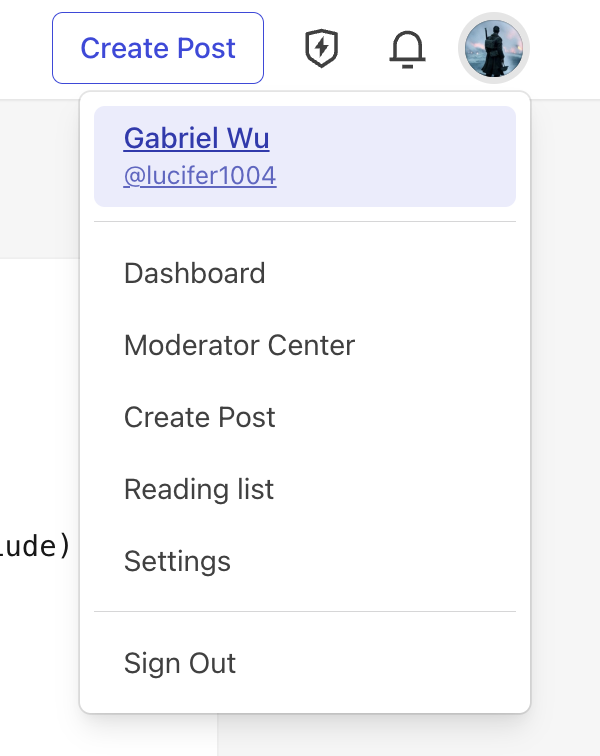
- Click your profile picture in the top-right corner
- Select Settings from the dropdown menu
Step 3: Navigate to Extensions
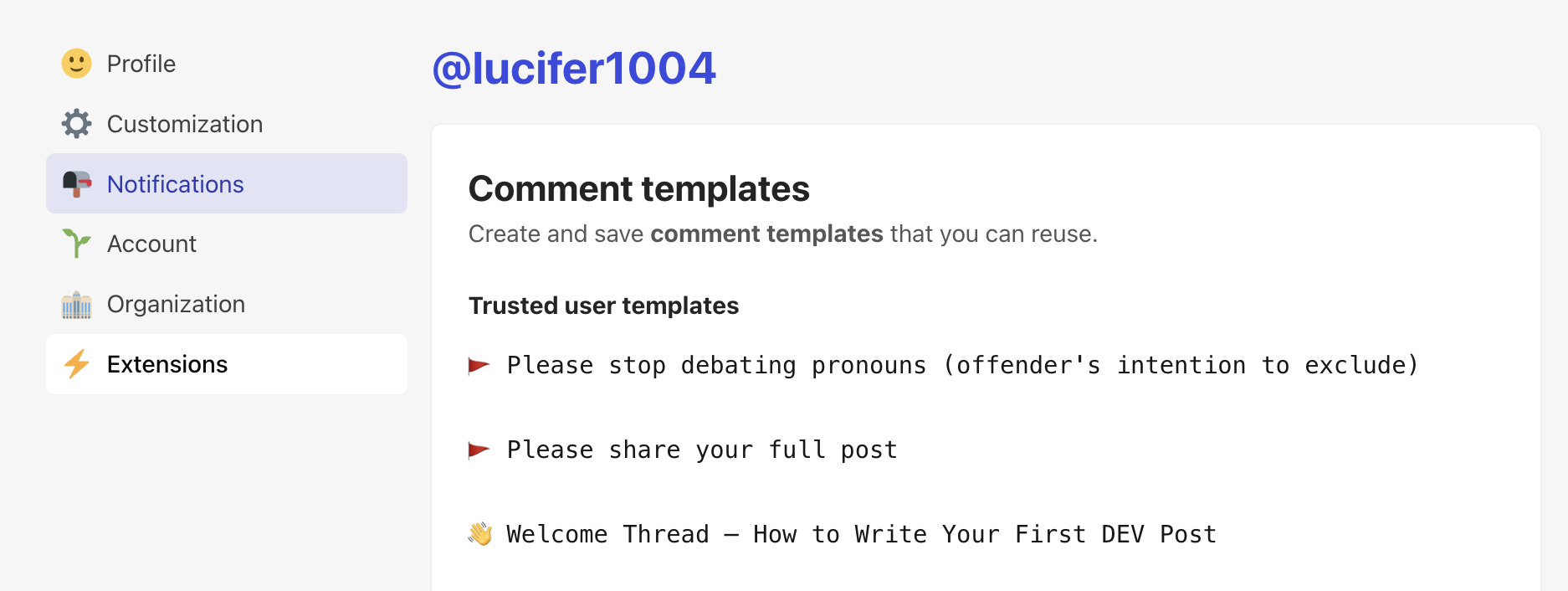
- In the left sidebar, click Extensions
- Scroll down to find DEV Community API Keys
Step 4: Generate API Key
- Enter a description (e.g., “typub”)
- Click Generate API Key
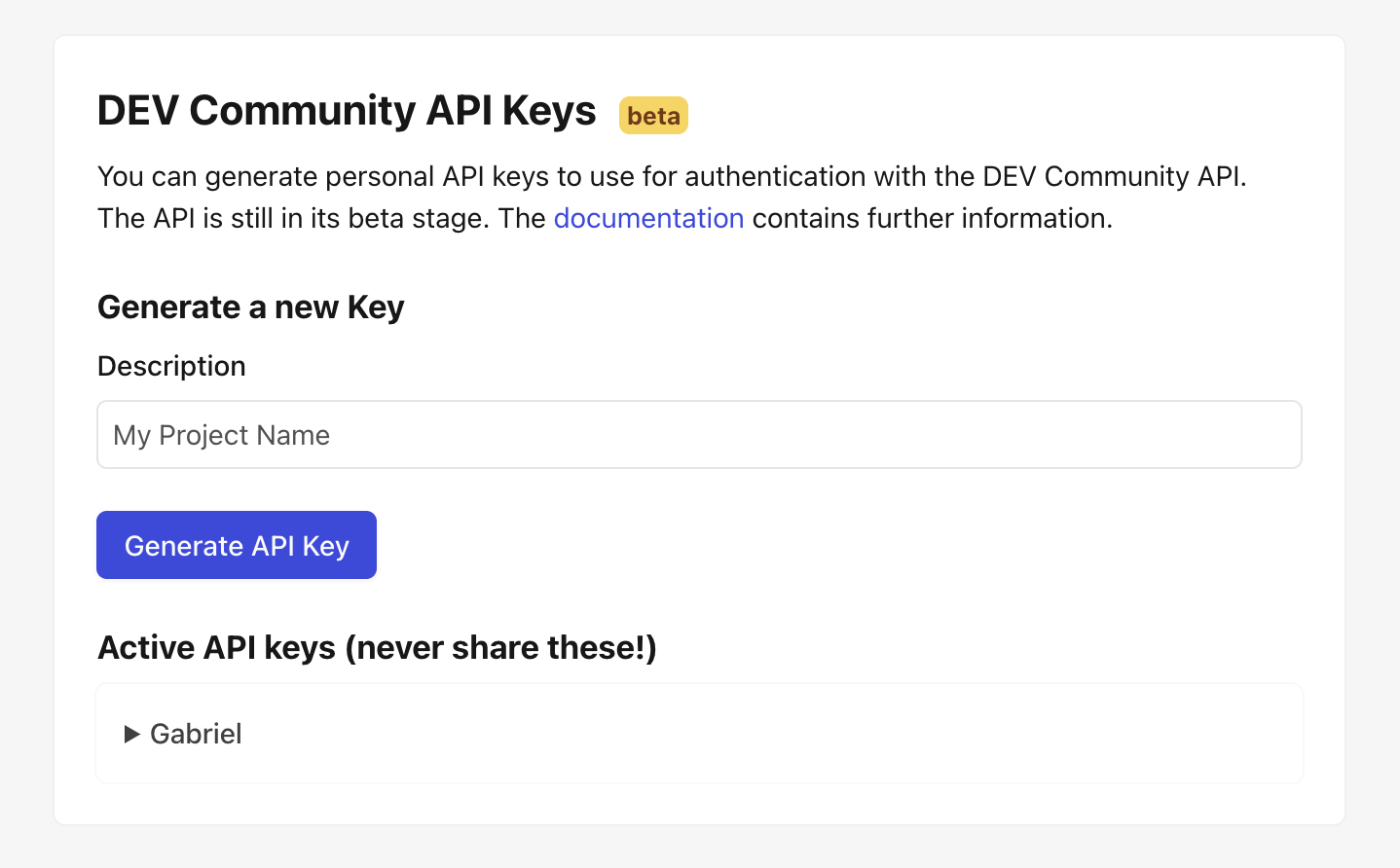
- The key will appear under Active API keys — expand it to copy
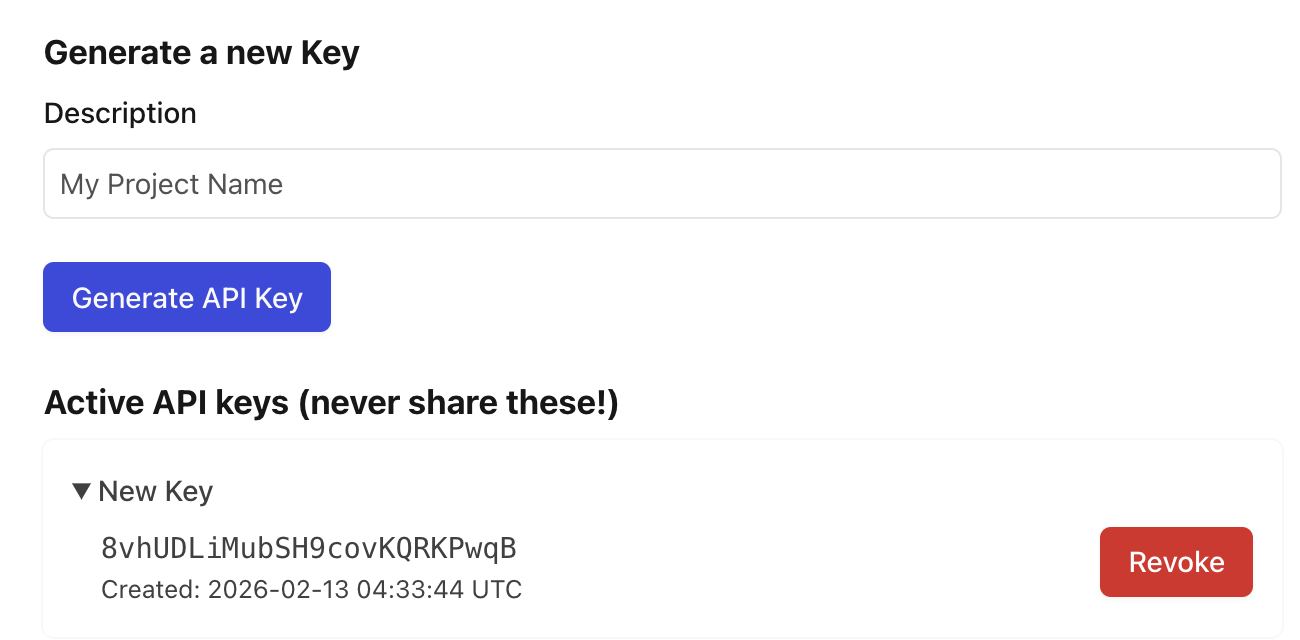
Security Warning:
- Never commit API keys to version control — use environment variables instead.
- If you suspect your key has been compromised, revoke it immediately and generate a new one.
Configuration
[platforms.devto]
api_base = "https://dev.to/api"  # optional, this is the default
published = true                  # true for published, false for draft
asset_strategy = "embed"          # or "external"
Environment Variables:
Set DEVTO_API_KEY with your API key:
export DEVTO_API_KEY="your-api-key-here"
Usage
# Preview content
typub dev posts/my-post -p devto

# Publish to Dev.to
typub publish posts/my-post -p devto
Tag Limits
Dev.to allows a maximum of 4 tags per article. If your content has more than 4 tags, typub will use the first 4.
# In your post's meta.toml
tags = ["rust", "webdev", "tutorial", "beginners"]  # All 4 will be used
Troubleshooting
“Unauthorized” error
- Verify your API key is correct
- Check that the key hasn’t been revoked in Dev.to settings
- Ensure
DEVTO_API_KEYenvironment variable is set
Article not appearing
- Check if
published = falsein your config (creates draft) - Draft articles are only visible to you in the Dev.to dashboard
Images not loading
- Dev.to requires images to be accessible via public URLs
- Use
asset_strategy = "external"with S3/R2 storage for reliable image hosting - Embedded base64 images may hit size limits for large images
Ghost
Ghost is an open-source, professional publishing platform built on Node.js.
Capabilities
| Feature | Support |
|---|---|
| Tags | Yes |
| Categories | No |
| Internal Links | Yes |
| Draft Support | Reversible (status field) |
| Math Rendering | SVG |
| Local Output | No |
Asset Strategies
| Strategy | Supported | Default | Notes |
|---|---|---|---|
embed | Yes | * | Images embedded as data URIs |
upload | Yes | Upload to Ghost’s image storage | |
external | Yes | Upload to S3/R2, use external URLs | |
copy | No | Ghost cannot fetch local file paths |
Prerequisites
- A Ghost site (self-hosted or Ghost(Pro))
- Admin access to create integrations
Getting Your API Key
Ghost uses Admin API keys for authentication. The key format is id:secret where both parts are hex strings.
Step 1: Access Ghost Admin
Navigate to your Ghost admin panel at https://your-site.com/ghost/.
Step 2: Open Integrations
- Click the Settings gear icon in the bottom-left corner
- Select Integrations from the menu
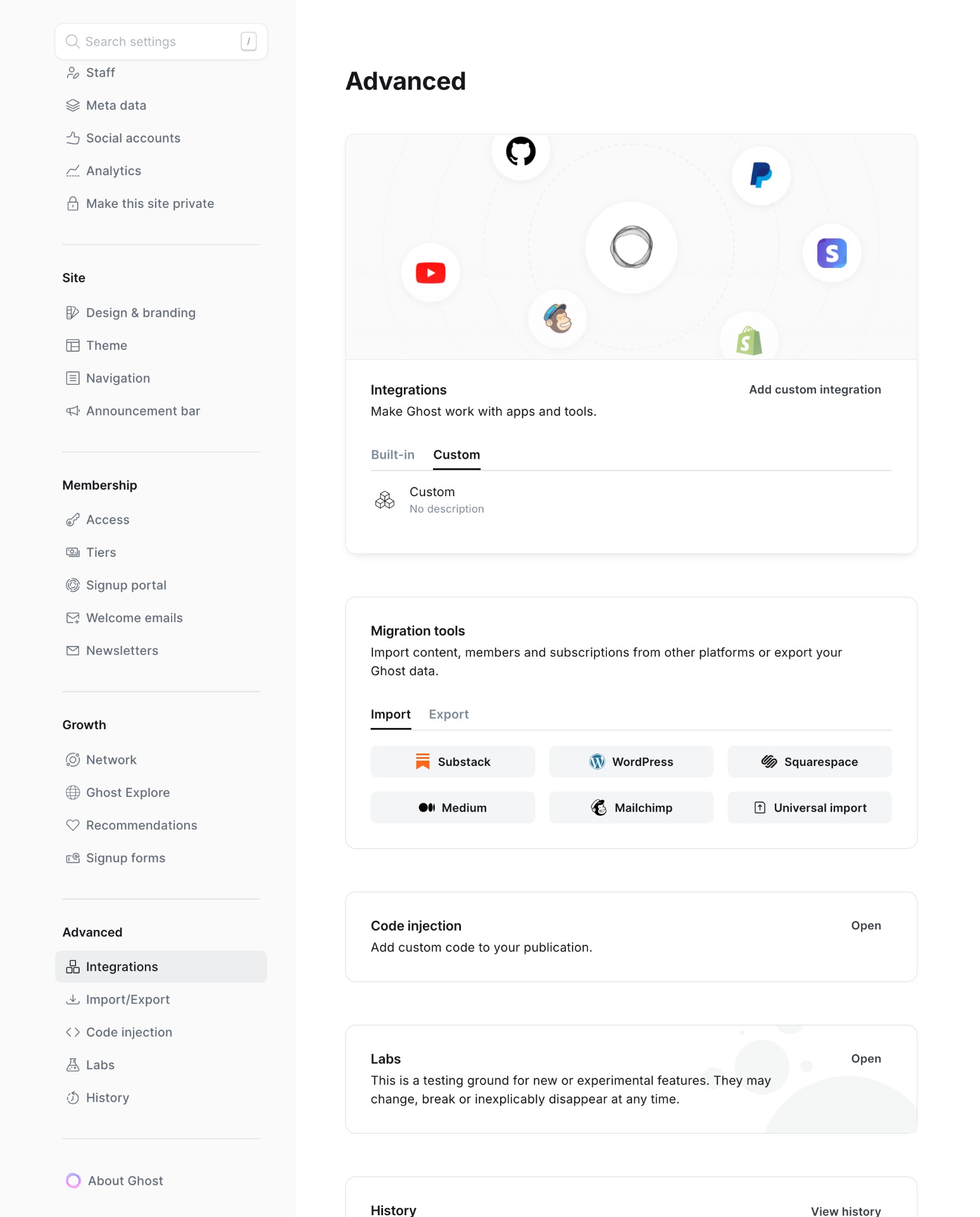
Step 3: Create Custom Integration
- Scroll down to Custom integrations
- Click Add custom integration
- Enter a name (e.g., “typub”)
- Click Create
Step 4: Copy Admin API Key
- In the integration details, locate Admin API Key
- Click the key to reveal it
- Copy the entire key (format:
abc123:def456...)
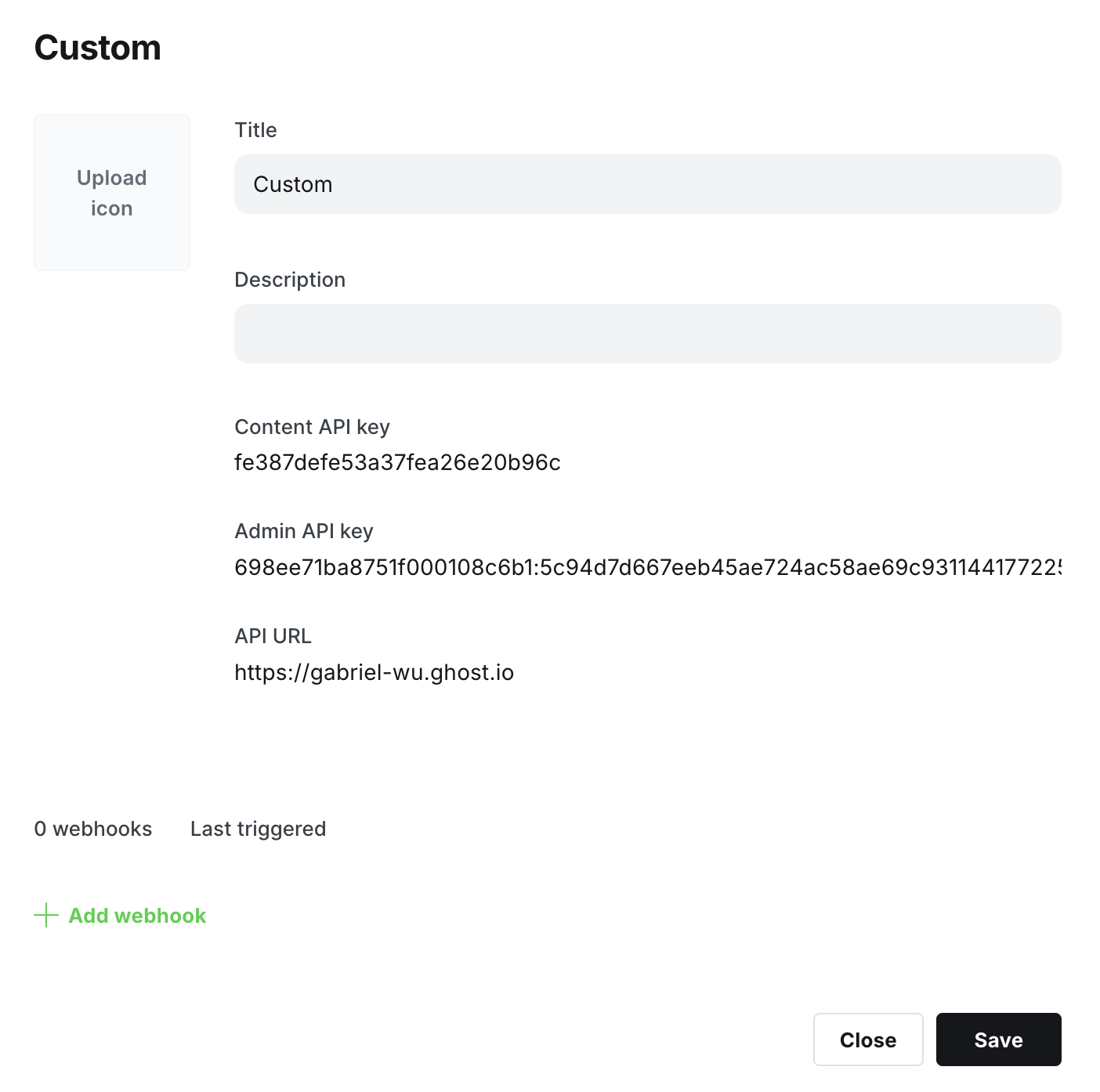
Important: The Admin API Key has full write access. Keep it secure and never commit it to version control.
Configuration
[platforms.ghost]
api_base = "https://your-site.com"  # Your Ghost site URL
published = true                     # true for published, false for draft
asset_strategy = "embed"             # or "upload", "external"
Environment Variables:
Set GHOST_ADMIN_API_KEY with your Admin API key:
export GHOST_ADMIN_API_KEY="your-id:your-secret"
Or in your shell profile:
# ~/.bashrc or ~/.zshrc
export GHOST_ADMIN_API_KEY="abc123def456:789xyz..."
Usage
# Preview content
typub dev posts/my-post -p ghost

# Publish to Ghost
typub publish posts/my-post -p ghost
Troubleshooting
“Invalid API key” error
- Ensure the key format is
id:secret(two hex strings separated by colon) - Verify the key hasn’t been regenerated in Ghost Admin
- Check that
api_basedoesn’t include/ghost/api/suffix
“Unauthorized” error
- Confirm the integration is still active in Ghost Admin
- Try regenerating the API key and updating your environment variable
Images not appearing
- For self-hosted Ghost, ensure your site URL is publicly accessible
- Try using
asset_strategy = "upload"to upload images directly to Ghost
Hashnode
Hashnode is a blogging platform for developers with built-in features like custom domains, newsletters, and analytics.
Capabilities
| Feature | Support |
|---|---|
| Tags | Yes (max 5) |
| Categories | No |
| Internal Links | Yes |
| Draft Support | Yes (separate draft objects) |
| Math Rendering | LaTeX (MathJax) |
| Local Output | No |
Asset Strategies
| Strategy | Supported | Default |
|---|---|---|
embed | No | |
upload | No | |
external | Yes | * |
copy | No |
Prerequisites
- A Hashnode account (free)
- A Hashnode publication (blog)
Getting Your API Token
Step 1: Access Developer Settings
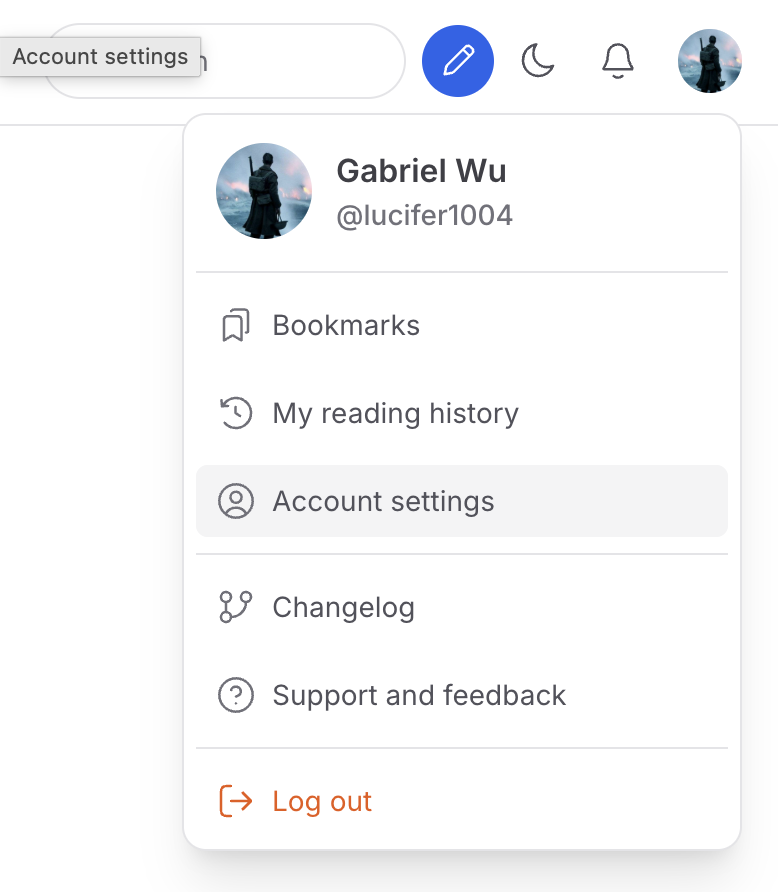
- Sign in to hashnode.com
- Click your profile picture → Account Settings
Step 2: Generate Personal Access Token
- In the left sidebar, click Developer
- Click Generate new token
- Copy the token from the table (use the copy button)
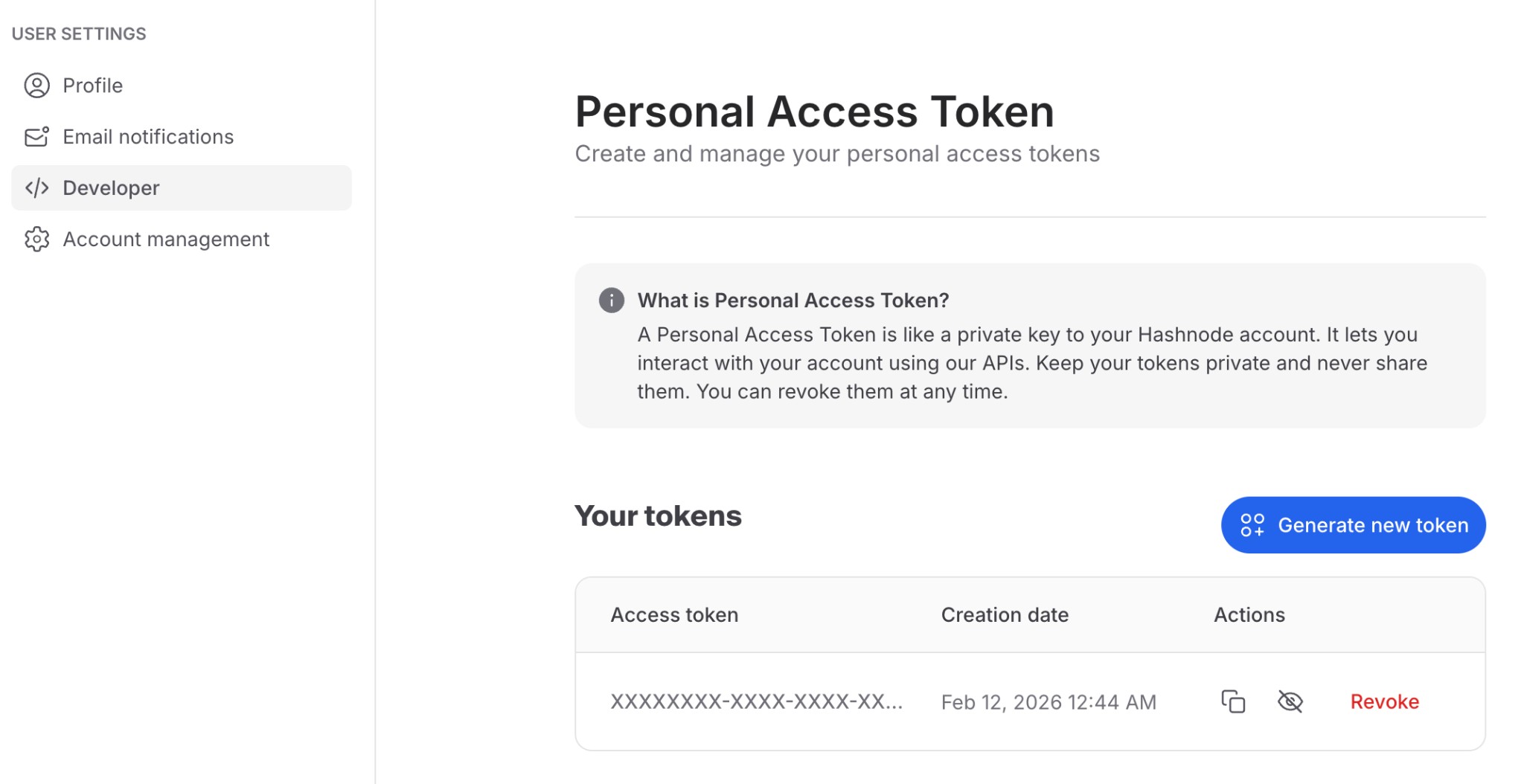
Security Warning:
- Never commit tokens to version control — use environment variables instead.
- If you suspect your token has been compromised, click Revoke and generate a new one.
Step 3: Find Your Publication
- Go to your Hashnode homepage
- Find Your blogs section
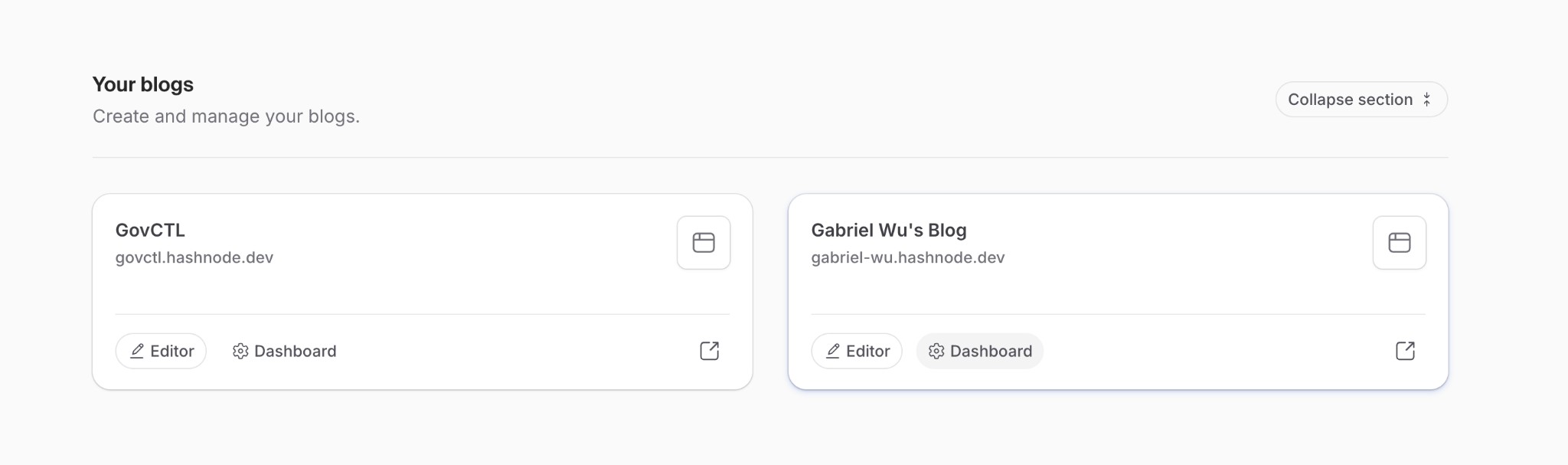
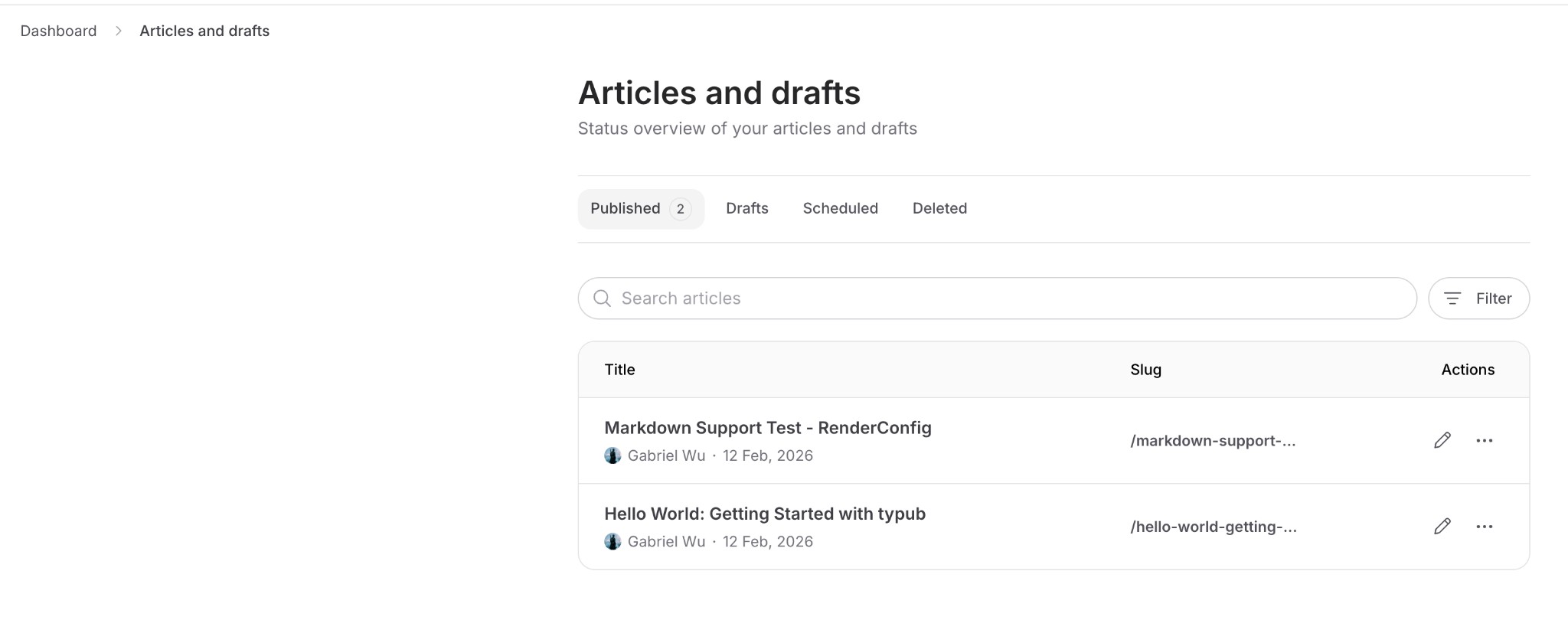
Step 4: Get Publication ID
- Click Dashboard on your blog
- The Publication ID is in the URL:
https://hashnode.com/{publication-id}/dashboard
Configuration
[platforms.hashnode]
publication_id = "your-publication-id"  # Publication ID from step 4
asset_strategy = "external"             # Only external URLs supported
Environment Variables:
Set HASHNODE_API_TOKEN with your personal access token:
export HASHNODE_API_TOKEN="your-token-here"
Usage
# Preview content
typub dev posts/my-post -p hashnode

# Publish to Hashnode
typub publish posts/my-post -p hashnode
Tag Limits
Hashnode allows a maximum of 5 tags per article. If your content has more than 5 tags, typub will use the first 5.
# In your post's meta.toml
tags = ["rust", "webdev", "tutorial", "beginners", "programming"]  # All 5 will be used
Troubleshooting
“Unauthorized” error
- Verify your API token is correct
- Check that the token hasn’t expired or been revoked
- Ensure
HASHNODE_API_TOKENenvironment variable is set
Article not appearing
- Check if
published = falsein your configuration - Draft articles are only visible in your Hashnode dashboard
- Verify the publication ID is correct
Images not loading
- Hashnode only supports external image URLs
- Configure S3/R2 storage and use
asset_strategy = "external"(default) - Images must be publicly accessible via URL
Notion
Notion is an all-in-one workspace for notes, docs, and project management.
Capabilities
| Feature | Support |
|---|---|
| Tags | Yes (via multi-select property) |
| Categories | No |
| Internal Links | Yes |
| Draft Support | None |
| Math Rendering | LaTeX |
| Local Output | No |
Asset Strategies
| Strategy | Supported | Default |
|---|---|---|
embed | No | |
upload | Yes | * |
external | Yes | |
copy | No |
Prerequisites
- A Notion account (free or paid)
- A database to publish content to
Getting Your API Token
Notion uses Internal Integrations for API access.
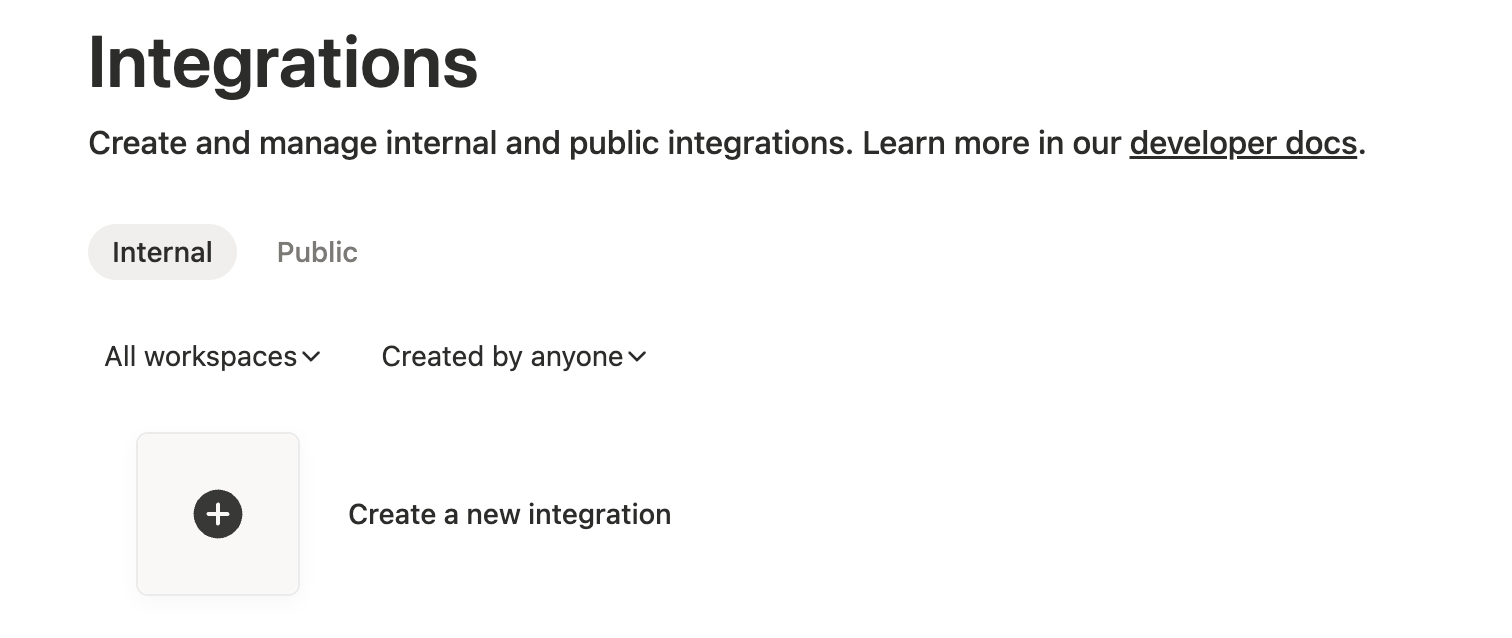
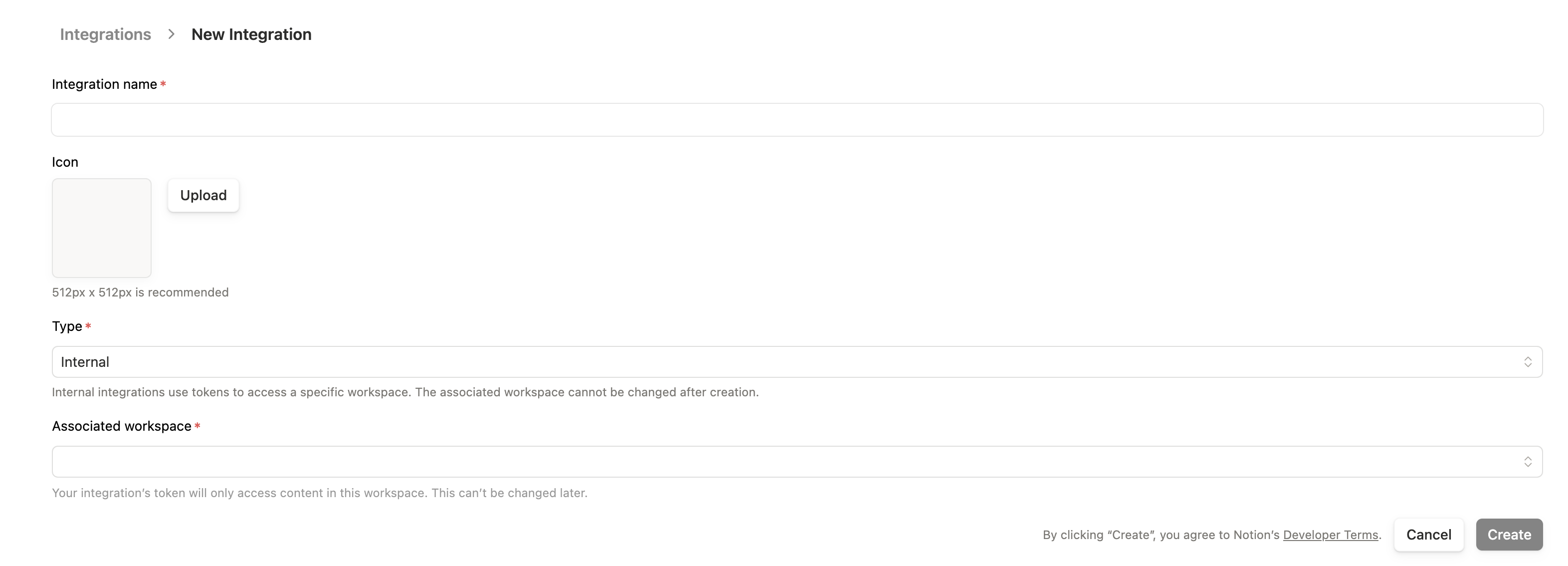
Step 1: Create Integration
- Go to notion.so/my-integrations
- Click + New integration
Step 2: Configure Integration
- Enter a name (e.g., “typub”)
- Select the workspace to associate with
- Keep Internal integration selected
- Click Submit
Step 3: Copy Secret Token
- On the integration page, find Internal Integration Secret
- Click Show then Copy
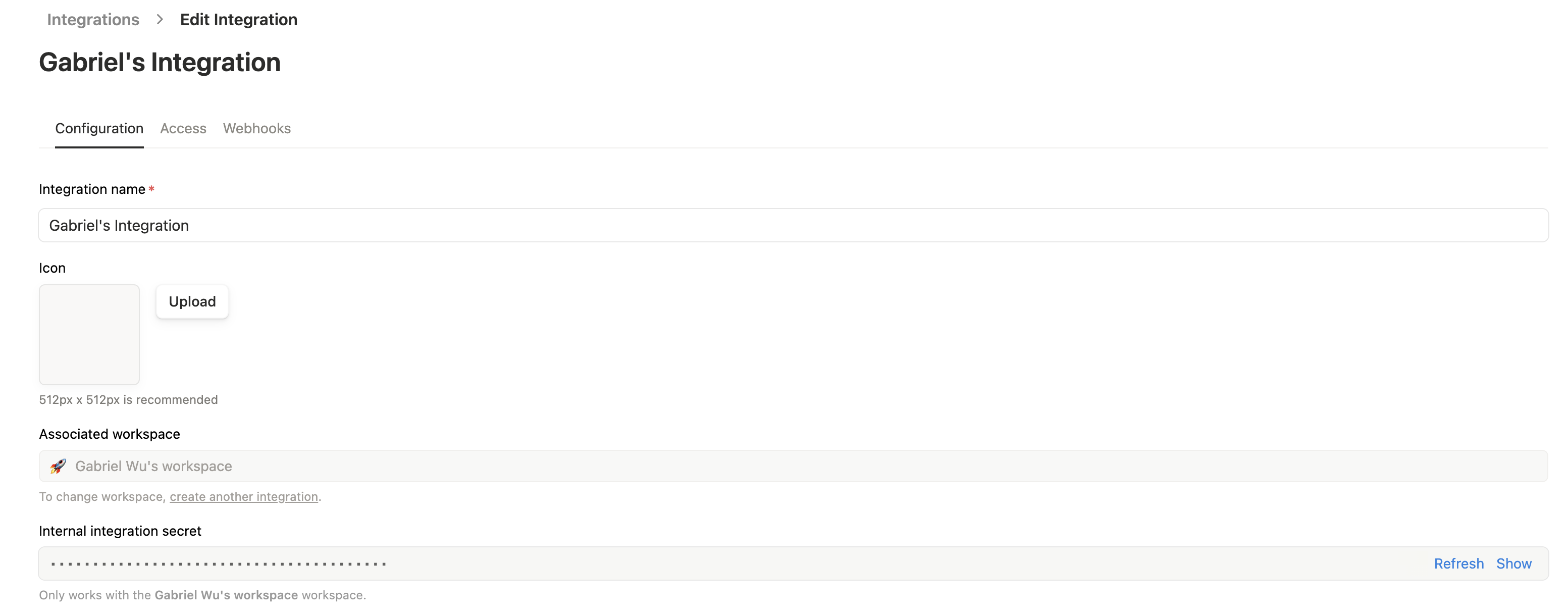
Important: This token has access to pages you explicitly share with it. Keep it secure.
Step 4: Get Data Source ID
- Open your target database in Notion
- Click … (View settings) → Manage data sources
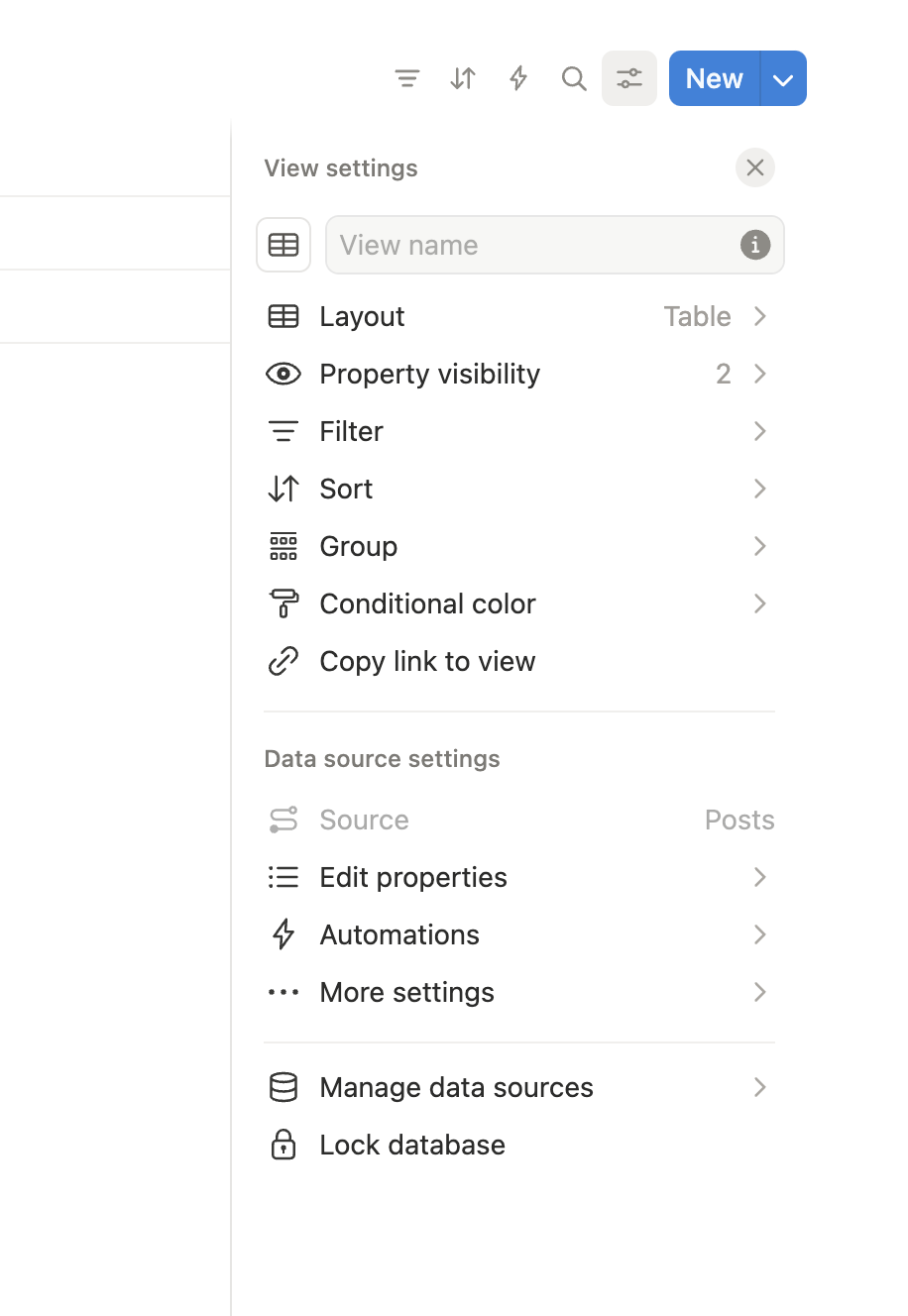
- Click … next to the data source → Copy data source ID
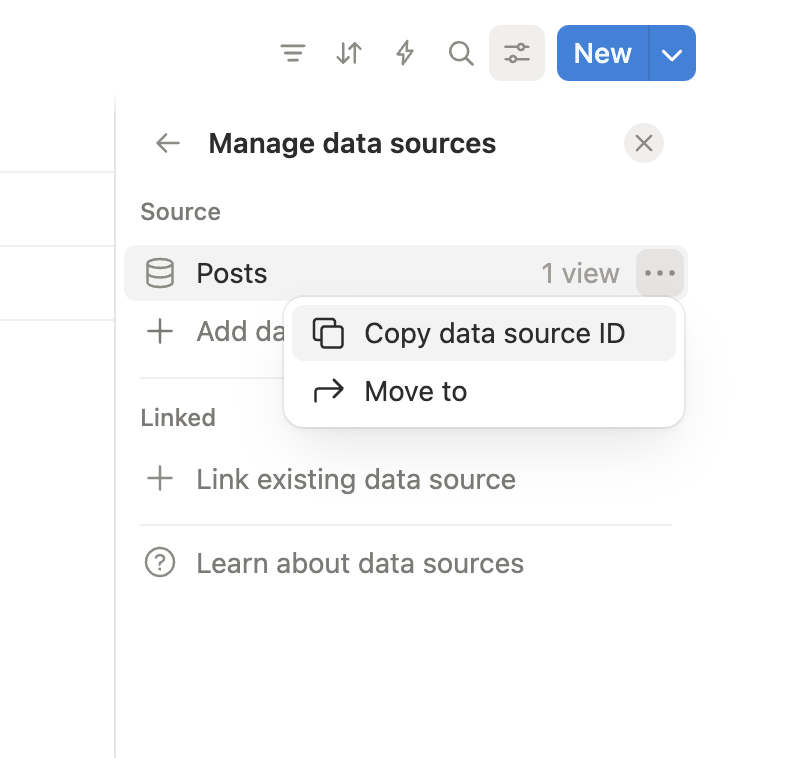
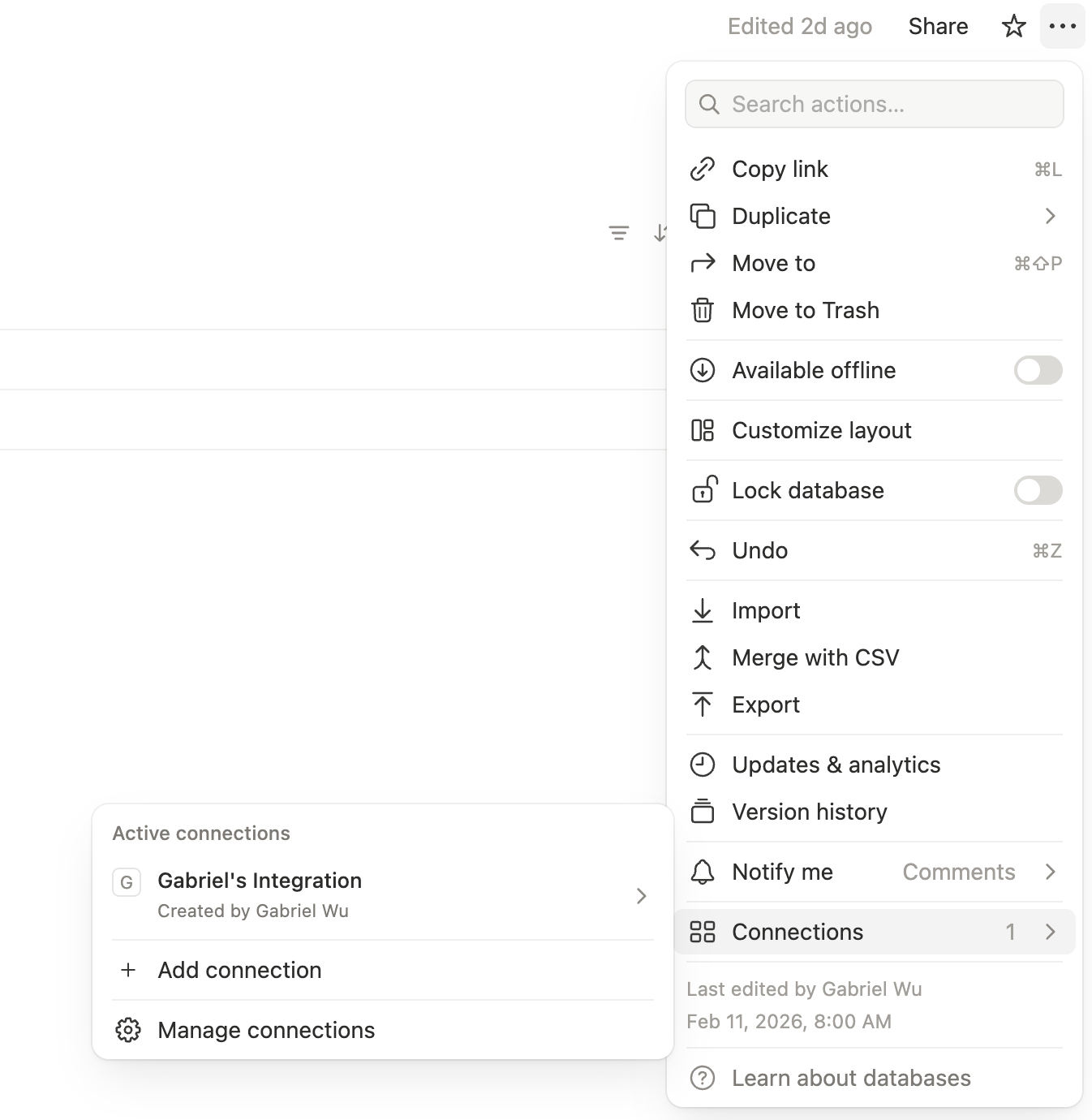
Step 5: Connect Integration to Database
- Open the database page
- Click … (more) → Connections
- Click + Add connection and select your integration
Configuration
[platforms.notion]
data_source_id = "your-database-id"  # Database ID from step 4
tags_property = "Tags"                # Name of multi-select property for tags
asset_strategy = "upload"             # or "external"
Environment Variables:
Set NOTION_API_KEY with your integration secret:
export NOTION_API_KEY="secret_abc123..."
Usage
# Preview content
typub dev posts/my-post -p notion

# Publish to Notion
typub publish posts/my-post -p notion
Database Setup
Your Notion database should have these properties:
| Property | Type | Required | Notes |
|---|---|---|---|
| Title | Title | Yes | Page title (default Name column) |
| Tags | Multi-select | No | For tag sync |
Additional properties can be added but won’t be synced by typub.
Image Captions and Alt Text
Notion image blocks use caption for visible image text.
- If the source contains
figcaption, typub writes it to Notionimage.caption(highest priority) - If there is no
figcaption, typub falls back to imagealtand writes it toimage.caption - typub does not send
image.altin API payloads
This behavior matches the current Notion API validation for image blocks.
Troubleshooting
“Unauthorized” error
- Verify your
NOTION_API_KEYis correct - Ensure the integration is connected to the target database (Step 5)
- Check that the database ID is correct (no
?v=suffix)
Tags not syncing
- Verify
tags_propertymatches the exact property name in Notion - The property must be of type “Multi-select”
- Tags are created automatically if they don’t exist
Images not appearing
- Notion requires images to be uploaded or have public URLs
- Use
asset_strategy = "upload"(default) orasset_strategy = "external" - Embedded base64 images are not supported
validation_error mentions image.alt should be not present
- This means the request body included an unsupported
image.altfield - typub now maps visible caption text to
image.captiononly
WordPress
WordPress is the world’s most popular content management system, powering over 40% of websites. typub supports publishing to WordPress via the REST API with JWT authentication.
Capabilities
| Feature | Support |
|---|---|
| Tags | Yes |
| Categories | Yes |
| Internal Links | Yes |
| Draft Support | Reversible (status field) |
| Math Rendering | SVG |
| Local Output | No |
Asset Strategies
| Strategy | Supported | Default | Notes |
|---|---|---|---|
embed | Yes | Images embedded as data URIs | |
upload | Yes | * | Upload to WordPress Media Library |
external | Yes | Use S3/R2 URLs | |
copy | No | WordPress requires upload or URL |
Prerequisites
- A self-hosted WordPress site (WordPress.com is not supported)
- Administrator access to install plugins
- JWT Authentication plugin installed and configured
Setting Up JWT Authentication
WordPress REST API requires authentication for content creation. The recommended method is JWT (JSON Web Token) authentication.
Step 1: Install JWT Authentication Plugin
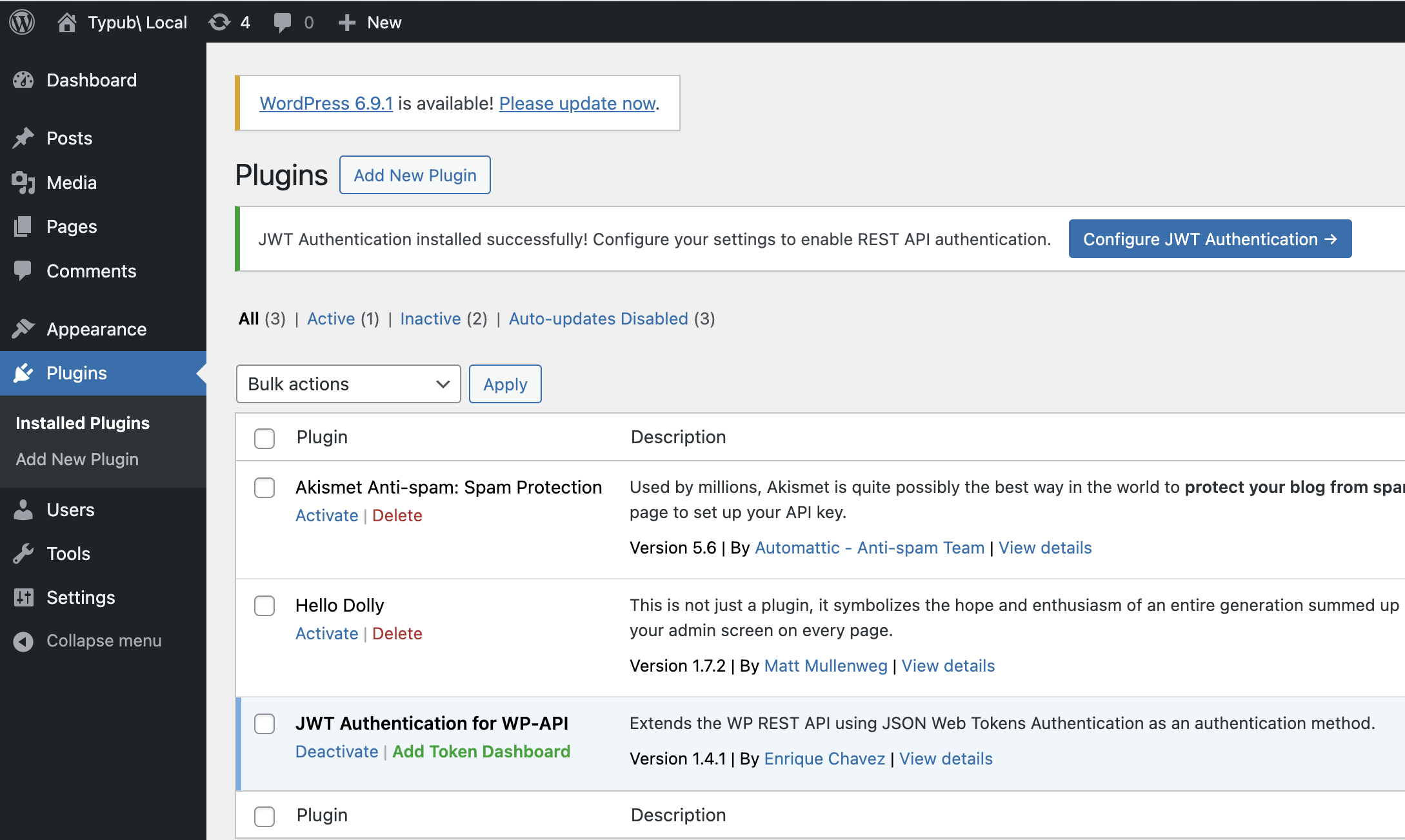
Option A: Via WordPress Admin (GUI)
- Log in to your WordPress admin panel
- Go to Plugins → Add New
- Search for “JWT Authentication for WP REST API”
- Install and activate the plugin
Option B: Via WP-CLI (Command Line)
If you have WP-CLI available (common in Docker setups):
wp plugin install jwt-authentication-for-wp-rest-api --activate
Step 2: Configure JWT Plugin (If Needed)
Note: Some hosting providers or Docker images may have this pre-configured. If the plugin works without manual configuration, you can skip this step.
The JWT plugin may require configuration in your wp-config.php file:
// Add these lines to wp-config.php (before "/* That's all, stop editing! */")

define('JWT_AUTH_SECRET_KEY', 'your-secret-key-here');
define('JWT_AUTH_CORS_ENABLE', true);
Security Note: Generate a strong secret key. You can use WordPress Salt Generator or any secure random string (64+ characters).
Docker Deployment
For Docker-based WordPress installations, you can set the secret key via environment variables:
# docker-compose.yml
services:
  wordpress:
    image: wordpress:latest
    environment:
      WORDPRESS_DB_HOST: db
      WORDPRESS_DB_USER: exampleuser
      WORDPRESS_DB_PASSWORD: examplepass
      WORDPRESS_DB_NAME: exampledb
      # Add JWT secret key
      WORDPRESS_CONFIG_EXTRA: |
        define('JWT_AUTH_SECRET_KEY', 'your-strong-secret-key-here');
        define('JWT_AUTH_CORS_ENABLE', true);
Or mount a custom wp-config.php with the JWT constants already defined.
Shared Hosting
On shared hosting, you may also need to enable HTTP Authorization headers in .htaccess:
RewriteEngine on
RewriteCond %{HTTP:Authorization} ^(.*)
RewriteRule ^(.*) - [E=HTTP_AUTHORIZATION:%1]
Step 3: Generate JWT Token
WordPress does not provide a UI for generating JWT tokens. You need to make an API request:
curl -X POST "https://your-site.com/wp-json/jwt-auth/v1/token" \
  -H "Content-Type: application/json" \
  -d '{"username": "your-username", "password": "your-password"}'
The response will contain your JWT token:
{
  "token": "eyJ0eXAiOiJKV1QiLCJhbGciOiJIUzI1NiJ9...",
  "user_email": "you@example.com",
  "user_nicename": "your-username",
  "user_display_name": "Your Name"
}
Important: Copy the
tokenvalue. This is your API key for typub.
Step 4: Verify Token Works
Test your token:
curl -X GET "https://your-site.com/wp-json/wp/v2/users/me" \
  -H "Authorization: Bearer YOUR_TOKEN_HERE"
If successful, you’ll see your user profile data.
Configuration
[platforms.wordpress]
base_url = "https://your-site.com"  # Your WordPress site URL (required)
api_key = "your-jwt-token"           # JWT token (or use WORDPRESS_API_KEY env var)
asset_strategy = "upload"            # Default: upload to Media Library
published = true                      # true for published, false for draft
Environment Variables:
Set WORDPRESS_API_KEY with your JWT token:
export WORDPRESS_API_KEY="eyJ0eXAiOiJKV1QiLCJhbGciOiJIUzI1NiJ9..."
Or in your shell profile:
# ~/.bashrc or ~/.zshrc
export WORDPRESS_API_KEY="eyJ0eXAiOiJKV1QiLCJhbGciOiJIUzI1NiJ9..."
Security Warning:
- Never commit JWT tokens to version control — use environment variables instead.
- JWT tokens are long-lived. If compromised, regenerate by changing your WordPress password and creating a new token.
- Store the token securely; it provides full write access to your WordPress site.
Usage
# Preview content
typub dev posts/my-post -p wordpress

# Publish to WordPress
typub publish posts/my-post -p wordpress
Taxonomy Sync
WordPress supports both tags and categories, which typub will automatically sync:
- Tags in your post’s front matter are synced to WordPress tags
- Categories in your post’s front matter are synced to WordPress categories
- If a tag or category doesn’t exist, it will be created automatically
# In your post's meta.toml
tags = ["wordpress", "tutorial", "cms"]
categories = ["Web Development", "Tutorials"]
Asset Handling
Upload Strategy (Default)
With asset_strategy = "upload", images are uploaded to your WordPress Media Library:
- typub uploads each image via the WordPress REST API
- Images appear in your Media Library
- Posts reference the uploaded image URLs
External Strategy
With asset_strategy = "external", use S3/R2 storage:
[storage]
type = "s3"
endpoint = "https://your-r2-endpoint.r2.cloudflarestorage.com"
bucket = "your-bucket"
region = "auto"
public_url_prefix = "https://cdn.your-domain.com"

[platforms.wordpress]
asset_strategy = "external"
Embed Strategy
With asset_strategy = "embed", images are embedded as Base64 data URIs. This is not recommended for large images due to size limitations.
Troubleshooting
“Unauthorized” error
- Verify your JWT token is correct and not expired
- Ensure
WORDPRESS_API_KEYenvironment variable is set - Check that JWT plugin is properly configured
- Try regenerating your token
“JWT not valid” error
- The token may have expired or been invalidated
- Regenerate by creating a new token via the API
- Check that
JWT_AUTH_SECRET_KEYis consistently configured
“Rest cannot access” error
- Ensure the user has sufficient permissions (Editor or Administrator role)
- Check that REST API is enabled on your WordPress site
- Verify no security plugins are blocking REST API access
Images not uploading
- Check your PHP upload limits in
php.ini(upload_max_filesize,post_max_size) - Ensure the user has upload permissions
- Try using
asset_strategy = "external"with S3/R2 storage
Posts not updating
- typub finds existing posts by slug
- If you changed the slug, the old post won’t be found
- Use the WordPress post ID in your local status database to force updates
CORS errors
- Ensure
JWT_AUTH_CORS_ENABLEis set totrue - Check your server’s CORS headers configuration
Local Output Adapters
This section groups adapters that generate local artifacts instead of publishing directly through remote APIs.
Use these guides for file-first workflows:
Astro
The astro adapter outputs Markdown files with YAML frontmatter, designed for Astro Content Collections.
Platform Features
- Outputs Markdown files consumable by Astro projects
- Supports YAML frontmatter (title, date, tags, categories)
- Preserves LaTeX math formulas with
$...$syntax - Images copied to local directory with relative paths
Capabilities
| Feature | Support |
|---|---|
| Tags | Yes (output to frontmatter) |
| Categories | Yes (output to frontmatter) |
| Internal Links | Yes |
| Draft Support | None (local output, no draft concept) |
| Math Rendering | LaTeX only (must preserve formula source) |
| Local Output | Yes |
Asset Strategies
| Strategy | Supported | Default | Notes |
|---|---|---|---|
copy | Yes | * | Copy images to assets dir |
embed | Yes | Base64 inline | |
external | Yes | Use external CDN URLs | |
upload | No | Not applicable |
Math Rendering
| Strategy | Support | Default | Notes |
|---|---|---|---|
latex | Yes | * | Preserves $...$ syntax for MathJax |
svg | No | SVG cannot reconstruct Markdown formulas | |
png | No | PNG cannot reconstruct Markdown formulas |
Note: The Astro adapter only supports
latexmath rendering mode because Markdown output requires preserving formula source code for proper display.
Prerequisites
Configuration
[platforms.astro]
output_dir = "output/astro"  # Markdown output directory
asset_strategy = "copy"      # Default, copy images locally
Content Format
Output Structure
output/astro/
└── your-post-slug/
    ├── index.md      # Markdown + YAML frontmatter
    └── assets/       # Image resources (if using copy strategy)
        └── image1.png
Frontmatter Format
The generated index.md includes YAML frontmatter:
---
title: Your Post Title
date: 2026-02-17
tags:
  - rust
  - typst
categories:
  - programming
---
# Your Post Title

Content here...
Math Formulas
Inline formula: $E = mc^2$
Block formula:
$$
\int_0^\infty e^{-x^2} dx = \frac{\sqrt{\pi}}{2}
$$
Usage
Preview
typub dev posts/my-post -p astro
Publish
typub publish posts/my-post -p astro
Outputs Markdown file to output/astro/{slug}/index.md.
Integrate with Astro Project
Configure the output directory in Astro’s Content Collections:
// src/content/config.ts
import { defineCollection, z } from "astro:content";
import { glob } from "astro/loaders";

const blog = defineCollection({
  loader: glob({ pattern: "**/index.md", base: "./output/astro" }),
  schema: z.object({
    title: z.string(),
    date: z.date(),
    tags: z.array(z.string()).optional(),
    categories: z.array(z.string()).optional(),
  }),
});

export const collections = { blog };
Using with astro-typst
Besides using typub to generate Markdown, you can also use astro-typst to render Typst content directly in Astro.
astro-typst Approach
// astro-typst renders .typ files directly
import TypstDocument from 'astro-typst';

<TypstDocument src="./content.typ" />
Comparison
| Approach | Pros | Cons |
|---|---|---|
| typub → MD | Standard Markdown, good compatibility | Extra build step required |
| astro-typst | Direct rendering, live preview | Requires Astro plugin setup |
Recommended Combination
- Use typub for content management: Write in Typst in
posts/directory - astro-typst for live preview: Render
.typfiles directly during development - typub for multi-platform publishing: Also supports Xiaohongshu, WeChat, etc.
Advanced Configuration
Custom Slug
Specify in your article’s meta.toml:
[platforms.astro]
slug = "custom-url-slug"
Output Directory
[platforms.astro]
output_dir = "content/blog"  # Output directly to Astro content directory
asset_strategy = "copy"
Troubleshooting
Math formulas not displaying
Ensure your Astro project has MathJax or KaTeX configured:
<!-- Add to Astro layout -->
<script src="https://polyfill.io/v3/polyfill.min.js?features=es6"></script>
<script
  id="MathJax-script"
  async
  src="https://cdn.jsdelivr.net/npm/mathjax@3/es5/tex-mml-chtml.js"
></script>
Image path issues
When using copy strategy, images use relative paths ./assets/image.png. Ensure your Markdown renderer supports relative paths.
Tags/Categories not showing
Check your meta.toml configuration:
tags = ["tag1", "tag2"]
categories = ["category1"]
Related
- Static Adapter — Generate standalone HTML files
- Hashnode Adapter — Publish to Hashnode blogging platform
Static
The static adapter generates standalone HTML files that can be directly deployed to static hosting platforms like GitHub Pages, Netlify, and Vercel.
Platform Features
- Generates complete
index.htmlfiles with embedded styles - Supports multiple themes
- Directly deployable to static hosting platforms
- Code syntax highlighting support
Capabilities
| Feature | Support |
|---|---|
| Tags | No (static HTML has no metadata) |
| Categories | No |
| Internal Links | Yes |
| Draft Support | None (local output, no draft concept) |
| Math Rendering | SVG / PNG |
| Local Output | Yes |
Asset Strategies
| Strategy | Supported | Default | Notes |
|---|---|---|---|
copy | Yes | * | Copy images to assets dir |
embed | Yes | Base64 inline | |
external | Yes | Use external CDN URLs | |
upload | No | Not applicable |
Math Rendering
| Strategy | Support | Default | Notes |
|---|---|---|---|
svg | Yes | * | Vector graphics, scalable |
png | Yes | Bitmap, good compatibility | |
latex | No | Requires MathJax runtime |
Prerequisites
- Typst installed (for rendering)
Configuration
[platforms.static]
output_dir = "output/static"  # HTML output directory
theme = "minimal"             # Theme name
asset_strategy = "copy"       # Default, copy images locally
Available Themes
| Theme | Description |
|---|---|
minimal | Clean white background, good for technical docs |
elegant | Elegant typography, good for blog posts |
dark | Dark theme |
For creating your own theme IDs or overriding built-ins, see Theme Customization.
Content Format
Output Structure
output/static/
└── your-post-slug/
    ├── index.html      # Complete HTML file
    └── assets/         # Image resources (if using copy strategy)
        └── image1.png
HTML Structure
The generated index.html includes:
- Complete
<html>,<head>,<body>structure - Inline CSS styles
- Code highlighting (using highlight.js)
- Math formula rendering
Usage
Preview
typub dev posts/my-post -p static
Opens a preview page in your browser showing the generated HTML.
Publish
typub publish posts/my-post -p static
Outputs HTML file to output/static/{slug}/index.html.
Deploy to GitHub Pages
# 1. Publish content
typub publish posts/ -p static

# 2. Copy output to gh-pages branch
cp -r output/static/* .

# 3. Push to GitHub
git add .
git commit -m "Publish static pages"
git push origin gh-pages
Deploy to Netlify
- Set
output/staticas your publish directory - Or use Netlify CLI:
netlify deploy --dir=output/static --prod
Example Output
<!DOCTYPE html>
<html>
  <head>
    <meta charset="utf-8" />
    <title>Your Post Title</title>
    <style>
      /* Inline styles */
      body {
        font-family: -apple-system, BlinkMacSystemFont, "Segoe UI", Roboto;
        max-width: 800px;
        margin: 0 auto;
        padding: 20px;
      }
      /* ... more styles ... */
    </style>
    <link
      rel="stylesheet"
      href="https://cdn.jsdelivr.net/gh/highlightjs/cdn-release@11.9.0/build/styles/github.min.css"
    />
  </head>
  <body>
    <h1>Your Post Title</h1>
    <p>Content here...</p>
  </body>
</html>
Advanced Configuration
Custom Theme
[platforms.static]
theme = "elegant"
Use External Image Hosting
[platforms.static]
asset_strategy = "external"
Requires external storage (S3/R2) configuration. See External Storage Configuration.
Output to Project Root
[platforms.static]
output_dir = "."  # Output directly to current directory
Comparison with Astro Adapter
| Feature | Static Adapter | Astro Adapter |
|---|---|---|
| Output Format | Complete HTML | Markdown + frontmatter |
| Deployment | Direct hosting | Requires Astro project |
| Theme Support | Built-in themes | Controlled by Astro project |
| Content Mgmt | None | None |
| Use Case | Simple static sites | Astro Content Collections |
Troubleshooting
Styles not applied
Ensure CSS links in the generated HTML are accessible. If using CDN resources (like highlight.js), you need network connectivity.
Math formulas appear blank
Check Typst installation and version:
typst --version
Images not displaying
- When using
copystrategy, ensure image paths are correct - When using
embedstrategy, check Base64 encoding - When using
externalstrategy, ensure CDN URLs are accessible
Related
- Astro Adapter — Output Markdown for Astro projects
- External Storage Configuration — Configure S3/R2 image hosting
小红书 (Xiaohongshu)
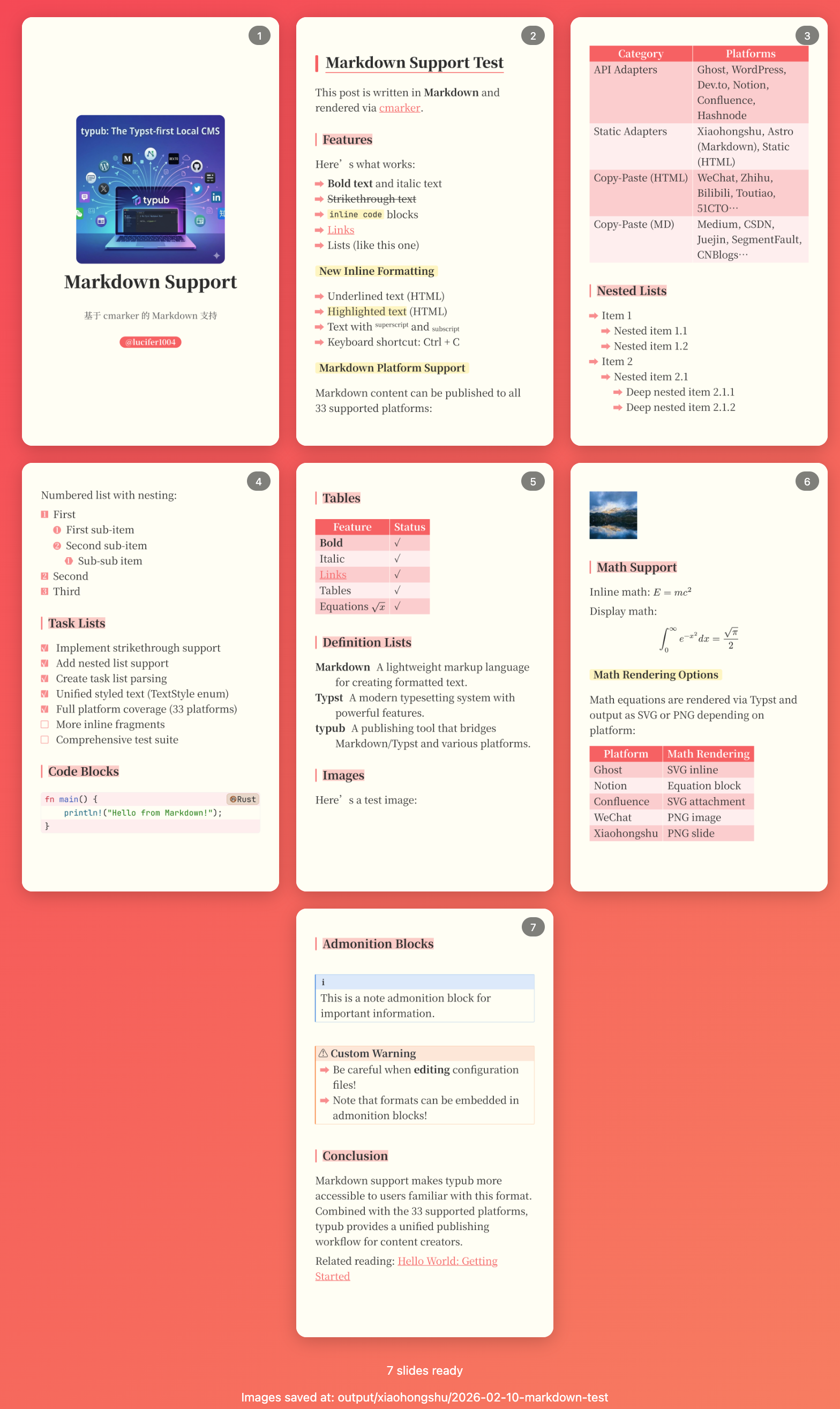
小红书是中国流行的生活方式分享平台,以图文笔记和短视频为主。typub 支持将内容转换为幻灯片图片,供手动上传到小红书。
平台特点
小红书没有开放 API,因此 typub 采用图片生成 + 手动上传的方式:
- typub 将你的文章内容转换为精美的幻灯片图片
- 图片保存到本地输出目录
- 你手动在小红书 App 中上传这些图片
Capabilities
| Feature | Support |
|---|---|
| Tags | No(需手动添加) |
| Categories | No |
| Internal Links | No(不支持外链) |
| Draft Support | None(本地输出,无草稿概念) |
| Math Rendering | SVG / PNG |
| Local Output | Yes |
Asset Strategies
| Strategy | Supported | Default | Notes |
|---|---|---|---|
embed | Yes | * | 图片内嵌到幻灯片中 |
upload | No | 小红书不支持 API 上传 | |
external | No | 小红书不支持外链图片 | |
copy | No | 不适用 |
Prerequisites
- Typst 已安装(用于渲染幻灯片)
- 小红书 App(用于手动上传)
Configuration
[platforms.xiaohongshu]
output_dir = "output/xiaohongshu"  # 幻灯片输出目录
Content Format
小红书适配器将你的文章内容(Typst 或 Markdown)渲染为精美的幻灯片图片。
内容文件
typub 会自动检测以下内容文件(按优先级):
content.typ— Typst 格式content.md— Markdown 格式
可选的 slides.typ
如果你有现成的 Typst 幻灯片文件 slides.typ,typub 也会检测到它。但通常 typub 会自动将 content.typ 或 content.md 转换为幻灯片格式。
元数据配置
在 meta.toml 中可以设置以下小红书专属字段:
[platforms.xiaohongshu]
subtitle = "副标题(可选)"
author = "@你的用户名"
文章结构建议
小红书内容以图文为主,建议:
- 使用一级标题(
= Title)分隔不同幻灯片/页面 - 每个段落简洁明了
- 图片会自动嵌入幻灯片
Usage
预览:
typub dev posts/my-post -p xiaohongshu
“发布”:
typub publish posts/my-post -p xiaohongshu
生成完成后,幻灯片图片会保存在 {platforms.xiaohongshu.output_dir}/{slug}/ 目录下。
Publishing to 小红书
Step 1: 生成幻灯片
typub publish posts/my-post -p xiaohongshu
终端会显示:
Generated 5 slides at: output/xiaohongshu/my-post
Upload these images manually to 小红书
Step 2: 打开小红书 App
- 打开小红书 App
- 点击底部的 + 按钮
- 选择 图文
Step 3: 上传图片
- 点击 相册
- 选择生成的幻灯片图片(按顺序选择)
- 点击 下一步
Step 4: 添加标题和标签
- 输入标题(建议与文章标题一致)
- 添加话题标签
- 编写简介(可选)
- 点击 发布
Best Practices
标题建议
小红书标题建议:
- 控制在 20 字以内
- 使用吸引眼球的表达
- 可以使用 emoji
内容长度
每张幻灯片建议:
- 文字不超过 100 字
- 重点突出,便于快速阅读
- 适合手机竖屏浏览
图片数量
小红书图文笔记:
- 最多可上传 18 张图片
- 建议控制在 5-10 张
- 第一张图最重要(封面)
Troubleshooting
“No slide images generated” 错误
- 确保已安装 Typst:
typst --version - 确保目录中有
content.typ或content.md文件 - 如果问题仍然存在,尝试手动运行
typst compile查看错误
Typst 渲染失败
- 检查 Typst 版本是否最新
- 确保内容语法正确
- 查看 typub 的错误输出
图片显示不正确
- 确保图片路径正确
- 图片格式应为 PNG 或 JPG
- 检查图片尺寸是否合适
幻灯片数量过多
- 调整文章结构,合并内容
- 减少一级标题数量
- 考虑拆分为多篇文章
Character Limits
小红书内容限制:
| 项目 | 限制 |
|---|---|
| 标题 | 20 字(推荐) |
| 正文 | 1000 字 |
| 图片数量 | 最多 18 张 |
| 话题标签 | 最多 5 个 |
Note: 这些是小红书平台的限制,typub 不会强制检查。请在上传前自行控制内容长度。
Copy-paste Platforms
This section groups platforms that require a manual copy-paste workflow.
Use these guides for clipboard-based publishing:
Typical Workflow
typub dev posts/my-post -p wechat
Then:
- Open the local preview URL.
- Copy rendered content.
- Paste into the target platform editor.
HTML Copy-paste Platforms
These profiles render styled HTML content for manual paste.
微信公众号
微信公众号是中国最大的内容发布平台之一,支持图文、音频、视频等多种内容形式。
平台能力
| 特性 | 支持情况 |
|---|---|
| 输出格式 | HTML(富文本) |
| 默认主题 | wechat-green |
| 特殊转换 | li_span_wrap(列表文字不分行) |
资源策略
| 策略 | 支持 | 默认 |
|---|---|---|
embed(Base64 内嵌) | 是 | * |
external(外部存储) | 是 |
平台限制/注意事项
- 图片:不支持外链图片,必须使用内嵌或手动上传
- SVG:支持内联 SVG,但复杂 SVG 可能渲染异常
- 字体:仅支持系统默认字体,自定义字体会被忽略
- CSS:样式必须内联,不支持外部样式表或
<style>标签 - 列表:需要特殊处理防止文字分行(typub 已自动处理)
- 代码块:支持,但语法高亮依赖内联样式
发布流程
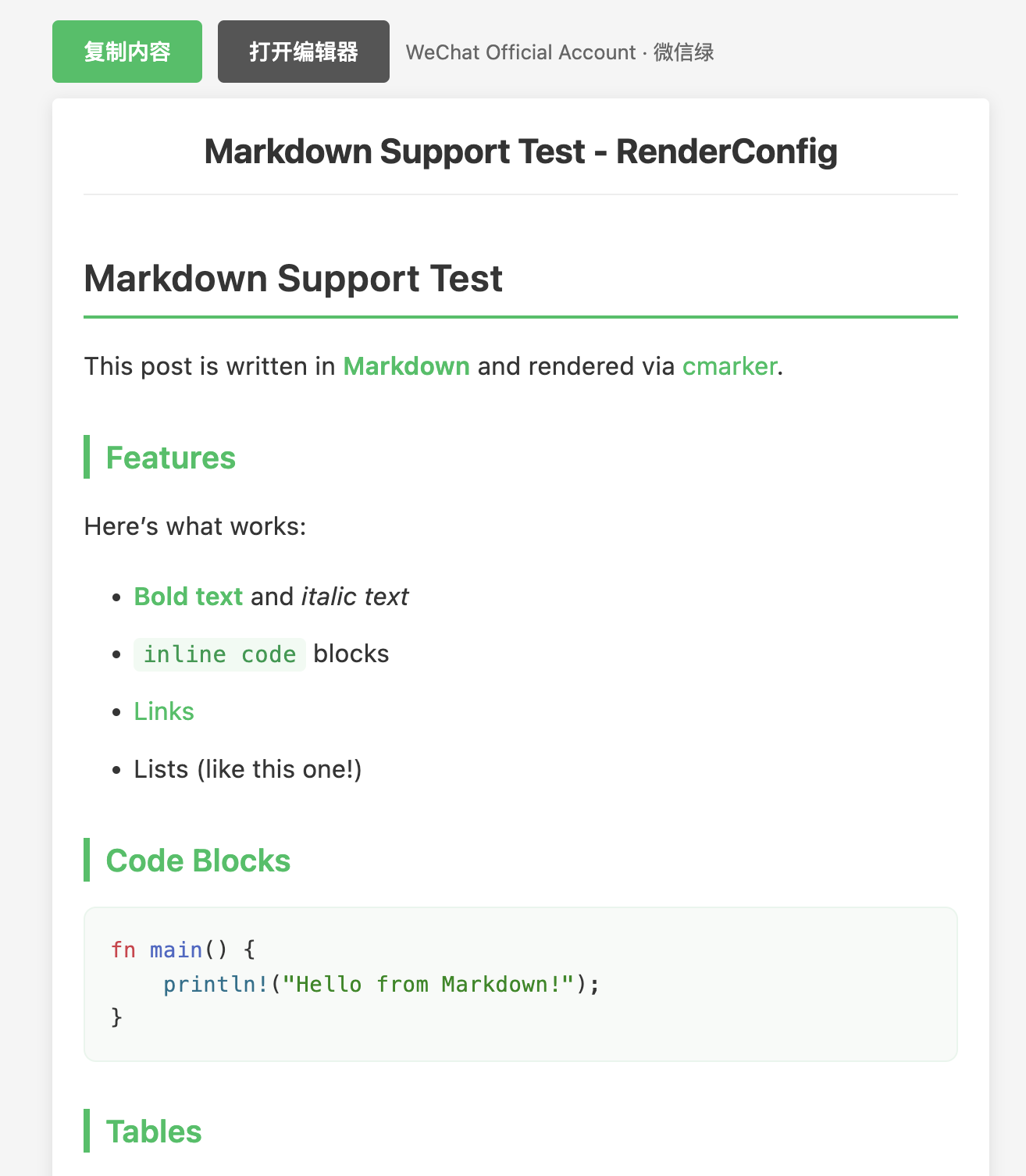
1. 预览内容
typub dev posts/my-post -p wechat
浏览器会自动打开预览页面。
2. 复制内容
点击预览页面的 复制内容 按钮。
3. 打开编辑器
访问 微信公众号后台,登录后点击 内容管理 → 草稿箱 → 新建图文。
4. 粘贴内容
- 在编辑器中点击正文区域
- 使用
Ctrl+V(Windows)或Cmd+V(Mac)粘贴 - 检查格式是否正确
5. 处理图片
如果使用 asset_strategy = "embed",图片已经内嵌,无需额外操作。
如果图片显示为占位符或链接:
- 点击图片占位符
- 选择 上传图片 或从素材库选择
6. 发布
- 添加标题、摘要、封面图
- 点击 发布 或 定时发布
配置选项
[platforms.wechat]
theme = "wechat-green"      # 可选主题:elegant, github, notion
asset_strategy = "embed"    # 推荐使用 embed
可用主题
| 主题 | 说明 |
|---|---|
wechat-green | 微信绿色调,默认主题 |
elegant | 简约黑白风格 |
github | GitHub 风格 |
notion | Notion 风格 |
常见问题
Q: 粘贴后格式丢失?
A: 确保使用预览页面的“复制内容“按钮,而不是直接复制 HTML 文件内容。部分浏览器可能需要授予剪贴板权限。
Q: 图片显示不出来?
A:
- 检查是否使用了
asset_strategy = "embed" - 如果使用
external,需要在微信后台手动上传图片 - 微信不支持外链图片,必须使用内嵌或上传
Q: 代码块样式不正确?
A: typub 使用内联样式来保持代码块格式。如果样式异常,尝试切换主题:
[platforms.wechat]
theme = "github"  # 使用 GitHub 风格
Q: 列表项文字被分成多行?
A: typub 默认启用 li_span_wrap 转换规则来防止这个问题。如果仍然出现,请检查是否正确使用了预览功能。
知乎
知乎是中国最大的知识分享平台,支持专栏文章和回答。
平台能力
| 特性 | 支持情况 |
|---|---|
| 输出格式 | Markdown(导入到编辑器) |
| 默认主题 | elegant |
| 特殊转换 | 无 |
资源策略
| 策略 | 支持 | 默认 |
|---|---|---|
embed(Base64 内嵌) | 否 | |
external(外部存储) | 是 | * |
平台限制/注意事项
- 图片:不支持外链图片,需要上传到知乎图床
- SVG:不支持 SVG,会被忽略或显示异常
- 图片格式:不支持内嵌图片(Base64),必须使用外部存储并手动上传
- 字体:仅支持系统字体
- CSS:样式会被过滤,仅保留基础格式
- 代码块:支持,但目前语言无法自动识别,需手动选择
发布流程
1. 预览内容
typub dev posts/my-post -p zhihu
浏览器会自动打开预览页面。
2. 复制内容
点击预览页面的 复制内容 按钮。
3. 打开编辑器
访问 知乎专栏写文章。
4. 导入 Markdown
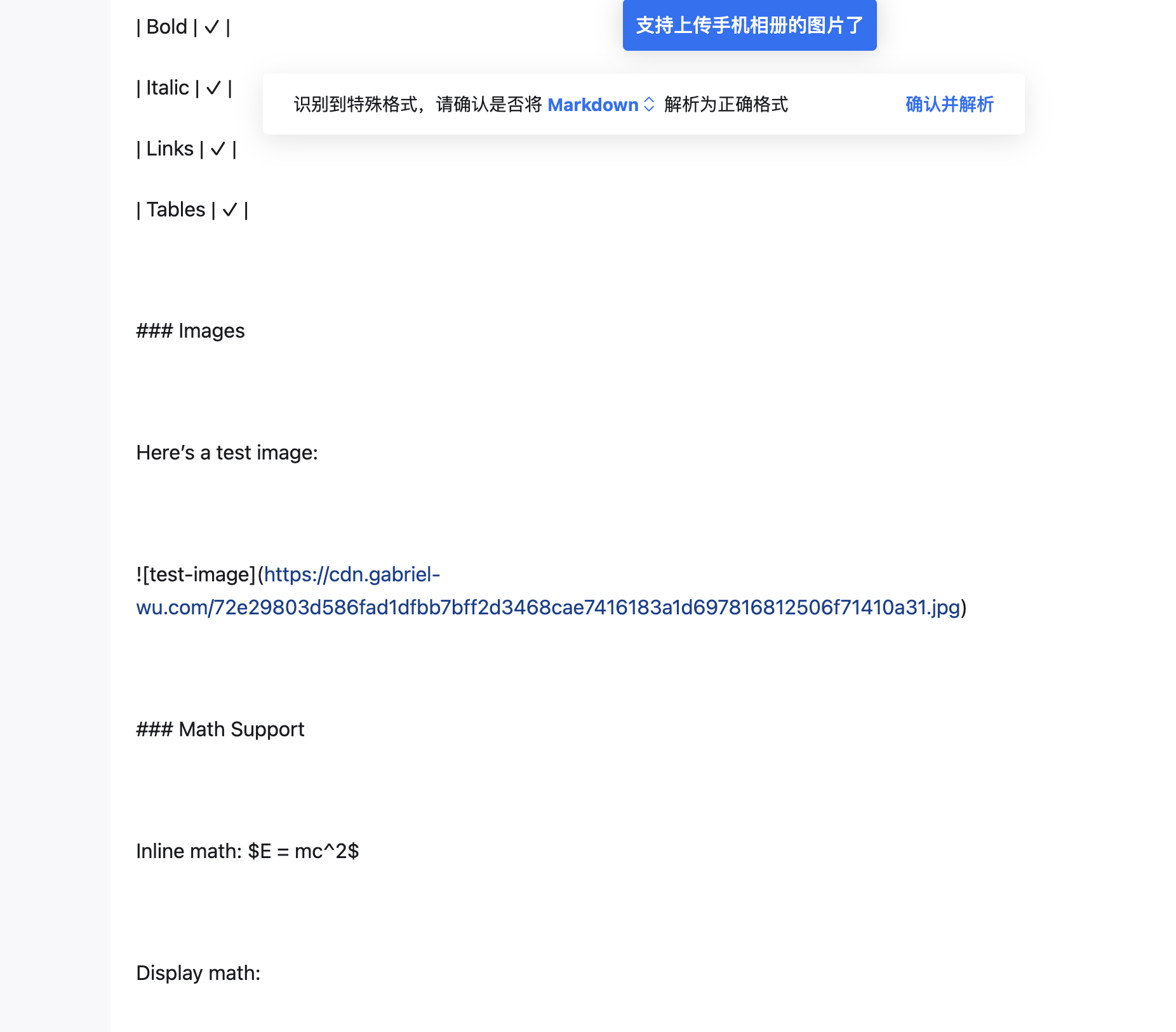
- 在编辑器正文区域粘贴(
Ctrl+V或Cmd+V) - 知乎会识别 Markdown 格式并提示“识别到特殊格式,请确认是否将 Markdown 解析为正确格式“
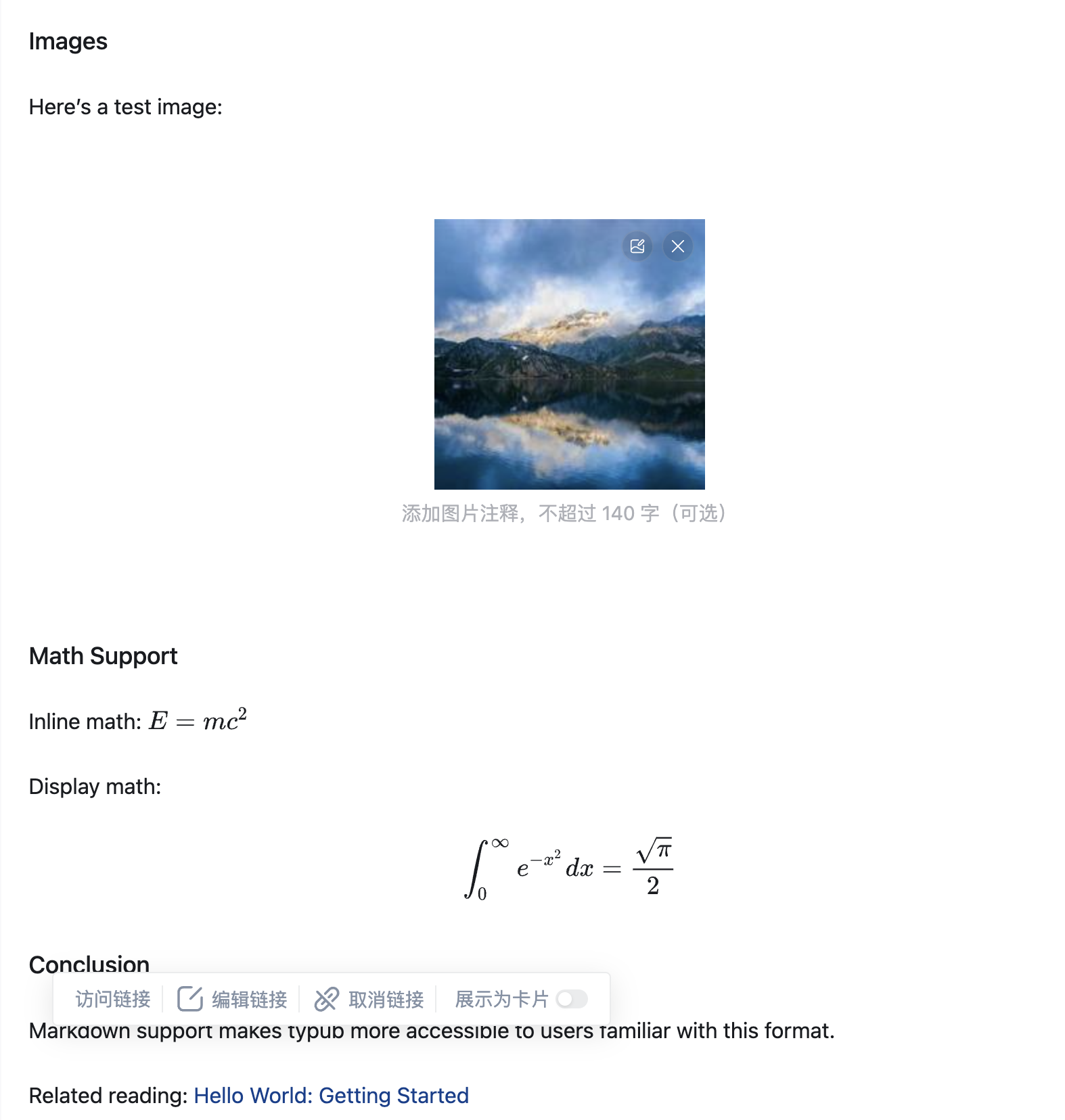
- 点击 确认并解析
- 内容将被转换为富文本格式,包括图片、公式等
5. 处理图片
由于知乎不支持内嵌图片,需要手动上传:
- 对于每个图片占位符,点击并选择 上传图片
- 选择对应的本地图片文件
- 或者使用
asset_strategy = "external"(默认),先上传到 S3/R2,再复制链接
推荐做法:使用 external 策略(默认),先运行 typub publish 上传图片,然后在知乎中使用图片链接。
6. 发布
- 添加标题
- 选择话题标签
- 点击 发布
配置选项
[platforms.zhihu]
theme = "elegant"           # 可选主题
asset_strategy = "external" # 默认值
推荐配置
由于知乎不支持内嵌图片,建议配置外部存储:
[storage]
type = "s3"
endpoint = "https://your-r2-endpoint.r2.cloudflarestorage.com"
bucket = "your-bucket"
region = "auto"
public_url_prefix = "https://cdn.your-domain.com"

[platforms.zhihu]
asset_strategy = "external"
常见问题
Q: 图片显示为空白或占位符?
A: 知乎不支持内嵌图片。解决方案:
- 配置外部存储(S3/R2)
- 设置
asset_strategy = "external"(默认值) - 运行
typub dev上传图片 - 预览页面会显示实际图片 URL
Q: 数学公式不显示?
A: typub 会将公式转换为 LaTeX 格式($...$ 和 $$...$$),知乎编辑器会自动渲染。如果公式未正确显示,请检查 LaTeX 语法是否正确。
Q: 样式与预览不一致?
A: 知乎会过滤大部分自定义样式。预览页面的效果仅供参考,实际显示以知乎为准。
Q: 代码块没有语法高亮?
A: 目前 typub 导出的代码块在知乎无法正确识别语言,需要在粘贴后手动选择代码语言。这是一个已知问题,未来版本会修复。
今日头条
今日头条是字节跳动旗下的内容分发平台,支持图文、视频等多种内容形式。
平台能力
| 特性 | 支持情况 |
|---|---|
| 输出格式 | HTML(富文本) |
| 代码高亮 | 支持 |
| 资源策略 | embed(Base64) |
| 数学公式 | 支持(PNG渲染) |
资源策略
| 策略 | 支持 | 默认 | 说明 |
|---|---|---|---|
embed | 是 | * | Base64内嵌图片 |
external | 是 | 使用S3/R2外链 |
使用方法
今日头条使用复制粘贴工作流:
# 预览内容
typub dev posts/my-post -p toutiao
- 浏览器打开预览页面
- 点击 复制内容 按钮
- 打开 头条号创作
- 粘贴内容到编辑器
平台限制
数学公式
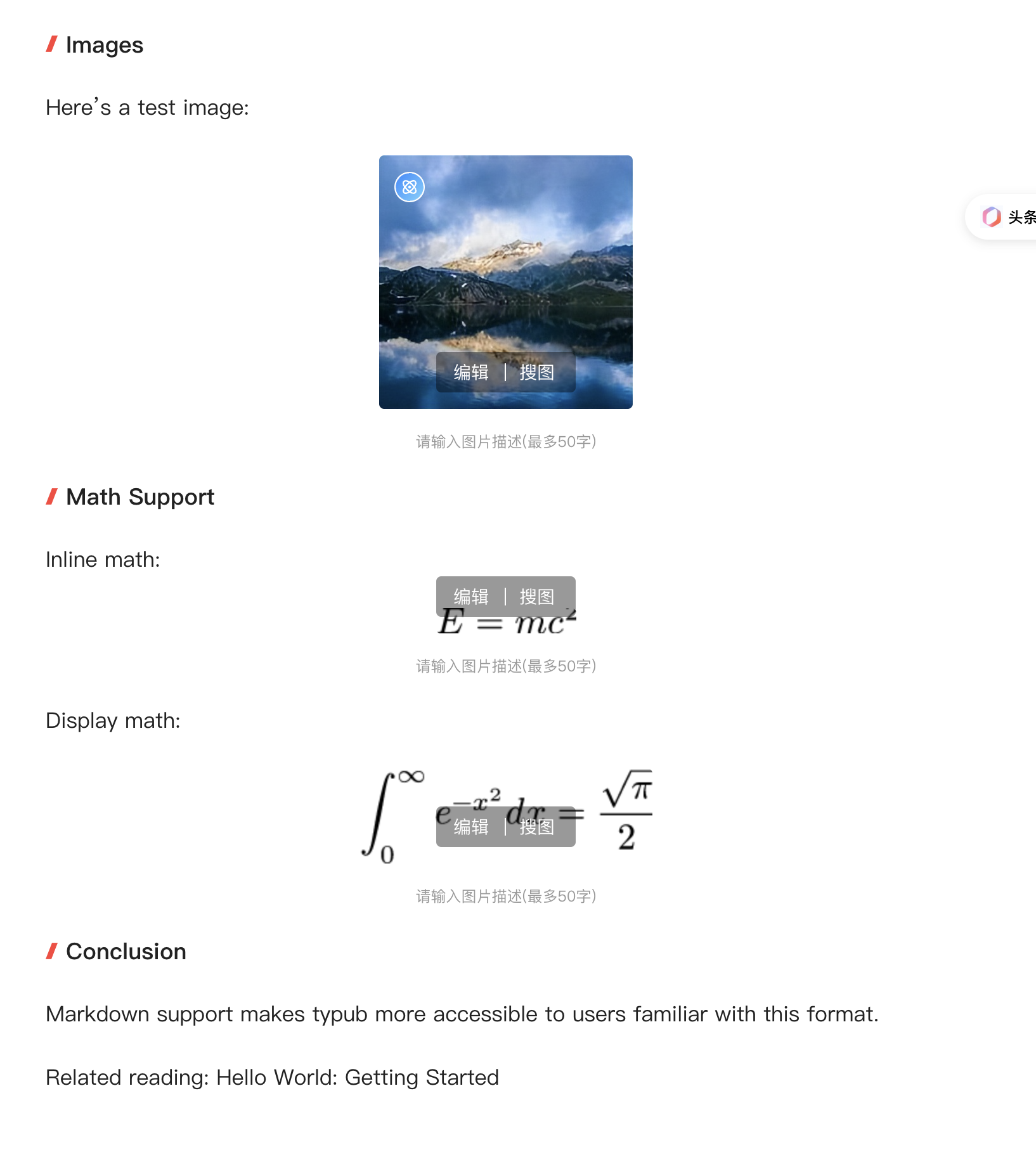
- 支持方式:通过 PNG 图片渲染数学公式
- Inline 公式限制:粘贴后会被自动转换为 Block(独立段落)格式
- 建议:如果文章包含大量数学公式,建议在粘贴后检查排版
链接过滤
- 外部链接:头条会自动过滤(移除)文档中的链接
- 影响范围:所有
<a href="...">标签都会被移除 - 建议:如有重要链接,可在文末以纯文本形式列出
平台注意事项
- 图片处理:头条会自动处理粘贴的Base64图片,上传到其CDN
- 代码块:支持语法高亮的代码块显示
- 内容审核:文章发布需要通过平台审核
- 排版建议:头条读者偏好图文并茂的内容
提示
- 标题推荐使用吸引眼球的表达
- 配图建议使用高清大图
- 摘要部分会在列表页展示,需精心撰写
- 可设置封面图,建议尺寸900x500
- 文章分类需要在编辑器中手动选择
发布流程
- 复制粘贴内容后,检查格式
- 检查链接:确认重要链接是否被过滤
- 检查公式:确认数学公式显示是否正确
- 设置文章分类
- 添加封面图(可选)
- 填写摘要(可选,系统可自动提取)
- 点击发布,等待审核
哔哩哔哩专栏
哔哩哔哩(B站)是国内领先的弹幕视频网站,同时提供专栏功能发布图文内容。
平台能力
| 特性 | 支持情况 |
|---|---|
| 输出格式 | HTML(富文本) |
| 代码高亮 | 不支持 |
| 资源策略 | 不支持 |
| 数学公式 | 不支持 |
| 图片上传 | 需手动 |
使用方法
哔哩哔哩专栏使用复制粘贴工作流:
# 预览内容
typub dev posts/my-post -p bilibili
- 浏览器打开预览页面
- 点击 复制内容 按钮
- 打开 哔哩哔哩专栏
- 粘贴内容到编辑器
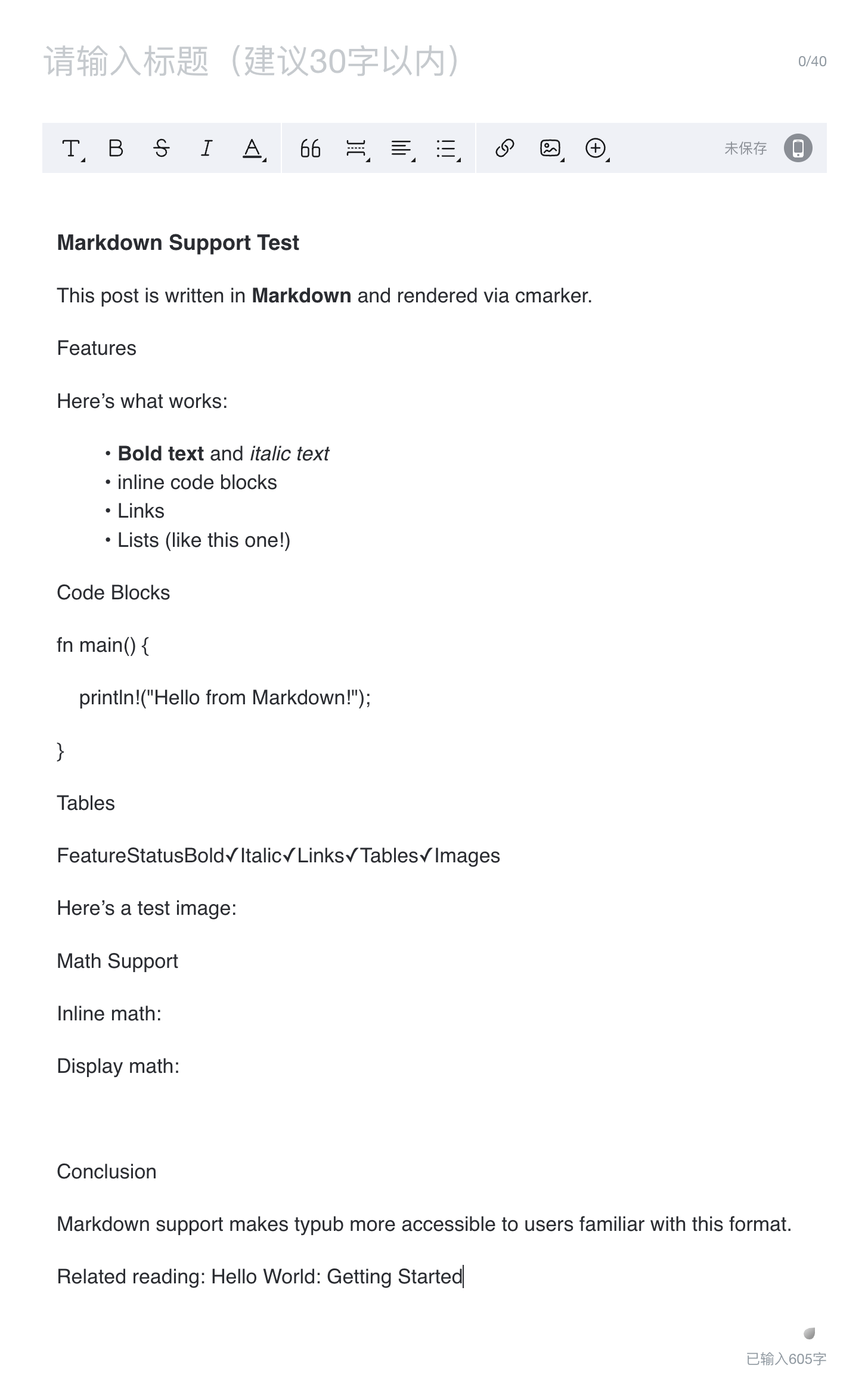
平台限制
B站专栏编辑器功能较为基础,仅支持基本格式,发布前请检查:
格式支持
- 支持:标题、段落、加粗、斜体、列表
- 不支持:代码高亮、代码块、数学公式、表格、图片上传
- 代码处理:代码块会被渲染为普通文本,无语法高亮
- 图片处理:不支持粘贴或上传图片,需要手动在编辑器中添加
链接
- 支持插入链接,但需要手动在编辑器中添加
- 粘贴的链接可能被转为纯文本
平台注意事项
- 内容审核:文章发布需要通过平台审核
- 字数要求:专栏文章有最低字数要求
- 排版建议:B 站用户偏好图文并茂、轻松活泼的内容
- 封面图:需单独设置,建议尺寸 1146x717
- 图片限制:正文不支持图片,如有图片需求请考虑其他平台
提示
- 标题建议吸引眼球,符合 B 站社区风格
- 代码内容建议截图后作为图片插入
- 可添加视频链接与文章联动
- 如需大量配图,建议考虑其他平台
发布流程
- 复制粘贴内容后,检查格式
- 检查代码块:确认代码显示是否正确(无高亮)
- 设置专栏封面图
- 选择文章分类
- 点击发布,等待审核
Markdown Copy-paste Platforms
These profiles render Markdown for manual paste.
51CTO 博客
51CTO 博客是中国知名的 IT 技术博客平台,支持 Markdown 格式发布文章。
平台能力
| 特性 | 支持情况 |
|---|---|
| 输出格式 | Markdown |
| 默认主题 | 无(纯 Markdown) |
| 特殊转换 | 无 |
资源策略
| 策略 | 支持 | 默认 |
|---|---|---|
embed(Base64 内嵌) | 是 | * |
external(外部存储) | 是 |
平台限制/注意事项
- Markdown 语法:支持标准 Markdown,包括 GFM 扩展
- 图片:支持 Base64 内嵌和外链图片
- 代码块:支持语法高亮
- 数学公式:支持 LaTeX 语法(
$...$和$$...$$) - 表格:支持 GFM 表格语法
发布流程
1. 预览内容
typub dev posts/my-post -p 51cto
浏览器会打开预览页面,显示生成的 Markdown 内容。
2. 复制内容
点击预览页面的 复制内容 按钮,将 Markdown 文本复制到剪贴板。
3. 打开编辑器
访问 51CTO 博客发布页面。
4. 粘贴内容
在 Markdown 编辑区域粘贴内容,右侧会实时预览渲染效果。
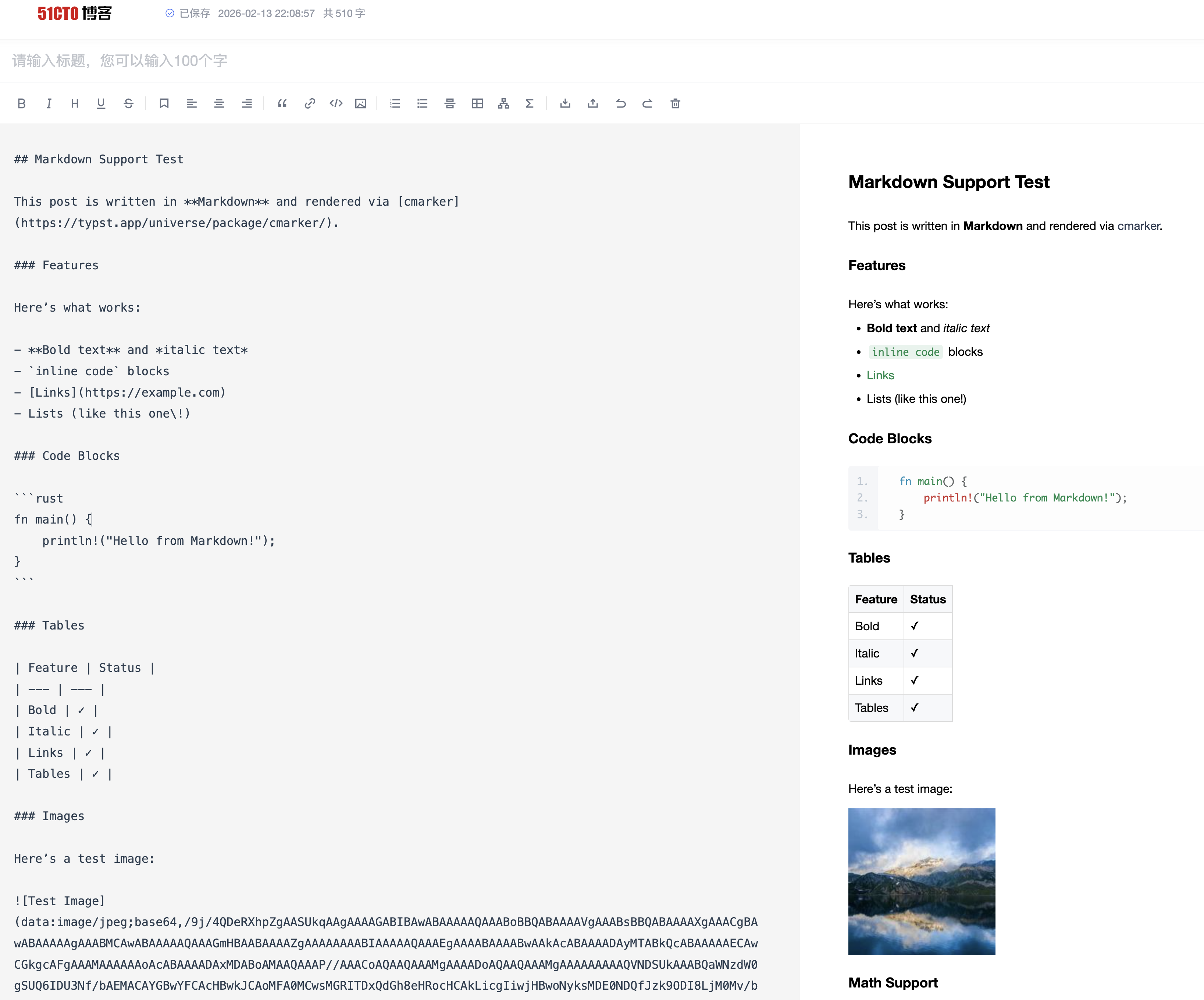
5. 处理图片
方式一:使用 Base64 内嵌(推荐)
51CTO 编辑器支持 Base64 内嵌图片,使用默认的 asset_strategy = "embed" 即可,无需额外处理。
方式二:使用外链
如果使用 asset_strategy = "external",图片 URL 会直接嵌入 Markdown 中,无需额外处理。
方式三:上传到 51CTO
- 点击编辑器工具栏的 图片 按钮
- 选择本地上传
- 替换 Markdown 中的图片链接
6. 发布
- 填写标题
- 选择文章分类和标签
- 点击 发布
配置选项
[platforms.51cto]
# asset_strategy = "embed"  # 默认,使用 Base64 内嵌图片
Markdown 特性支持
| 特性 | 支持 | 说明 |
|---|---|---|
| 标题 | ✅ | # ~ ###### |
| 列表 | ✅ | 有序、无序、嵌套 |
| 代码块 | ✅ | 支持语法高亮 |
| 表格 | ✅ | GFM 格式 |
| 引用 | ✅ | > 语法 |
| 链接 | ✅ | 外链、内部链接 |
| 图片 | ✅ | Base64、外链或上传 |
| 数学公式 | ✅ | LaTeX 语法 |
| 任务列表 | ✅ | - [ ] / - [x] |
| 脚注 | ❌ | 不支持 |
常见问题
Q: 代码块没有语法高亮?
A: 确保代码块指定了语言标识:
```python
print("hello")
```
Q: 图片无法显示?
A: 51CTO 支持 Base64 内嵌图片,默认配置即可正常显示。如果使用外链图片,检查 URL 是否可访问。
Q: 数学公式渲染异常?
A: 51CTO 使用 KaTeX 渲染公式。某些 LaTeX 命令可能不支持。常见问题:
- 避免使用
\begin{align}等复杂环境 - 使用
\displaystyle替代\dfrac
阿里云开发者社区
阿里云开发者社区是阿里云官方的技术内容平台,支持 Markdown 格式发布文章。
平台能力
| 特性 | 支持情况 |
|---|---|
| 输出格式 | Markdown |
| 默认主题 | 无(纯 Markdown) |
| 特殊转换 | 无 |
资源策略
| 策略 | 支持 | 默认 |
|---|---|---|
embed(Base64 内嵌) | 是 | * |
external(外部存储) | 是 |
平台限制/注意事项
- Markdown 语法:支持标准 Markdown,包括 GFM 扩展
- 图片:支持 Base64 内嵌和外链图片
- 代码块:支持语法高亮
- 数学公式:支持 LaTeX 语法(
$...$和$$...$$) - 表格:支持 GFM 表格语法
发布流程
1. 预览内容
typub dev posts/my-post -p aliyun
浏览器会打开预览页面,显示生成的 Markdown 内容。
2. 复制内容
点击预览页面的 复制内容 按钮,将 Markdown 文本复制到剪贴板。
3. 打开编辑器
访问 阿里云开发者社区写文章。
4. 粘贴内容
在 Markdown 编辑区域粘贴内容,右侧会实时预览渲染效果。
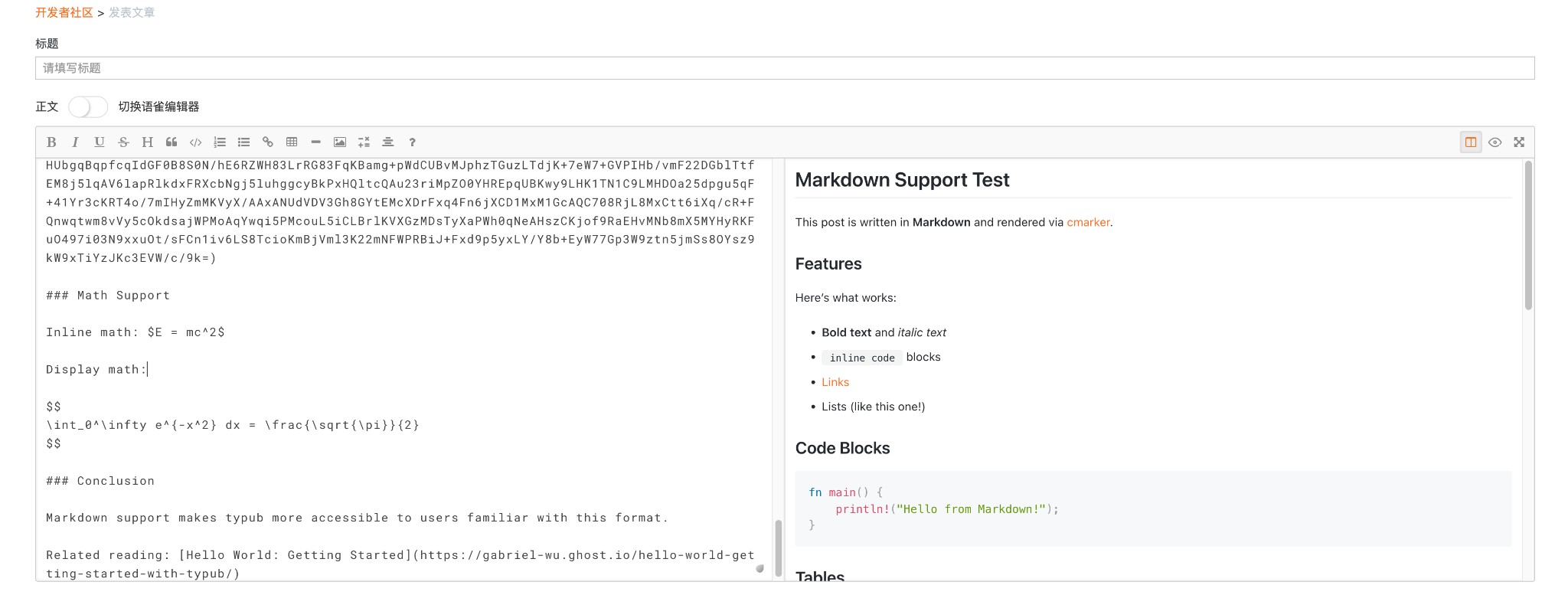
5. 处理图片
方式一:使用 Base64 内嵌(推荐)
阿里云编辑器支持 Base64 内嵌图片,使用默认的 asset_strategy = "embed" 即可,无需额外处理。
方式二:使用外链
如果使用 asset_strategy = "external",图片 URL 会直接嵌入 Markdown 中,无需额外处理。
方式三:上传到阿里云
- 点击编辑器工具栏的 图片 按钮
- 选择本地上传
- 替换 Markdown 中的图片链接
6. 发布
- 填写标题
- 选择文章分类和标签
- 点击 发布
配置选项
[platforms.aliyun]
# asset_strategy = "embed"  # 默认,使用 Base64 内嵌图片
Markdown 特性支持
| 特性 | 支持 | 说明 |
|---|---|---|
| 标题 | ✅ | # ~ ###### |
| 列表 | ✅ | 有序、无序、嵌套 |
| 代码块 | ✅ | 支持语法高亮 |
| 表格 | ✅ | GFM 格式 |
| 引用 | ✅ | > 语法 |
| 链接 | ✅ | 外链、内部链接 |
| 图片 | ✅ | Base64、外链或上传 |
| 数学公式 | ✅ | LaTeX 语法 |
| 任务列表 | ✅ | - [ ] / - [x] |
| 脚注 | ❌ | 不支持 |
常见问题
Q: 代码块没有语法高亮?
A: 确保代码块指定了语言标识:
```python
print("hello")
```
Q: 图片无法显示?
A: 阿里云支持 Base64 内嵌图片,默认配置即可正常显示。如果使用外链图片,检查 URL 是否可访问。
Q: 数学公式渲染异常?
A: 阿里云使用 KaTeX 渲染公式。某些 LaTeX 命令可能不支持。常见问题:
- 避免使用
\begin{align}等复杂环境 - 使用
\displaystyle替代\dfrac
博客园 (CNBlogs)
博客园是中国知名的技术博客平台,支持 Markdown 格式发布文章。
平台能力
| 特性 | 支持情况 |
|---|---|
| 输出格式 | Markdown |
| 默认主题 | 无(纯 Markdown) |
| 特殊转换 | 无 |
资源策略
| 策略 | 支持 | 默认 |
|---|---|---|
embed(Base64 内嵌) | 是 | * |
external(外部存储) | 是 |
平台限制/注意事项
- Markdown 语法:支持标准 Markdown,包括 GFM 扩展
- 编辑器选择:推荐使用 Markdown 或 Editor.md 编辑器
- 图片:支持 Base64 内嵌和外链图片
- 代码块:支持语法高亮
- 数学公式:支持 LaTeX 语法,但需要手动开启
- 表格:支持 GFM 表格语法
发布流程
1. 预览内容
typub dev posts/my-post -p cnblogs
浏览器会打开预览页面,显示生成的 Markdown 内容。
2. 复制内容
点击预览页面的 复制内容 按钮,将 Markdown 文本复制到剪贴板。
3. 打开编辑器
访问 博客园写文章。
4. 选择编辑器
点击右上角的 编辑器 下拉菜单,选择 Markdown 或 Editor.md。
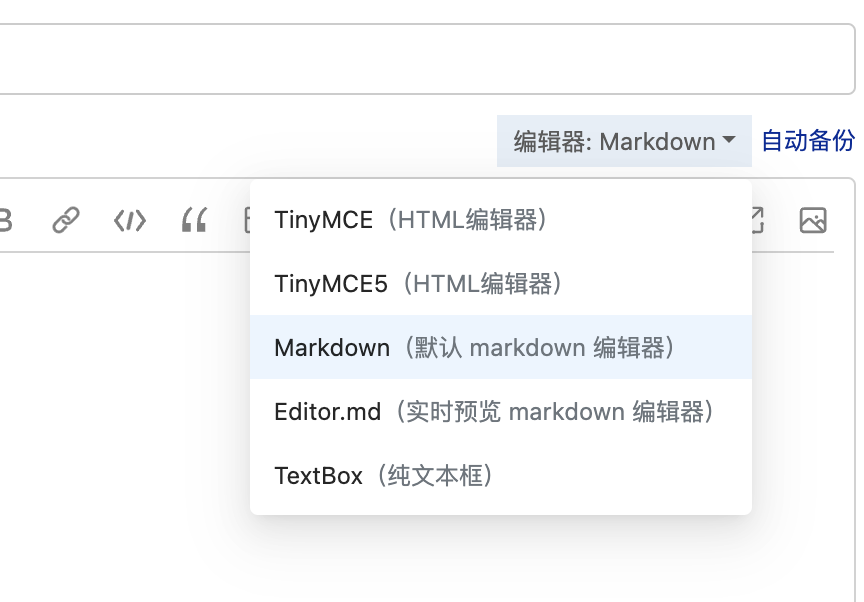
提示:Markdown 和 Editor.md 都能支持我们需要的功能。Editor.md 提供实时预览。
5. 粘贴内容
在 Markdown 编辑区域粘贴内容。
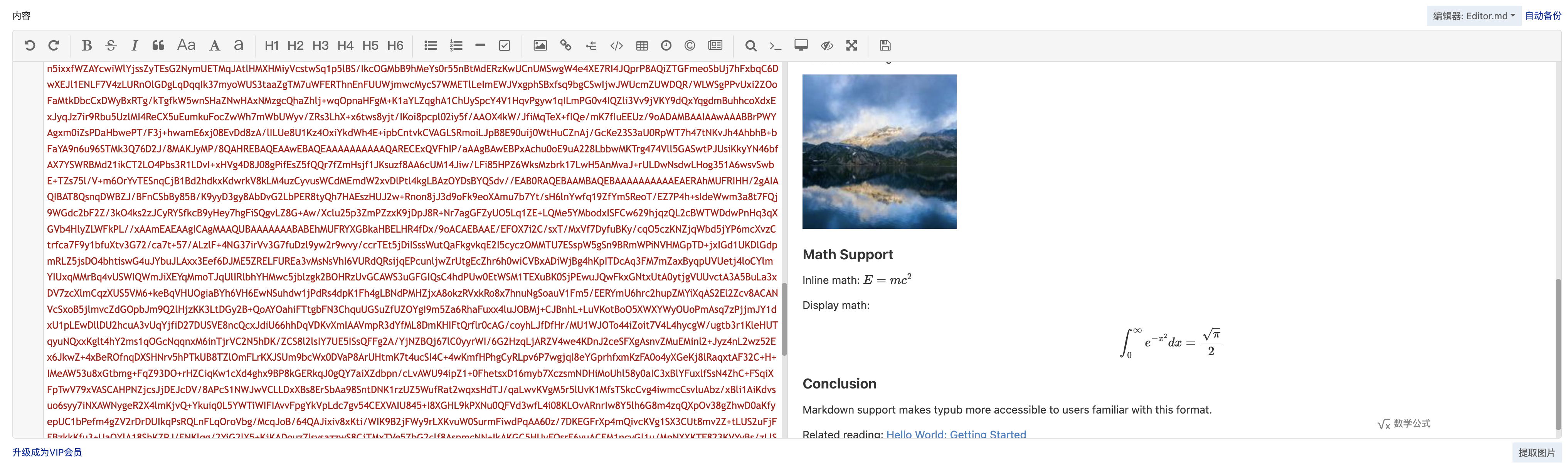
6. 开启数学公式支持
博客园默认不开启数学公式渲染,需要手动开启:
- 点击编辑器右侧的 数学公式 按钮
- 勾选 启用数学公式支持
- 选择渲染引擎(推荐 MathJax3)
- 点击 确定
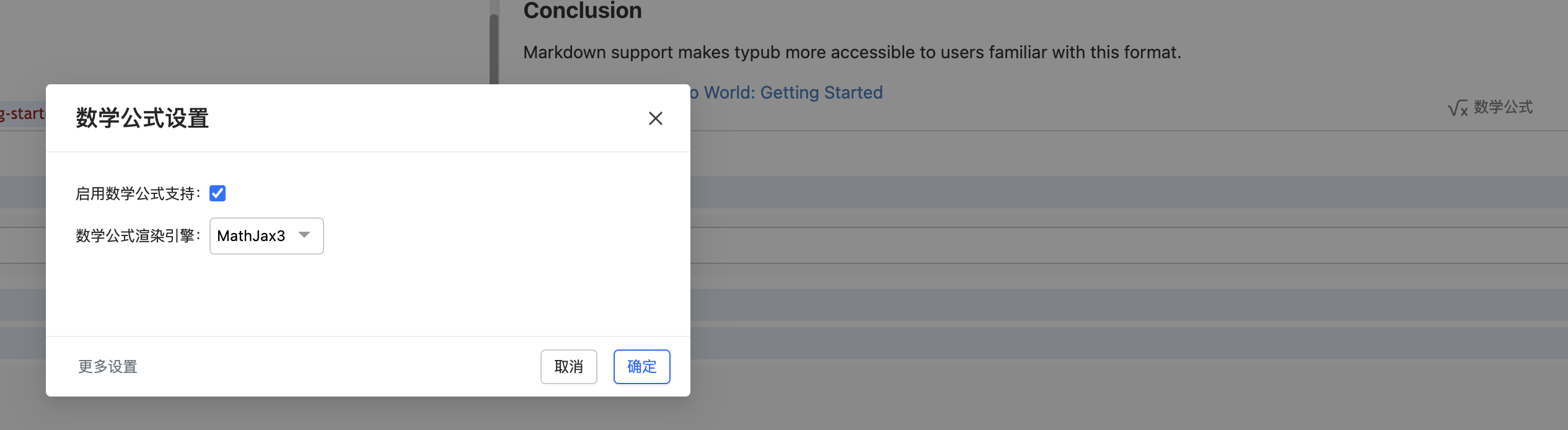
7. 处理图片
方式一:使用 Base64 内嵌(推荐)
博客园 Markdown 编辑器支持 Base64 内嵌图片,使用默认的 asset_strategy = "embed" 即可,无需额外处理。
方式二:使用外链
如果使用 asset_strategy = "external",图片 URL 会直接嵌入 Markdown 中,无需额外处理。
方式三:上传到博客园
- 点击编辑器工具栏的 图片 按钮
- 选择本地上传
- 替换 Markdown 中的图片链接
8. 发布
- 填写标题
- 选择文章分类和标签
- 点击 发布
配置选项
[platforms.cnblogs]
# asset_strategy = "embed"  # 默认,使用 Base64 内嵌图片
Markdown 特性支持
| 特性 | 支持 | 说明 |
|---|---|---|
| 标题 | ✅ | # ~ ###### |
| 列表 | ✅ | 有序、无序、嵌套 |
| 代码块 | ✅ | 支持语法高亮 |
| 表格 | ✅ | GFM 格式 |
| 引用 | ✅ | > 语法 |
| 链接 | ✅ | 外链、内部链接 |
| 图片 | ✅ | Base64、外链或上传 |
| 数学公式 | ✅ | LaTeX 语法(需手动开启) |
| 任务列表 | ✅ | - [ ] / - [x] |
| 脚注 | ❌ | 不支持 |
常见问题
Q: 数学公式不渲染?
A: 博客园默认不开启数学公式支持。请按照上述步骤手动开启:
- 点击 数学公式 按钮
- 勾选 启用数学公式支持
- 选择 MathJax3 引擎
Q: 代码块没有语法高亮?
A: 确保代码块指定了语言标识:
```python
print("hello")
```
Q: 图片无法显示?
A: 博客园支持 Base64 内嵌图片,默认配置即可正常显示。如果使用外链图片,检查 URL 是否可访问。
Q: 应该选择哪个编辑器?
A: 推荐使用 Markdown 或 Editor.md:
- Markdown:默认 Markdown 编辑器,简洁
- Editor.md:提供实时预览功能
TinyMCE 和 TinyMCE5 是 HTML 富文本编辑器,不适合直接粘贴 Markdown。
CSDN
CSDN 是中国最大的 IT 技术社区,支持 Markdown 格式发布文章。
平台能力
| 特性 | 支持情况 |
|---|---|
| 输出格式 | Markdown |
| 默认主题 | 无(纯 Markdown) |
| 特殊转换 | 无 |
资源策略
| 策略 | 支持 | 默认 |
|---|---|---|
embed(Base64 内嵌) | 是 | |
external(外部存储) | 是 | * |
平台限制/注意事项
- Markdown 语法:支持标准 Markdown,包括 GFM 扩展
- 图片:支持外链图片,但建议使用 CSDN 图床以保证稳定性
- 代码块:支持语法高亮
- 数学公式:支持 LaTeX 语法(
$...$和$$...$$) - 表格:支持 GFM 表格语法
发布流程
1. 预览内容
typub dev posts/my-post -p csdn
浏览器会打开预览页面,显示生成的 Markdown 内容。
2. 复制内容
点击预览页面的 复制内容 按钮,将 Markdown 文本复制到剪贴板。
3. 打开编辑器
4. 粘贴内容
- 在左侧编辑区域粘贴 Markdown 内容
- 右侧会实时预览渲染效果
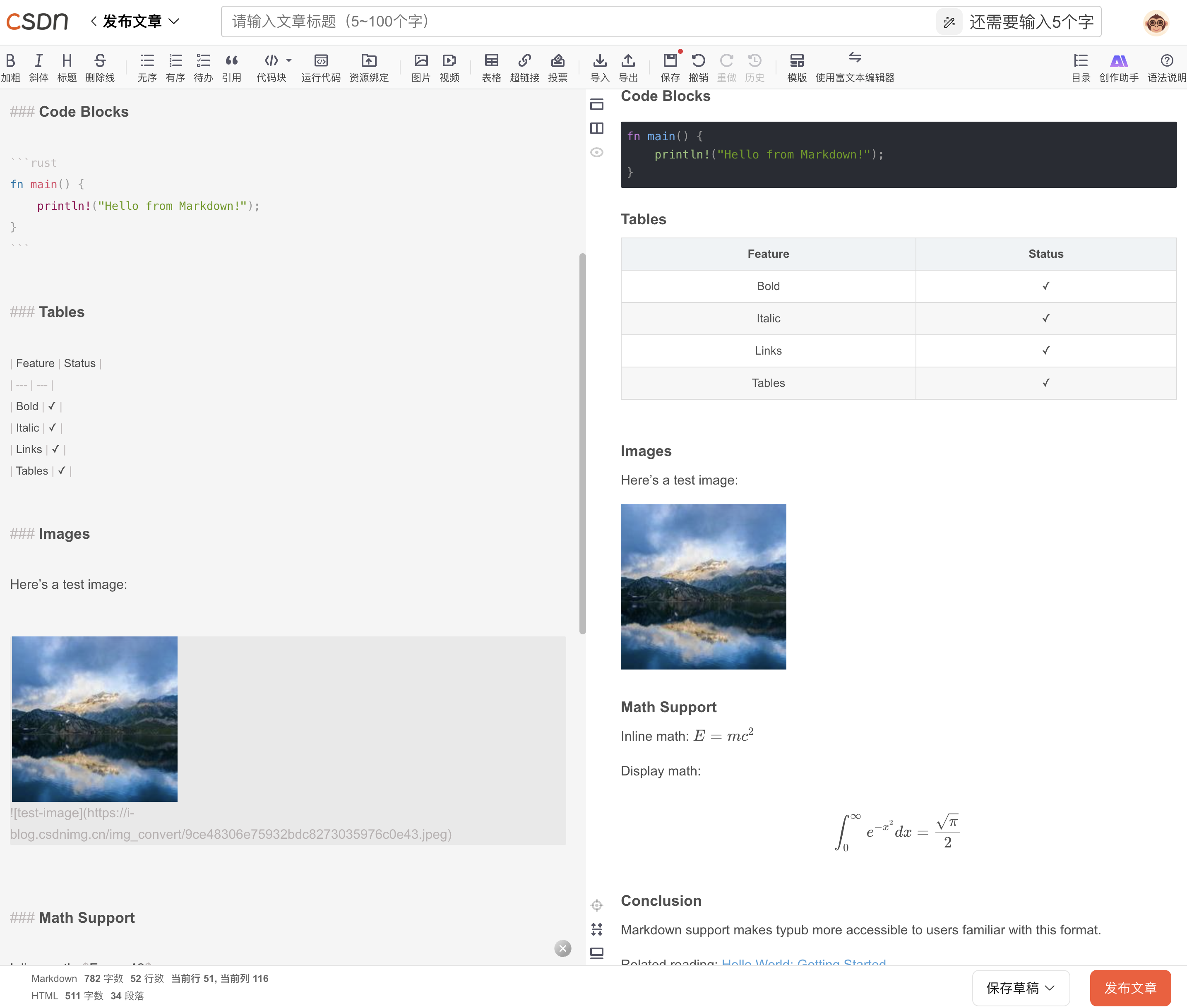
5. 处理图片
方式一:使用外链(推荐)
如果使用 asset_strategy = "external"(默认),图片 URL 会直接嵌入 Markdown 中,无需额外处理。
方式二:上传到 CSDN 图床
- 点击编辑器工具栏的 图片 按钮
- 选择 本地上传
- 替换 Markdown 中的图片链接
6. 发布
- 点击 发布文章
- 填写标题、摘要、标签
- 选择文章类型和可见性
- 点击 发布
配置选项
[platforms.csdn]
asset_strategy = "external"  # 默认值
output_dir = "output/csdn"   # 可选,自定义输出目录
Markdown 特性支持
| 特性 | 支持 | 说明 |
|---|---|---|
| 标题 | ✅ | # ~ ###### |
| 列表 | ✅ | 有序、无序、嵌套 |
| 代码块 | ✅ | 支持语法高亮 |
| 表格 | ✅ | GFM 格式 |
| 引用 | ✅ | > 语法 |
| 链接 | ✅ | 外链、内部链接 |
| 图片 | ✅ | 外链或上传 |
| 数学公式 | ✅ | LaTeX 语法 |
| 任务列表 | ✅ | - [ ] / - [x] |
| 脚注 | ❌ | 不支持 |
常见问题
Q: 代码块没有语法高亮?
A: 确保代码块指定了语言标识:
```python
print("hello")
```
Q: 图片无法显示?
A: 检查图片 URL 是否可访问。建议:
- 使用
asset_strategy = "external"并配置可靠的 CDN - 或者手动上传到 CSDN 图床
Q: 数学公式渲染异常?
A: CSDN 使用 KaTeX 渲染公式。某些 LaTeX 命令可能不支持。常见问题:
- 避免使用
\begin{align}等复杂环境 - 使用
\displaystyle替代\dfrac
InfoQ 写作社区
InfoQ 写作社区是极客邦旗下的技术内容平台,支持 Markdown 格式发布文章。
平台能力
| 特性 | 支持情况 |
|---|---|
| 输出格式 | Markdown |
| 默认主题 | 无(纯 Markdown) |
| 特殊转换 | 无 |
资源策略
| 策略 | 支持 | 默认 |
|---|---|---|
embed(Base64 内嵌) | 是 | * |
external(外部存储) | 是 |
平台限制/注意事项
- Markdown 语法:支持标准 Markdown,包括 GFM 扩展
- 图片:支持 Base64 内嵌和外链图片
- 代码块:支持语法高亮
- 数学公式:支持 LaTeX 语法(
$...$和$$...$$) - 表格:支持 GFM 表格语法
发布流程
1. 预览内容
typub dev posts/my-post -p infoq
浏览器会打开预览页面,显示生成的 Markdown 内容。
2. 复制内容
点击预览页面的 复制内容 按钮,将 Markdown 文本复制到剪贴板。
3. 打开编辑器
访问 InfoQ 写作社区。
4. 粘贴内容
在 Markdown 编辑区域粘贴内容,右侧会实时预览渲染效果。
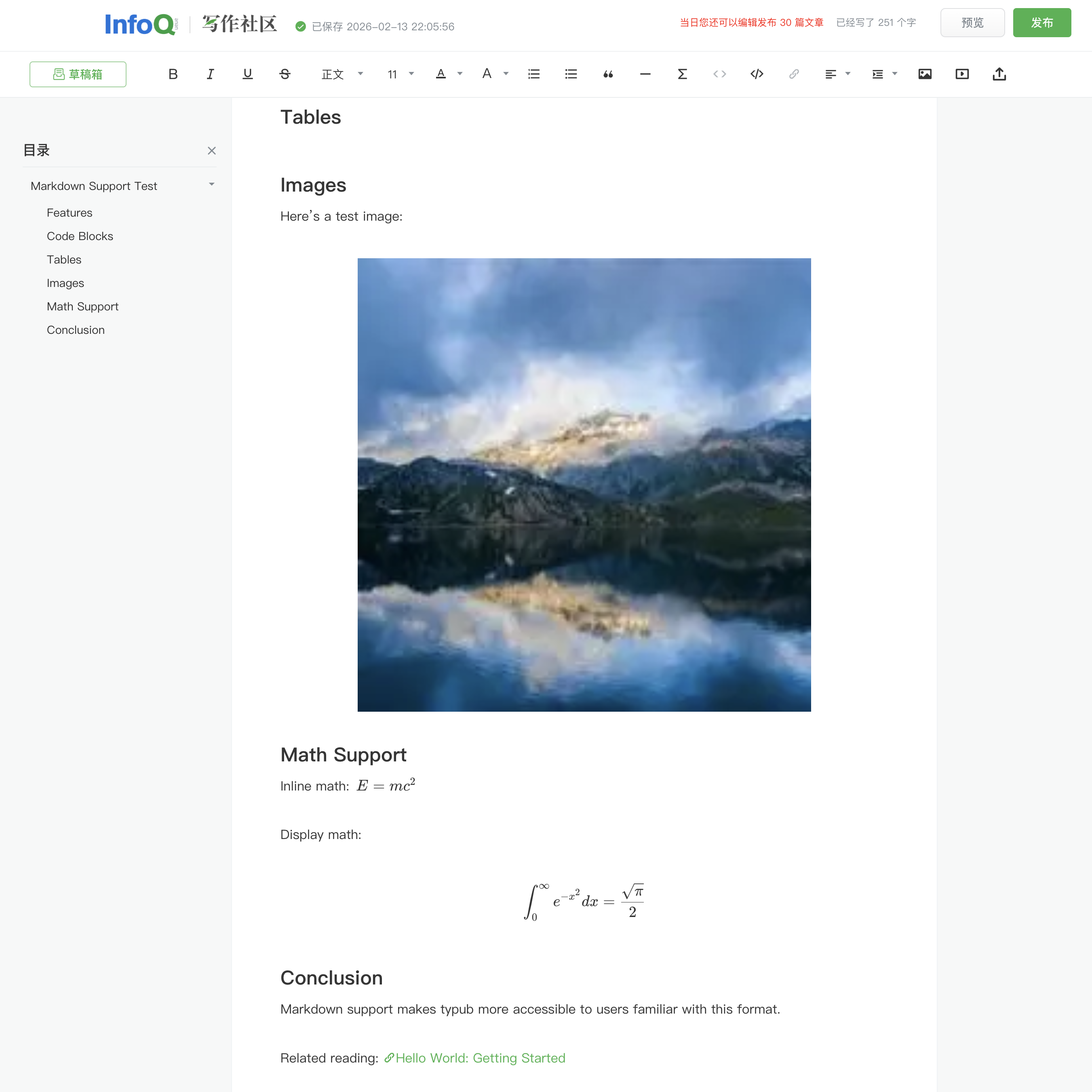
5. 处理图片
方式一:使用 Base64 内嵌(推荐)
InfoQ 编辑器支持 Base64 内嵌图片,使用默认的 asset_strategy = "embed" 即可,无需额外处理。
方式二:使用外链
如果使用 asset_strategy = "external",图片 URL 会直接嵌入内容中,无需额外处理。
方式三:上传到 InfoQ
- 点击编辑器工具栏的 图片 按钮
- 选择本地上传
- 图片会自动插入到文章中
6. 发布
- 填写标题
- 点击 发布 按钮
- 选择文章分类和标签
配置选项
[platforms.infoq]
# asset_strategy = "embed"  # 默认,使用 Base64 内嵌图片
Markdown 特性支持
| 特性 | 支持 | 说明 |
|---|---|---|
| 标题 | ✅ | # ~ ###### |
| 列表 | ✅ | 有序、无序、嵌套 |
| 代码块 | ✅ | 支持语法高亮 |
| 表格 | ✅ | GFM 格式 |
| 引用 | ✅ | > 语法 |
| 链接 | ✅ | 外链、内部链接 |
| 图片 | ✅ | Base64、外链或上传 |
| 数学公式 | ✅ | LaTeX 语法 |
| 任务列表 | ✅ | - [ ] / - [x] |
| 脚注 | ❌ | 不支持 |
常见问题
Q: 代码块没有语法高亮?
A: 确保代码块指定了语言标识:
```python
print("hello")
```
Q: 图片无法显示?
A: InfoQ 支持 Base64 内嵌图片,默认配置即可正常显示。如果使用外链图片,检查 URL 是否可访问。
Q: 数学公式渲染异常?
A: InfoQ 使用 KaTeX 渲染公式。某些 LaTeX 命令可能不支持。常见问题:
- 避免使用
\begin{align}等复杂环境 - 使用
\displaystyle替代\dfrac
简书
简书是一个简洁的写作和阅读平台,支持Markdown格式。
平台能力
| 特性 | 支持情况 |
|---|---|
| 输出格式 | Markdown |
| 资源策略 | external(外链) |
| 数学渲染 | LaTeX |
| 代码高亮 | 平台内置 |
资源策略
| 策略 | 支持 | 默认 | 说明 |
|---|---|---|---|
embed | 否 | 不支持Base64图片 | |
external | 是 | * | 使用S3/R2外链 |
使用方法
# 预览内容
typub dev posts/my-post -p jianshu
- 浏览器打开预览页面
- 点击 复制内容 按钮
- 打开 简书写作
- 粘贴内容
平台注意事项
- 图片要求:简书不支持Base64内嵌图片,必须使用外部链接
- 格式兼容:简书对Markdown的支持较为标准
- 数学公式:支持LaTeX格式
- 字数统计:简书显示实时字数统计
配置示例
[storage]
type = "s3"
endpoint = "https://your-r2-endpoint.r2.cloudflarestorage.com"
bucket = "your-bucket"
region = "auto"
url_prefix = "https://cdn.your-domain.com"

[platforms.jianshu]
asset_strategy = "external"
提示
- 简书适合长文写作,排版简洁
- 可设置文章为仅自己可见(私密)
- 支持文集功能整理系列文章
- 发布后可在我的文章中管理
掘金
掘金是面向开发者的技术社区平台,支持Markdown格式文章发布。
平台能力
| 特性 | 支持情况 |
|---|---|
| 输出格式 | Markdown |
| 默认主题 | github |
| 资源策略 | external(外链) |
| 数学渲染 | LaTeX |
| 代码高亮 | 平台内置 |
资源策略
| 策略 | 支持 | 默认 | 说明 |
|---|---|---|---|
embed | 否 | 不支持Base64图片 | |
external | 是 | * | 使用S3/R2外链 |
使用方法
掘金使用复制粘贴工作流:
# 预览内容
typub dev posts/my-post -p juejin

# 发布到掘金
typub pub -p juejin posts/my-post
- 内容自动复制到剪贴板
- 浏览器自动打开 掘金创作中心
- 粘贴内容
平台注意事项
- 图片来源:掘金不支持Base64内嵌图片,必须使用外部链接
- 配置存储:需要在
profiles.toml中配置S3/R2存储 - 代码高亮:掘金编辑器会自动处理代码块语法高亮
- 数学公式:支持LaTeX格式,使用
$...$和$$...$$分隔符
换行保留
掘金编辑器在粘贴时会去除“多余“的空白行。typub 已针对此问题进行了优化:
- 自动在段落、标题、列表等块级元素之间输出双倍换行
- 确保粘贴后格式正确保留
配置示例
[storage]
type = "s3"
endpoint = "https://your-r2-endpoint.r2.cloudflarestorage.com"
bucket = "your-bucket"
region = "auto"
url_prefix = "https://cdn.your-domain.com"

[platforms.juejin]
asset_strategy = "external"
提示
- 掘金对文章标题有字数限制,建议控制在30字以内
- 封面图需要单独在编辑器中设置
- 标签在掘金编辑器中选择,最多5个
- 文章发布后可在创作中心管理
Medium
Medium is a popular online publishing platform with a focus on long-form content and thought leadership.
Capabilities
| Feature | Support |
|---|---|
| Output Format | HTML (rich text) |
| Default Theme | notion |
| Tables | No |
| Images | No (manual) |
| Math Formulas | No |
| Code Highlight | Partial (no lang) |
Asset Strategies
| Strategy | Supported | Notes |
|---|---|---|
embed | Problematic | Medium rejects base64 images |
external | Problematic | Medium strips external image URLs on paste |
⚠️ Neither
embednorexternalstrategy works for images on Medium due to platform restrictions.
Usage
Medium uses the copy-paste workflow:
# Preview content
typub dev posts/my-post -p medium
- Browser opens with the rendered preview
- Click Copy Content button
- Open Medium Editor
- Paste the content
Platform Limitations
⚠️ Important: Medium has significant platform limitations that are outside typub’s control. Consider using a different platform if your content heavily relies on images, tables, or formulas.
Images Not Supported
Both embed and external strategies fail on Medium:
| Strategy | Result |
|---|---|
embed (Base64) | Medium rejects base64 data URIs entirely |
external (S3/R2 URLs) | Medium strips <img> tags with external URLs during paste |
Workaround: After pasting text content, manually upload images through Medium’s editor using the image upload button.
Math Formulas Not Supported
Math rendering does not work on Medium:
- PNG images: Stripped along with other images
- SVG: Not supported by Medium
- LaTeX: Medium has no LaTeX support
Workaround:
- Convert formulas to images and manually upload them
- Use Unicode symbols for simple equations (e.g.,
×,÷,²,π) - Write formulas in plain text notation
Tables Not Supported
Medium does not support HTML tables. Tables will display as raw HTML code or error messages.
Workaround: Convert tables to:
- Bullet/numbered lists
- Text descriptions
- Screenshots of rendered tables (then manually upload)
Code Blocks Lose Language Labels
Syntax highlighting is preserved (inline <span> styles), but Medium does not recognize language attributes. Code blocks display with colors but:
- No language indicator
- No syntax-aware editing
Workaround: Manually add a caption above code blocks to indicate the language.
What Works Well
- Headings (H1, H2, H3)
- Paragraphs and text formatting (bold, italic, links)
- Bullet and numbered lists
- Blockquotes
- Horizontal rules
- Inline code (backticks)
- Colored code blocks (no language label)
Tips
- Keep titles concise—Medium has character limits
- Use headers (H2, H3) for clear structure
- Avoid tables; use lists or text descriptions instead
- Plan to manually upload all images after pasting
- Convert math formulas to images or Unicode symbols
- Add language hints above code blocks for context
When to Choose Another Platform
Consider using an alternative platform if your content:
- Contains many images
- Requires mathematical formulas
- Uses data tables
- Needs preserved image/asset URLs
Alternatives with better support: Dev.to, Ghost, Hashnode, WordPress
SegmentFault 思否
SegmentFault(思否)是中文技术问答社区和博客平台,支持Markdown格式。
平台能力
| 特性 | 支持情况 |
|---|---|
| 输出格式 | Markdown |
| 资源策略 | external(外链) |
| 数学分隔符 | \(...\) 行内,$$...$$ 块级 |
| 代码高亮 | 平台内置 |
资源策略
| 策略 | 支持 | 默认 | 说明 |
|---|---|---|---|
embed | 否 | 不支持Base64图片 | |
external | 是 | * | 使用S3/R2外链 |
使用方法
# 预览内容
typub dev posts/my-post -p segmentfault
- 浏览器打开预览页面
- 点击 复制内容 按钮
- 打开 思否写文章
- 粘贴内容
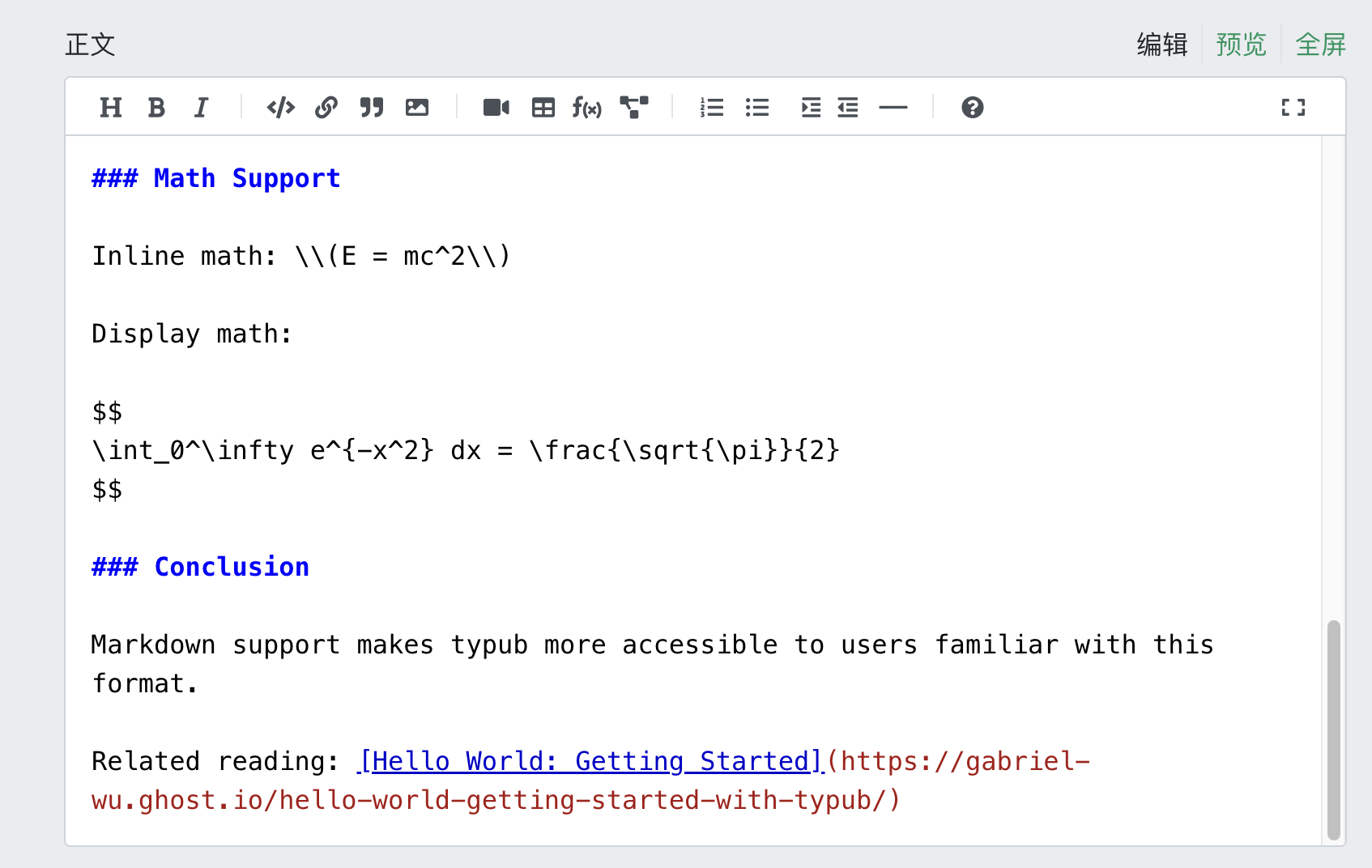
渲染结果示例
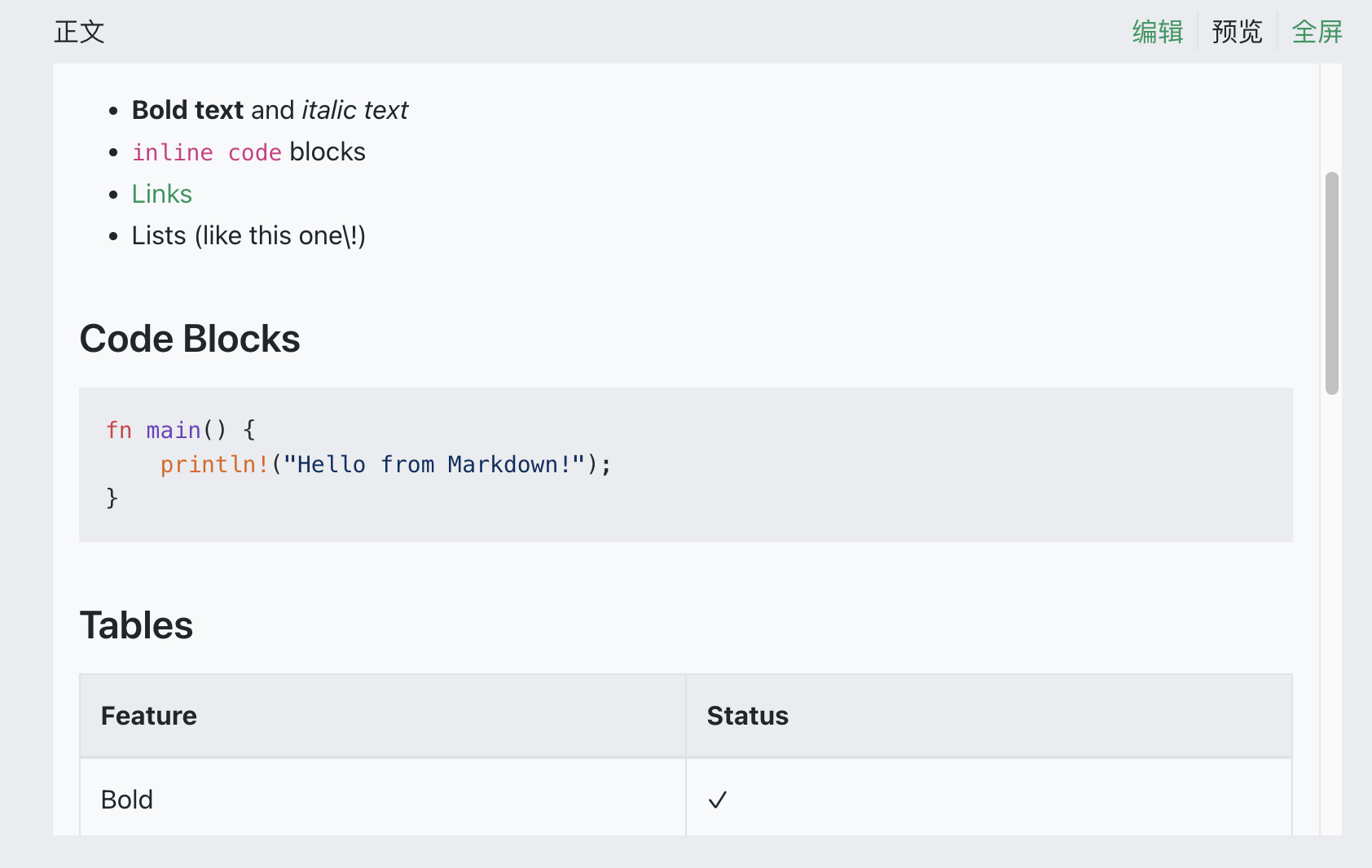
数学公式分隔符
SegmentFault使用特殊的数学分隔符组合:
- 行内公式:
\(...\) - 块级公式:
$$...$$
typub会自动进行处理。
配置示例
[storage]
type = "s3"
endpoint = "https://your-r2-endpoint.r2.cloudflarestorage.com"
bucket = "your-bucket"
region = "auto"
url_prefix = "https://cdn.your-domain.com"

[platforms.segmentfault]
asset_strategy = "external"
提示
- 思否的阅读体验偏向技术文章
- 文章可关联到问答问题
- 支持设置专栏收录
- 图片必须使用外部链接
腾讯云开发者社区
腾讯云开发者社区是腾讯云官方的技术内容平台,支持 Markdown 格式发布文章。
平台能力
| 特性 | 支持情况 |
|---|---|
| 输出格式 | Markdown |
| 默认主题 | 无(纯 Markdown) |
| 特殊转换 | 无 |
资源策略
| 策略 | 支持 | 默认 |
|---|---|---|
embed(Base64 内嵌) | 是 | * |
external(外部存储) | 是 |
平台限制/注意事项
- Markdown 语法:支持标准 Markdown,包括 GFM 扩展
- 图片:支持外链图片,建议使用腾讯云 COS 或可靠 CDN
- 代码块:支持语法高亮
- 数学公式:支持 LaTeX 语法(
$...$和$$...$$) - 表格:支持 GFM 表格语法
发布流程
1. 预览内容
typub dev posts/my-post -p tencentcloud
浏览器会打开预览页面,显示生成的 Markdown 内容。
2. 复制内容
点击预览页面的 复制内容 按钮,将 Markdown 文本复制到剪贴板。
3. 打开编辑器
访问 腾讯云开发者社区写作中心。

4. 粘贴内容
- 点击右上角 切换 MD 编辑器 进入 Markdown 模式
- 在左侧编辑区域粘贴 Markdown 内容
- 右侧会实时预览渲染效果
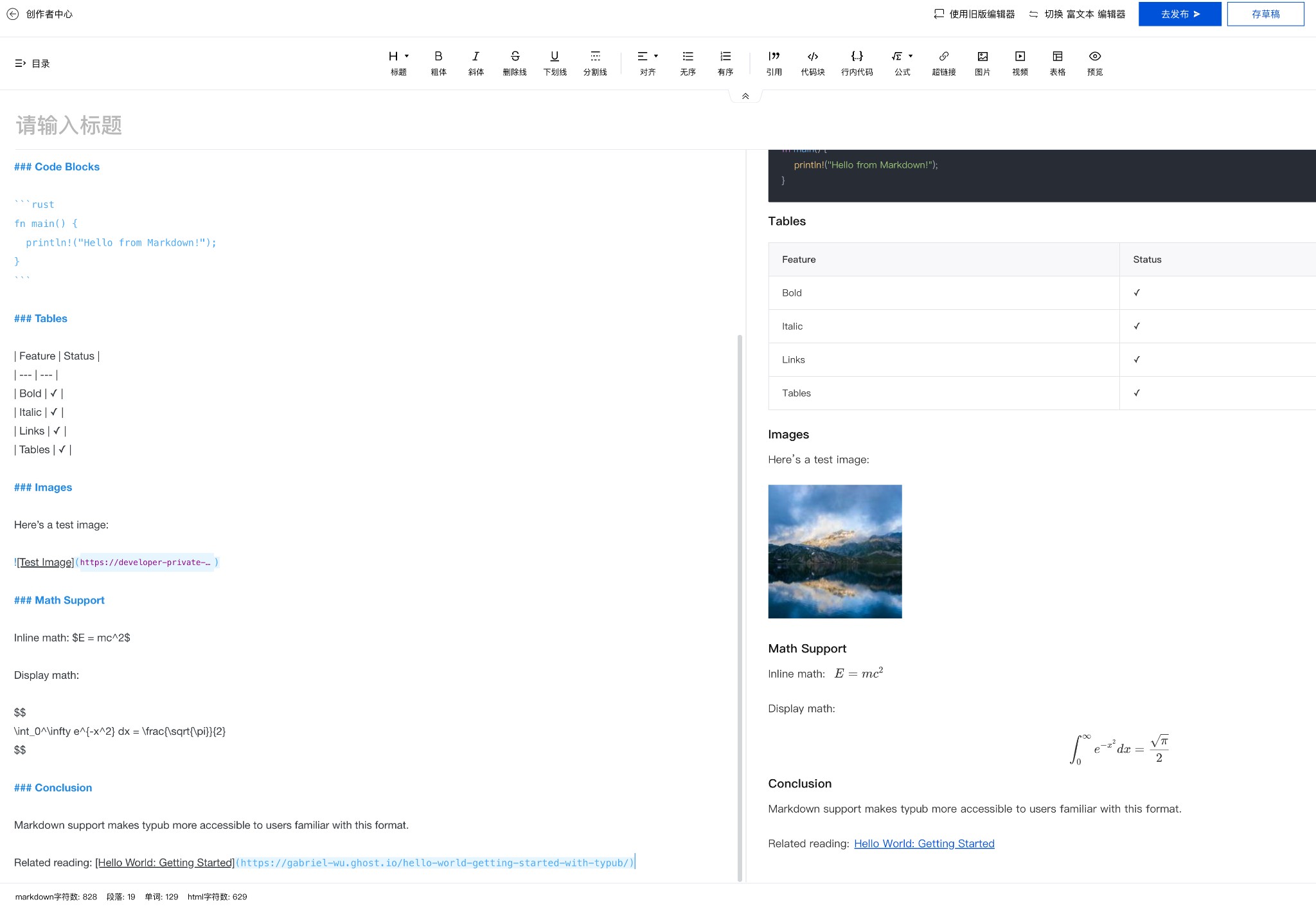
5. 处理图片
方式一:使用 Base64 内嵌(推荐)
腾讯云 Markdown 编辑器支持 Base64 内嵌图片,使用默认的 asset_strategy = "embed" 即可,无需额外处理。
方式二:使用外链
如果使用 asset_strategy = "external",图片 URL 会直接嵌入 Markdown 中,无需额外处理。
方式三:上传到腾讯云
- 点击编辑器工具栏的 图片 按钮
- 选择本地上传或使用腾讯云 COS
- 替换 Markdown 中的图片链接
6. 发布
- 填写标题
- 选择文章分类和标签
- 点击 去发布 或 存草稿
配置选项
[platforms.tencentcloud]
# asset_strategy = "embed"  # 默认,使用 Base64 内嵌图片
Markdown 特性支持
| 特性 | 支持 | 说明 |
|---|---|---|
| 标题 | ✅ | # ~ ###### |
| 列表 | ✅ | 有序、无序、嵌套 |
| 代码块 | ✅ | 支持语法高亮 |
| 表格 | ✅ | GFM 格式 |
| 引用 | ✅ | > 语法 |
| 链接 | ✅ | 外链、内部链接 |
| 图片 | ✅ | Base64、外链或上传 |
| 数学公式 | ✅ | LaTeX 语法 |
| 任务列表 | ✅ | - [ ] / - [x] |
| 脚注 | ❌ | 不支持 |
常见问题
Q: 代码块没有语法高亮?
A: 确保代码块指定了语言标识:
```python
print("hello")
```
Q: 图片无法显示?
A: 腾讯云支持 Base64 内嵌图片,默认配置即可正常显示。如果使用外链图片,检查 URL 是否可访问。
Q: 数学公式渲染异常?
A: 腾讯云使用 KaTeX 渲染公式。某些 LaTeX 命令可能不支持。常见问题:
- 避免使用
\begin{align}等复杂环境 - 使用
\displaystyle替代\dfrac
Q: 表格显示不正确?
A: 确保表格使用标准 GFM 格式,且有表头分隔行:
| 列1 | 列2 |
| --- | --- |
| A   | B   |
Developer Guide
Audience: contributors, adapter authors, and integrators.
This section contains platform-agnostic developer-facing references.
Sections
RFC Index
This section contains normative specifications for typub behavior.
Suggested Reading Order
- RFC-0001: typub: a typst-first local cms
- RFC-0002: publish pipeline contract
- RFC-0003: update and republish semantics
- RFC-0004: external asset storage
- RFC-0005: configuration hierarchy and post lifecycle
- RFC-0006: adapter extension API
- RFC-0007: adapter workspace subcrates
- RFC-0009: semantic document IR v2
RFC-0001: typub: a typst-first local cms
Version: 0.1.0 | Status: normative | Phase: stable
1. Summary
[RFC-0001:C-SUMMARY] Summary (Informative)
Typub is a local-first, Typst-first CMS intended for writers who want plain files, deterministic rendering, and multi-platform publishing without surrendering ownership to a hosted editor.
This RFC establishes the project vision and boundaries for RFC-0001. It is intentionally informative and does not define normative protocol or API requirements.
Scope for RFC-0001:
- Define the high-level product identity and target user workflow.
- Define the principles that guide future normative RFCs.
- Define explicit non-goals to prevent accidental scope creep.
Out of scope for RFC-0001:
- Adapter-specific API contracts.
- Storage and schema contracts.
- Detailed CLI or renderer behavior guarantees.
This RFC is vision-only by design. Normative requirements will be introduced in subsequent RFCs.
Since: v0.1.0
[RFC-0001:C-VISION] Product Vision (Informative)
Typub is intended to be treated as a writing system first and a distribution system second.
Vision pillars:
-
Typst-first authoring
- Typst is the primary source format.
- Markdown support exists for interoperability, not as the design center.
-
Local-first ownership
- Content, metadata, assets, and publish status remain local project artifacts.
- Platform integrations are adapters, not sources of truth.
-
Multi-platform by composition
- A single source post can be transformed and published to multiple targets through adapter boundaries.
- Platform divergence is expected and should be isolated behind adapter contracts.
-
Deterministic pipeline
- Rendering, transformation, and publish steps should remain auditable and reproducible from repository state.
Rationale: This direction aligns typub with long-lived technical writing workflows where files, version control, and portability matter more than SaaS-native editing UX.
Since: v0.1.0
[RFC-0001:C-GOALS] Goals and Non-Goals (Informative)
Goals:
- A clear authoring-to-publish flow centered on local files.
- Platform adapters that preserve core intent while allowing target-specific output constraints.
- Governance readiness so future implementation RFCs can reference RFC-0001 as baseline intent.
Non-goals:
- Becoming a hosted CMS.
- Enforcing identical output semantics across all publishing targets.
- Abstracting away every platform limitation at the cost of architectural clarity.
Forward references: Future normative RFCs SHOULD reference RFC-0001 for product alignment and define concrete MUST/SHOULD/MAY requirements at the feature level.
Since: v0.1.0
2. Specification
[RFC-0001:C-SPEC-PLACEHOLDER] Specification Scope Note (Informative)
This section intentionally contains no normative clauses in RFC-0001.
Normative requirements (MUST/SHOULD/MAY) will be specified in follow-up RFCs that cover concrete behavior and contracts.
Since: v0.1.0
Changelog
v0.1.0 (2026-02-11)
Initial draft
RFC-0002: publish pipeline contract
Version: 0.2.1 | Status: normative | Phase: impl
1. Summary
[RFC-0002:C-SUMMARY] Summary (Informative)
RFC-0002 defines the normative contract for typub’s publish pipeline, grounded in product intent from RFC-0001.
This RFC specifies:
- The required pipeline stages and their ordering.
- The contract between shared pipeline logic and platform adapters.
- Failure handling and status persistence semantics during publish.
This RFC does not define platform-specific API details. Those belong to adapter-specific RFCs/ADRs. Update and republish semantics are out of scope for this draft and will be defined in a follow-up RFC.
Since: v0.1.0
2. Specification
[RFC-0002:C-PIPELINE-STAGES] Pipeline Stages (Normative)
The publish operation MUST execute in this logical order:
- Resolve: Resolve content input and metadata.
- Render: Render source content (Typst/Markdown) into HTML string.
- Parse: Parse rendered content into a semantic document IR root (
Document) rather than a bare node vector. - Transform: Apply shared, adapter-agnostic transformations on semantic IR.
- Specialize: Perform adapter-specific payload planning, including collecting pending asset references and adapter metadata. This stage MUST NOT serialize IR to final target output and SHOULD avoid remote side effects.
- Provision: Find or create remote target identity when required by the target API. This stage is OPTIONAL when publish can resolve identity atomically.
- Materialize: Resolve asset references required by selected asset strategy. This stage MUST operate on the document asset index and/or specialization context, and MUST NOT require placeholder string replacement. This stage MAY use provision context from Stage 6. This stage is OPTIONAL when no remote asset materialization is needed.
- Serialize: Convert resolved semantic IR to target output format (for example Markdown, Confluence storage format, Notion blocks). This is the first stage producing final output payload.
- Publish: Execute adapter publish operation using serialized payload.
- Persist: Persist successful publish result into status tracking.
IR preservation principle: Stages 3 through 7 MUST operate on typed semantic IR. Final target serialization MUST NOT occur before Stage 8.
Rationale: Delaying serialization until after materialization avoids placeholder-collision classes of bugs and preserves type-safe transformations.
Implementation MAY combine adjacent stages internally, and MAY use different intermediate representations across adapter families, but externally observable behavior (side effects and error propagation) MUST be equivalent to this order.
A stage MUST NOT mutate source content files.
Since: v0.1.0
[RFC-0002:C-ADAPTER-BOUNDARY] Adapter Boundary Contract (Normative)
For this RFC, an adapter is the platform-specific integration component that translates shared pipeline output into target-specific publish API requests and responses.
Each adapter implementation MUST declare:
- required input/output format expectations,
- asset strategy behavior,
- capability surface (for example tags/categories/internal-links support),
- unsupported behavior per capability gap (warn+degrade or hard error).
Capability declarations SHOULD be available in a machine-readable or centrally documented form.
Shared pipeline logic MUST remain platform-agnostic where practical. Adapter code MUST encapsulate platform-specific API calls and target-specific output shaping.
An adapter MUST NOT bypass status tracking writes on successful publish.
Since: v0.1.0
[RFC-0002:C-FAILURE-SEMANTICS] Failure and Status Semantics (Normative)
For this RFC, post+platform key means (post slug, platform name), where platform name is the adapter identifier.
If any stage before adapter publish fails, the operation MUST terminate without recording a successful publish result.
If adapter publish fails, the operation MUST surface an error and MUST NOT mark content as published in status tracking.
A successful publish record MUST, at minimum, persist published=true and published_at for the post+platform key. When provided by the target platform, platform-specific identifier MUST be persisted. URL MAY be absent.
Status persistence for a successful publish MUST be atomic at the local storage layer (for example, a single database transaction or crash-safe single-file replace), so a partial successful record is not observable.
If status persistence fails after adapter publish succeeds, the operation MUST be surfaced to the caller as a failure and MUST include reconciliation guidance to recover local status for the already-published remote state.
Retry behavior MAY be implemented by callers, but retries MUST preserve idempotent status semantics (no duplicate successful entries for one final published state).
Since: v0.1.0
Changelog
v0.2.1 (2026-02-21)
Terminology alignment with semantic IR
Added
- Update C-PIPELINE-STAGES to Document-root semantic IR and asset-index materialization language
v0.2.0 (2026-02-11)
Add Stage 5 (Provision) to the pipeline
Added
- Add Provision stage between Finalize and Materialize for remote target identity resolution
- Renumber Materialize to Stage 6, Publish to Stage 7, Persist to Stage 8
v0.1.0 (2026-02-11)
Initial draft
RFC-0003: update and republish semantics
Version: 0.1.0 | Status: normative | Phase: impl
1. Summary
[RFC-0003:C-SUMMARY] Summary (Informative)
RFC-0003 defines update and republish semantics for typub and complements RFC-0002.
This RFC specifies:
- how the system decides create vs update for a post+platform key,
- idempotency guarantees for repeated publish attempts,
- conflict and retry behavior when remote state diverges,
- status tracking requirements for successful republish outcomes.
This RFC does not define platform-specific API payload details. Adapter-specific mapping remains implementation-specific as long as it satisfies the normative behavior here.
Since: v0.1.0
2. Specification
[RFC-0003:C-DECISION-KEY] Create-vs-Update Decision Key (Normative)
The system MUST determine create-vs-update behavior per post+platform key, where post+platform key means (post slug, adapter identifier).
Decision order:
- If a previously published remote identifier exists in local status for the post+platform key, the publish attempt MUST execute as an update path using that identifier.
- If no remote identifier exists, the adapter MAY resolve an update target via a deterministic platform-native lookup key (for example slug, title, or database-specific key).
- Cached URL MAY be used only as a non-authoritative hint. Cached URL alone MUST NOT be treated as identity.
- If no update target is resolved, the publish attempt MAY proceed to create only after duplicate precheck according to RFC-0003:C-CONFLICTS.
The decision key semantics in this RFC MUST remain consistent with status semantics in RFC-0002:C-FAILURE-SEMANTICS.
Since: v0.1.0
[RFC-0003:C-IDEMPOTENCY] Republish Idempotency (Normative)
Repeated publish attempts for the same post+platform key and same logical content state MUST be idempotent from the perspective of local status and SHOULD avoid creating duplicate remote objects.
Requirements:
- The system MUST maintain at most one final successful status record per post+platform key.
- A retried attempt MUST update the existing status record instead of creating duplicate successful records.
- Republish of changed content MAY result in a different remote revision/version, but local status MUST continue to represent one current successful published state for the key.
- If a duplicate remote object cannot be avoided due to target-platform limitations, the adapter MUST surface reconciliation guidance and retain one canonical local status record.
Callers MAY retry failed operations, but retries MUST preserve these idempotent status semantics.
Since: v0.1.0
[RFC-0003:C-CONFLICTS] Conflict and Retry Policy (Normative)
When remote state diverges from local assumptions during update, the adapter MUST surface a conflict-class error unless a fallback-to-create path is explicitly supported by the adapter behavior and duplicate precheck passes.
Conflict examples include:
- missing remote object for stored remote identifier,
- remote version/precondition mismatch,
- immutable-state rejection by target platform,
- duplicate-create candidate detected during create precheck.
Duplicate-create rule:
- If update target cannot be resolved and create precheck indicates an equivalent remote object already exists, the operation MUST fail with conflict-class error.
- In this case, the adapter MUST NOT create a new remote object.
Retry policy:
- Callers MAY retry transient failures.
- Callers SHOULD NOT blindly retry deterministic conflict errors without changing local or remote state.
- If fallback-to-create is used after update miss, the operation MUST be observable in logs as an update->create transition.
Since: v0.1.0
[RFC-0003:C-STATUS] Republish Status Semantics (Normative)
On successful create or update, status persistence MUST satisfy RFC-0002:C-FAILURE-SEMANTICS and additionally meet the following republish rules:
- The persisted post+platform record MUST represent the latest successful publish outcome.
- If a remote identifier changes because of update->create fallback, local status MUST be replaced with the new identifier atomically.
- If remote publish succeeds but local status persistence fails, the operation MUST fail and MUST include reconciliation guidance consistent with RFC-0002:C-FAILURE-SEMANTICS.
A successful republish record MAY omit URL when target platform does not provide one.
Since: v0.1.0
Changelog
v0.1.0 (2026-02-11)
Initial draft
RFC-0004: external asset storage
Version: 0.2.3 | Status: normative | Phase: impl
1. Summary
[RFC-0004:C-SUMMARY] Summary (Informative)
RFC-0004 defines the normative contract for external asset storage in typub, extending the asset strategy system defined in RFC-0002.
This RFC specifies:
- The
Externalasset strategy variant for S3-compatible object storage. - Configuration requirements for external storage backends.
- Asset upload tracking and caching semantics.
- Integration with the publish pipeline’s Materialize stage.
This RFC does not define:
- Specific storage provider implementations (AWS S3, Cloudflare R2, MinIO).
- Image optimization or transformation logic.
- Asset garbage collection strategies.
Scope: This specification applies when an adapter declares External as its asset strategy and external storage is configured.
Rationale: Platforms like HashNode and Dev.to strip or ignore embedded data URIs and cannot access local file paths. External object storage provides publicly accessible URLs that work universally across publishing platforms.
Since: v0.1.0
2. Specification
[RFC-0004:C-EXTERNAL-STRATEGY] External Asset Strategy (Normative)
The asset strategy system MUST support an External variant in addition to the existing Copy, Embed, and Upload variants.
When an adapter uses the External strategy:
- The system MUST upload local asset files to a configured external object storage service before the Publish stage.
- The system MUST replace local asset references in the finalized payload with publicly accessible URLs from the external storage.
- The system MUST NOT proceed to the Publish stage if any asset upload fails.
Strategy declaration:
An adapter MAY declare External as a supported strategy in its ImageStrategyPolicy.
Unsupported strategy handling:
If a user configures asset_strategy = "external" for an adapter that does not declare External in its ImageStrategyPolicy, the system MUST fail at configuration validation with an error that:
- Names the adapter.
- States that
Externalis not supported. - Lists the strategies that the adapter does support.
The system MUST NOT silently fall back to another strategy.
Distinction from Upload:
The External strategy MUST be treated as distinct from Upload. The Upload strategy indicates platform-native upload APIs (for example, Confluence attachments or Notion File Upload API), while External indicates third-party object storage independent of the target platform.
Rationale: Some platforms (HashNode, Dev.to) lack native asset upload APIs but accept external URLs. The External strategy provides a universal fallback for platforms that cannot host assets natively. Fail-fast validation prevents publishing with broken images.
Since: v0.1.0
[RFC-0004:C-STORAGE-CONFIG] Storage Configuration (Normative)
External storage configuration MUST support both global and per-platform scopes, with deterministic precedence rules.
Precedence ladder: When resolving a configuration field, the system MUST apply the following precedence order (highest to lowest):
- Platform-specific environment variable (for example,
HASHNODE_S3_BUCKET). - Platform-specific configuration file value.
- Global environment variable (for example,
S3_BUCKET). - Global configuration file value.
The first non-empty value in this order wins. The system MUST NOT merge partial values from different levels for a single field.
Global configuration:
The system MUST support a global storage configuration that applies to all platforms using the External strategy.
Per-platform override: A platform MAY override specific storage configuration fields. Platform-specific values take precedence over global values at the same source level (environment or file).
Required configuration fields: The storage configuration MUST include at minimum:
- Storage type identifier (for example, “s3” for S3-compatible storage).
- Bucket or container name.
- Public URL prefix for constructing accessible URLs.
Optional configuration fields:
- Endpoint URL (for S3-compatible services). If absent, the system MUST use empty string for identifier computation.
- Region (for example, “us-east-1”). If absent, the system MUST use empty string for identifier computation.
Credential fields: The storage configuration MUST support:
- Access key identifier.
- Secret access key.
Credential values MUST NOT be included in the storage configuration identifier used for cache invalidation.
Storage configuration identifier: The system MUST compute a deterministic storage configuration identifier by:
- Collecting these fields:
type,endpoint,bucket,region,public_url_prefix. - Normalizing each field:
type: lowercase, trimmed.endpoint: if absent, use empty string. Otherwise: parse as URL; lowercase the scheme and host only; preserve path case; remove trailing slash from path; remove default port (:443for https,:80for http).bucket: as-is (case-sensitive per S3 spec).region: lowercase, trimmed. If absent, use empty string.public_url_prefix: parse as URL; lowercase the scheme and host only; preserve path case; remove trailing slash from path.
- Concatenating as:
{type}|{endpoint}|{bucket}|{region}|{public_url_prefix}. - Computing SHA-256 hash of the concatenated string (UTF-8 encoded).
- Using the full 64 hex characters as the identifier.
Examples:
-
Input:
type=s3, endpoint=https://S3.us-east-1.amazonaws.com/MyPath/, bucket=my-bucket, region=us-east-1, public_url_prefix=https://CDN.example.com/Assets/ -
Normalized:
s3|https://s3.us-east-1.amazonaws.com/MyPath|my-bucket|us-east-1|https://cdn.example.com/Assets -
Identifier: full 64-char SHA-256 hex
-
Input:
type=s3, endpoint=(absent), bucket=my-bucket, region=(absent), public_url_prefix=https://cdn.example.com/ -
Normalized:
s3||my-bucket||https://cdn.example.com -
Identifier: full 64-char SHA-256 hex of that string
Validation: The system MUST validate storage configuration before attempting any upload. If required fields are missing or invalid, the system MUST fail with a descriptive error before the Materialize stage.
If an adapter uses the External strategy but no storage configuration is present, the system MUST fail with a configuration error rather than falling back to another strategy.
Rationale: A single precedence ladder eliminates ambiguity when environment variables and file values conflict at different scopes. Lowercasing only the host (not path) preserves case-sensitive path semantics per RFC 3986. Using the full SHA-256 hash eliminates collision risk for safety-critical cache keys. Explicit empty-string handling for absent optional fields ensures cross-implementation determinism. Excluding secrets from the identifier avoids cache invalidation on credential rotation.
Since: v0.1.0
[RFC-0004:C-UPLOAD-TRACKING] Asset Upload Tracking (Normative)
The system MUST persist asset upload records in local storage to enable caching and deduplication.
Two-index model: The system MUST maintain two logical indices:
- Content index:
(storage_config_id, content_hash, extension)→(remote_key, remote_url). This enables cross-path deduplication for files with identical content and extension. - Path index:
(local_path, storage_config_id)→(content_hash, extension). This tracks the last-uploaded state for each local path.
Record fields: Each upload record MUST include at minimum:
- Local asset path (relative to content directory).
- Content hash of the uploaded file (SHA-256, lowercase hex, 64 characters).
- Normalized extension (lowercase, alphanumeric only, or empty string).
- Remote object key.
- Public URL of the uploaded asset.
- Upload timestamp.
- Storage configuration identifier (as defined in RFC-0004:C-STORAGE-CONFIG).
Caching semantics: Before uploading an asset, the system MUST:
- Compute the content hash of the local file.
- Compute the normalized extension (see below).
- Check the content index for
(storage_config_id, content_hash, extension):- If found, reuse the existing
remote_urlwithout uploading. Update the path index. - If not found, proceed to upload.
- If found, reuse the existing
- After successful upload, atomically persist to both indices.
Per-asset atomicity: Each successful asset upload MUST be persisted atomically and independently. A failure uploading asset N MUST NOT roll back records for assets 1 through N-1.
This enables efficient retry: on retry, already-uploaded assets are skipped via the content index lookup.
Extension normalization: The extension MUST be normalized as follows:
- Extract the file extension from the original filename (characters after the last
.). - Convert to lowercase.
- Remove all characters not matching
[a-z0-9]. - If the result is empty (no extension, or all characters removed), use empty string.
Examples:
image.PNG→pngphoto.JPEG→jpegdata.tar.gz→gzREADME→ `` (empty)file.MP3!→mp3weird.???→ `` (empty, all invalid)
Object key format: The remote object key MUST be constructed as:
- If extension is non-empty:
{content_hash}.{extension} - If extension is empty:
{content_hash}
Where:
content_hashis the lowercase hex-encoded SHA-256 hash of the file content (64 characters).extensionis the normalized extension (lowercase alphanumeric only).
Examples:
a1b2c3d4...64chars.pnge5f6a7b8...64chars.jpgf9a8b7c6...64chars(no extension)
This format is purely content-addressable. Identical content with identical normalized extension MUST produce the same remote object key, regardless of original filename or path.
Overwrite semantics: Because object keys are derived from content hash, the key itself proves content identity. If the remote object already exists with the same key:
- The upload operation SHOULD succeed idempotently (overwrite or no-op).
- The system MUST treat
AlreadyExists,PreconditionFailed, or equivalent responses as success. - No remote content verification is required; the content-addressable key guarantees equivalence.
Rationale: Including extension in the content index key ensures that identical bytes with different file types (for example, a file served as both .bin and .dat) are stored separately, preserving MIME type inference from extension. The two-index model separates concerns: content deduplication uses hash+extension lookup, while path tracking enables efficient change detection. Per-asset persistence avoids redundant uploads on retry without requiring cleanup of partial remote state. Content-addressable keys eliminate the need for remote checksum verification.
Since: v0.1.0
[RFC-0004:C-PIPELINE-INTEGRATION] Pipeline Integration (Normative)
External asset upload MUST occur during the Materialize stage (Stage 7) as defined in RFC-0002:C-PIPELINE-STAGES.
Scope: This clause applies to both External and Upload asset strategies. Both strategies require deferred asset processing after specialization.
Semantic IR-centric design: Per RFC-0009:C-DOCUMENT-ROOT and RFC-0009:C-ASSET-REFERENCE, the publish pipeline maintains a semantic document IR root from Parse through Materialize. Content nodes MUST reference assets by stable asset identifiers. Materialize MUST resolve those identifiers via the document asset index and strategy context, not by replacing inline string placeholders.
Stage ordering:
- The Specialize stage (Stage 5) MUST produce payload/state containing:
- Semantic IR with asset references by stable identifiers.
- Pending asset set derived from referenced asset identifiers.
- Effective asset strategy configuration.
- The Materialize stage (Stage 7) MUST:
- Upload assets to storage (external S3 for
External, platform-native forUpload) when required. - Resolve each referenced asset identifier to final delivery metadata (for example remote URL variants) in document asset index and/or specialization context.
- Upload assets to storage (external S3 for
- The Serialize stage (Stage 8) MUST convert resolved semantic IR to target format.
- The Publish stage (Stage 9) MUST receive payload with all required asset references resolved per target policy.
Shared infrastructure: Implementations SHOULD provide shared utilities for:
- Collecting referenced asset identifiers and building pending asset sets during Specialize.
- Resolving asset URLs/variants during Materialize.
- Serializing resolved semantic IR during Serialize.
Per-asset processing: For each referenced asset identifier, the system MUST:
- Resolve source metadata from the asset index.
- For
Externalstrategy: a. Compute content hash (SHA-256, lowercase hex, 64 characters). b. Compute normalized extension per RFC-0004:C-UPLOAD-TRACKING. c. Check content index for cache hit; upload if not found. - For
Uploadstrategy: a. Upload to platform-native storage API. - On successful upload, persist tracking records as appropriate.
- Record resolved delivery data so serialization can emit target-consumable references.
The system MAY process assets in any order, including in parallel, provided all required resolutions are completed before Serialize.
Failure handling: If an asset upload fails during Materialize:
- The system MUST NOT proceed to Serialize.
- The system MUST surface a descriptive error identifying the failed asset (by identifier and source path when available).
- Successfully uploaded assets from the current batch MUST remain in tracking records.
- Successfully uploaded assets MAY remain in remote storage.
Idempotency: Retry of a failed publish operation MUST be safe and efficient. The system MUST:
- Skip upload for assets already present in tracking records (for
External, content index hit). - Handle remote
AlreadyExistsor overwrite responses as success per RFC-0004:C-UPLOAD-TRACKING.
The system is not required to maintain or resume from any particular ordering across retries.
Preview flow: For preview operations that do not require remote upload:
- Materialize MAY resolve asset identifiers to local preview URLs or project-relative references in preview sidecar/context.
- Preview-only URLs MUST NOT be committed into IR conformance-surface fields (including persisted
Document.assetsvariants used for publish conformance). - Serialize MAY emit preview-compatible references directly from preview sidecar/context or unresolved source metadata when target policy permits.
Rationale: Identifier/index-based processing preserves semantic IR purity, avoids string-collision classes of bugs, and keeps materialization deterministic and adapter-agnostic.
Since: v0.1.0
[RFC-0004:C-ERROR-SEMANTICS] Error Semantics (Normative)
The system MUST provide clear, actionable error messages for external storage failures.
Configuration errors: When storage configuration is missing or invalid, the error MUST:
- Identify which configuration field is missing or invalid.
- Indicate whether the error is at global or platform-specific scope.
- Suggest corrective action (for example, “set S3_ACCESS_KEY_ID environment variable or add access_key_id to storage configuration”).
Upload errors: When an asset upload fails, the error MUST:
- Identify the local asset path that failed.
- Include the underlying storage service error message.
- Indicate whether the failure is retryable (for example, network timeout vs. access denied).
Credential errors: When storage credentials are rejected, the error MUST NOT expose credential values. The error SHOULD indicate which credential source was used (environment variable or configuration file).
Rationale: Clear error messages reduce debugging time and prevent users from publishing with broken images.
Since: v0.1.0
[RFC-0004:C-URL-CONSTRUCTION] URL Construction (Normative)
The system MUST construct public URLs deterministically from the configured prefix and object key.
Prefix normalization:
The system MUST normalize public_url_prefix before use:
- Parse as URL.
- Lowercase the scheme and host only; preserve path case.
- Remove any trailing
/characters from the path. - The normalized prefix is stored and used for all URL construction.
URL join algorithm:
Given the normalized public_url_prefix and object_key, the public URL MUST be: {public_url_prefix}/{object_key}.
Object key construction: The object key MUST be constructed per RFC-0004:C-UPLOAD-TRACKING:
- If normalized extension is non-empty:
{content_hash}.{extension} - If normalized extension is empty:
{content_hash}
Where:
content_hash: lowercase hex-encoded SHA-256 (64 characters).extension: normalized extension per RFC-0004:C-UPLOAD-TRACKING (lowercase alphanumeric only).
The object key requires no percent-encoding because it contains only hex characters, dots, and lowercase alphanumerics.
Examples:
| Original filename | Normalized extension | Object key |
|---|---|---|
image.PNG | png | a1b2...64chars.png |
photo.JPEG | jpeg | a1b2...64chars.jpeg |
README | (empty) | a1b2...64chars |
data.tar.gz | gz | a1b2...64chars.gz |
file.??? | (empty) | a1b2...64chars |
Full URL example:
public_url_prefix(configured):https://CDN.example.com/Assets/public_url_prefix(normalized):https://cdn.example.com/Assets- Content hash:
a1b2c3d4e5f6...(64 chars) - Original filename:
my image.png - Normalized extension:
png - Object key:
a1b2c3d4e5f6...64chars.png - Public URL:
https://cdn.example.com/Assets/a1b2c3d4e5f6...64chars.png
Rationale: Normalizing only the scheme and host (not path) preserves case-sensitive path semantics per RFC 3986. Using only safe characters in object keys avoids encoding complexity and URL parsing issues. Explicit handling of empty extension ensures consistent behavior for extensionless files.
Since: v0.1.0
[RFC-0004:C-ASSET-LOCATION] Asset Location Constraints (Normative)
All assets referenced in content MUST be located within the project root as defined in RFC-0005:C-PROJECT-ROOT.
Validation: Before processing an asset, the system MUST verify that:
- The asset path resolves to a location within the project root.
- The asset file exists and is readable.
If an asset path resolves outside the project root, the system MUST fail with an error that:
- Identifies the offending asset path.
- States that assets must be within the project directory.
- Suggests moving the asset into the project or using a symlink within the project tree.
Storage: Per RFC-0005:C-PROJECT-ROOT, asset paths stored in the status database MUST be relative to the project root. This enables project portability.
Rationale: Constraining assets to the project tree ensures:
- The entire project can be moved, synced, or version-controlled as a unit.
- Relative paths in the status database remain valid across machines.
- No accidental references to system files or files in unrelated directories.
Since: v0.2.1
Changelog
v0.2.3 (2026-02-21)
Preview flow boundary alignment
Added
- Require preview URL resolution to stay in sidecar/context, not conformance IR fields
v0.2.2 (2026-02-21)
Semantic IR pipeline integration alignment
Added
- Update C-PIPELINE-INTEGRATION to asset identifier and document asset-index resolution model
v0.2.1 (2026-02-13)
v0.2.0 (2026-02-12)
Amended C-PIPELINE-INTEGRATION to specify placeholder token mechanism for asset references, avoiding fragile regex-based URL replacement
Added
- Add C-ASSET-LOCATION clause requiring assets within project root
v0.1.0 (2026-02-12)
Initial draft
RFC-0005: configuration hierarchy and post lifecycle
Version: 0.2.2 | Status: normative | Phase: impl
1. Summary
[RFC-0005:C-SUMMARY] Summary (Informative)
This RFC defines the configuration hierarchy and post lifecycle management for typub.
Scope:
- Three-layer configuration system (global, per-content, platform-specific) with 5-level resolution
- Resolution order for configuration values
- Draft/publish lifecycle states and transitions
- Platform capability declarations for lifecycle support
- Status tracking schema for remote state
Out of scope:
- Platform-specific API details (covered by adapter implementations)
- Content rendering pipeline (covered by RFC-0002)
Rationale: As typub supports more platforms with varying draft/publish capabilities, a unified abstraction is needed to:
- Allow per-content override of global settings
- Declare platform capabilities in a type-safe manner
- Track remote lifecycle state for correct transition handling
- Provide consistent behavior across platforms with different API models
Since: v0.1.0
2. Specification
[RFC-0005:C-CONFIG-LAYERS] Configuration Layers (Normative)
typub MUST support a three-layer configuration system:
-
Global configuration (
typub.toml): Project-wide defaults that apply to all content items unless overridden. -
Per-content configuration (
meta.toml): Content-specific settings that override global defaults for that content item. -
Platform-specific configuration: Both global and per-content configurations MAY include platform-specific sections.
Configuration File Locations
- Global configuration:
typub.tomlat the project root. - Per-content configuration:
meta.tomlwithin each content directory.
The directory containing typub.toml defines the project root. See RFC-0005:C-PROJECT-ROOT for path resolution semantics.
Configuration Structure
Global configuration (typub.toml):
# Global defaults (layer 4)
published = true

# Global platform-specific (layer 3)
[platforms.hashnode]
published = false

[platforms.devto]
published = true
Per-content configuration (meta.toml):
title = "My Post"
created = "2026-01-15"

# Per-content default (layer 2)
published = false

# Per-content platform-specific (layer 1)
[platforms.hashnode]
published = true
Rationale: This layered approach allows users to set sensible defaults while retaining fine-grained control. The three-layer system (global, per-content, platform-specific) combined with nested platform sections creates a 5-level resolution chain that covers all practical use cases without excessive complexity.
Since: v0.1.0
[RFC-0005:C-RESOLUTION-ORDER] Resolution Order (Normative)
For any configuration key, the implementation MUST resolve values using a 5-level fallback chain:
meta.toml→[platforms.<platform_id>].<key>— per-content platform-specificmeta.toml→<key>— per-content defaulttypub.toml→[platforms.<platform_id>].<key>— global platform-specifictypub.toml→<key>— global default- Adapter-defined default value
The first non-null value found MUST be used. If no value is found at any level, the adapter-defined default MUST apply.
Resolution Algorithm
#![allow(unused)]
fn main() {
fn resolve<T>(
    content_meta: &Meta,
    platform_id: &str,
    global_config: &Config,
    adapter_default: T,
    key: impl Fn(&PlatformConfig) -> Option<T>,
    global_key: impl Fn(&Config) -> Option<T>,
    content_key: impl Fn(&Meta) -> Option<T>,
) -> T {
    // Layer 1: per-content platform-specific
    content_meta.platforms.get(platform_id).and_then(&key)
        // Layer 2: per-content default
        .or_else(|| content_key(content_meta))
        // Layer 3: global platform-specific
        .or_else(|| global_config.platforms.get(platform_id).and_then(&key))
        // Layer 4: global default
        .or_else(|| global_key(global_config))
        // Layer 5: adapter default
        .unwrap_or(adapter_default)
}
}
Example: Resolving published for Hashnode
Given:
meta.toml: no[platforms.hashnode]section,published = falseat top leveltypub.toml:[platforms.hashnode].published = true, no globalpublished- Adapter default:
true
Resolution:
- Check
meta.toml[platforms.hashnode].published→ not found - Check
meta.toml.published→ found:false→ use this value
Result: published = false
Example: Resolving published for Dev.to
Given:
meta.toml: no relevant settingstypub.toml:[platforms.devto].published = false,published = trueat top level- Adapter default:
true
Resolution:
- Check
meta.toml[platforms.devto].published→ not found - Check
meta.toml.published→ not found - Check
typub.toml[platforms.devto].published→ found:false→ use this value
Result: published = false
Rationale: The 5-level resolution order follows the principle of specificity: more specific configurations override more general ones. Per-content settings always take precedence over global settings, and platform-specific settings take precedence over general settings within the same scope.
Since: v0.1.0
[RFC-0005:C-DRAFT-SUPPORT] Draft Support Capability (Normative)
Each platform adapter MUST declare its draft support capability using the DraftSupport enum:
#![allow(unused)]
fn main() {
pub enum DraftSupport {
    /// Platform has no draft concept. Content is always published immediately.
    None,

    /// Same object with a status field that can be toggled.
    /// `reversible` indicates whether publish -> draft transition is supported.
    StatusField { reversible: bool },

    /// Draft and published content are separate objects with different IDs.
    /// Transition from draft to published requires a platform-specific mutation.
    SeparateObjects,
}
}
The AdapterCapability struct MUST include a draft_support field:
#![allow(unused)]
fn main() {
pub struct AdapterCapability {
    pub id: &'static str,
    pub name: &'static str,
    pub tags: CapabilitySupport,
    pub categories: CapabilitySupport,
    pub internal_links: CapabilitySupport,
    pub draft_support: DraftSupport,  // NEW
    pub notes: &'static str,
}
}
Rationale: Different platforms have fundamentally different models for draft content:
- Some platforms (Dev.to, Ghost, WordPress, Confluence) use a status field on the same object
- Some platforms (Hashnode) maintain separate draft and published objects
- Some platforms (Notion) have no draft concept at all
Declaring this capability allows the pipeline to handle transitions correctly.
Since: v0.1.0
[RFC-0005:C-LIFECYCLE-TRANSITIONS] Lifecycle Transitions (Normative)
State transitions MUST follow platform-specific rules based on the platform type.
Platform Classification:
Platforms are classified into two categories:
- API-based platforms: Platforms with remote APIs (Hashnode, Dev.to, Ghost, WordPress, Confluence, Notion)
- Local output platforms: Platforms that produce local files or clipboard output (Astro, Xiaohongshu, Copypaste)
Local Output Platform Rules
For local output platforms, the lifecycle decision is trivial:
- The
publishedconfiguration MUST be ignored. - The implementation MUST always write/update the local output.
- No draft/publish lifecycle tracking is applicable.
- The implementation MAY store a status row for change detection (content_hash).
API-based Platform Rules
For API-based platforms, the implementation MUST apply the following decision logic.
Precondition check:
Before applying the decision table, the implementation MUST determine:
has_remote_object: Whetherplatform_idis present in the status rowremote_status: The stored lifecycle state (“draft” or “published”)desired_published: The resolvedpublishedconfiguration value per RFC-0005:C-RESOLUTION-ORDERdraft_support: The platform’s declaredDraftSupportcapability
Data integrity guard:
If has_remote_object = true and remote_status is not one of {"draft", "published"}:
- The implementation MUST fail with a diagnostic error.
- The error message MUST indicate the invalid
remote_statusvalue and the affected content/platform. - The implementation MUST NOT proceed with any API operation.
This guard ensures corrupted or incomplete status data does not cause undefined behavior.
Decision Table (API-based platforms only):
| has_remote_object | remote_status | desired_published | DraftSupport | Action |
|---|---|---|---|---|
| false | - | true | Any | Create as published |
| false | - | false | StatusField/SeparateObjects | Create as draft |
| false | - | false | None | Create as published (ignore config) |
| true | “published” | true | Any | Update existing published content |
| true | “published” | false | StatusField { reversible: true } | Update status to draft |
| true | “published” | false | StatusField { reversible: false } | Warn: cannot unpublish; update content only |
| true | “published” | false | SeparateObjects | Warn: cannot unpublish; update content only |
| true | “published” | false | None | Update published content (ignore config) |
| true | “draft” | true | StatusField | Update status to published |
| true | “draft” | true | SeparateObjects | Execute publishDraft mutation |
| true | “draft” | true | None | N/A (None never creates draft) |
| true | “draft” | false | StatusField/SeparateObjects | Update existing draft content |
| true | “draft” | false | None | N/A (None never creates draft) |
DraftSupport-specific Behaviors
DraftSupport::None (API-based):
- The
publishedconfiguration MUST be ignored. - Content MUST always be created/updated as published.
- The implementation MUST store
remote_status = "published"after each operation.
DraftSupport::StatusField:
- If
reversibleis true: Both draft-to-publish and publish-to-draft transitions are permitted. - If
reversibleis false: Only draft-to-publish is permitted; publish-to-draft MUST log a warning and update content without changing status.
DraftSupport::SeparateObjects:
- Draft-to-publish: MUST use platform-specific “publish draft” mutation.
- After successful publish, the implementation MUST:
- Update
platform_idto the new published object ID. - Update
remote_statusto “published”. - Update
urlto the public URL.
- Update
- Publish-to-draft: MUST NOT be supported; MUST log a warning and update content without changing status.
Rationale: Separating local output from API-based platforms eliminates data model confusion. The data integrity guard ensures corrupted status rows cause immediate, diagnosable failures rather than silent misbehavior.
Since: v0.1.0
[RFC-0005:C-STATUS-TRACKING] Status Tracking (Normative)
The status database tracks publish results and remote state.
Schema:
CREATE TABLE IF NOT EXISTS platform_status (
    slug TEXT NOT NULL,
    platform TEXT NOT NULL,
    published INTEGER NOT NULL,
    url TEXT,
    platform_id TEXT,
    published_at TEXT,
    content_hash TEXT,
    remote_status TEXT,
    PRIMARY KEY (slug, platform)
);
Row Persistence Policy
API-based platforms: The implementation MUST store a status row for each content item created or updated on an API-based platform. This includes both draft creation/updates and published content creation/updates.
Local output platforms: The implementation MAY store a status row for change detection purposes. This is OPTIONAL; implementations that do not need content_hash-based change detection are not required to store rows for local output platforms.
Platform-specific Field Semantics
| Field | API-based platforms | Local output platforms |
|---|---|---|
platform_id | Remote object identifier (MUST be set) | NULL (no remote object) |
remote_status | “draft” or “published” (MUST be set) | NULL (lifecycle not applicable) |
url | Public URL or draft URL | Local output path or NULL |
content_hash | Content hash for change detection | Content hash for change detection |
PlatformStatus struct
#![allow(unused)]
fn main() {
pub struct PlatformStatus {
    pub published: bool,
    pub last_publish: Option<PublishResult>,
    pub content_hash: Option<String>,
    /// Remote lifecycle state (API-based platforms only).
    /// - Some("draft"): Content exists as draft
    /// - Some("published"): Content exists as published
    /// - None: Local output platform (lifecycle not applicable)
    pub remote_status: Option<String>,
}
}
Persistence Requirements
API-based Platforms
After each successful operation (create or update, draft or published), the implementation MUST store:
platform_id: The remote object identifierremote_status: “draft” or “published” matching the actual remote stateurl: The public URL (for published) or platform-specific draft URL (for draft)content_hash: Hash of the content at time of operation
For DraftSupport::SeparateObjects, after a draft-to-publish transition:
- The implementation MUST update
platform_idto the new published object ID. - The implementation MUST update
remote_statusto “published”. - The implementation MUST update
urlto the public URL.
Local Output Platforms
If the implementation chooses to store a status row:
platform_id: MUST be NULLremote_status: MUST be NULLurl: MAY be the local output pathcontent_hash: Hash of the content for change detection
Rationale: API-based platforms require state tracking for correct lifecycle transitions. The row persistence policy explicitly covers both draft and published operations to avoid ambiguity. Local output platforms have no remote state; row storage is optional and only useful for content_hash-based change detection.
Since: v0.1.0
[RFC-0005:C-PLATFORM-CAPABILITIES] Platform Capabilities (Informative)
This clause documents the draft support capabilities of each platform adapter.
API-based platforms:
| Platform | DraftSupport | Notes |
|---|---|---|
| Hashnode | SeparateObjects | Draft and Post are different objects with different IDs |
| Dev.to | StatusField { reversible: true } | Same endpoint, toggle published field |
| Ghost | StatusField { reversible: true } | Same endpoint, toggle status field |
| WordPress | StatusField { reversible: true } | Same endpoint, toggle status field |
| Confluence | StatusField { reversible: true } | Uses ?status=draft and publish via blueprint endpoint |
| Notion | None | No draft concept in API |
Local output platforms:
| Platform | DraftSupport | Notes |
|---|---|---|
| Astro | None | Local file output |
| Xiaohongshu | None | Local file output |
| Copypaste | None | Clipboard output |
Platform-specific notes:
- Hashnode: Requires
publishDraftmutation for draft-to-publish. Draft IDs become invalid after publishing. - Confluence: Drafts accessed via
?status=draftquery parameter. Publish viaPUT /wiki/rest/api/content/blueprint/instance/{draftId}. - Notion: Pages are created directly; no draft workflow in the API.
Since: v0.1.0
[RFC-0005:C-PROJECT-ROOT] Project Root Definition (Normative)
The project root is the directory containing typub.toml.
All relative paths stored in the status database (status.db) MUST be resolved relative to the project root.
The system MUST reject paths that resolve outside the project root with a descriptive error.
Path normalization for storage: When persisting paths to the status database:
- Absolute paths MUST be converted to relative paths (relative to project root).
- If the path cannot be expressed as relative to the project root (i.e., the asset is outside the project tree), the system MUST reject the operation with an error.
- Relative paths MUST use forward slashes (
/) as path separators, regardless of operating system. - Relative paths MUST NOT begin with
./or contain..components after normalization.
Path resolution on read: When reading paths from the status database:
- Relative paths MUST be resolved against the project root to obtain absolute paths for file operations.
- The resolved path MUST be validated to exist within the project root.
Rationale: Storing relative paths enables project portability — the entire project directory (including typub.toml, content, and .typub/status.db) can be moved, synced, or shared across machines without breaking path references.
Since: v0.2.0
[RFC-0005:C-RENDER-PREAMBLE] Typst Render Preamble Resolution and Merge (Normative)
typub MUST support an optional preamble configuration key for Typst render wrapper injection.
The preamble key MUST resolve using the standard 5-level resolution order defined in RFC-0005:C-RESOLUTION-ORDER:
meta.toml[platforms.<platform_id>].preamblemeta.toml.preambletypub.toml[platforms.<platform_id>].preambletypub.toml.preamble- Adapter-defined default (render config default)
Resolution semantics MUST use nullable presence (Option<String> equivalent):
- Missing value at a layer MUST be treated as
Noneand fall through. - Present value at a layer MUST be treated as
Some(value)and stop fallback.
During Render stage wrapper assembly, implementations MUST preserve adapter-specific preamble behavior and append resolved user preamble after adapter preamble when present:
final_preamble = adapter_preamble + "\n\n" + user_preamble
If no user preamble is resolved, adapter preamble MUST remain unchanged.
Rationale:
- Preserves existing platform-specific preamble contracts (for example Confluence and Xiaohongshu).
- Keeps user customization aligned with the unified configuration resolution model.
Since: v0.2.2
Changelog
v0.2.2 (2026-02-23)
Add Typst preamble resolution and merge semantics
Added
- Define optional preamble key with 5-layer resolution and adapter-preserving append behavior in Render stage
v0.2.1 (2026-02-22)
Terminology consistency for global config file
Added
- Replace stale config.toml references with typub.toml in C-RESOLUTION-ORDER
v0.2.0 (2026-02-13)
Add C-PROJECT-ROOT clause and rename config.toml to typub.toml
v0.1.0 (2026-02-12)
Initial draft
RFC-0006: adapter extension API
Version: 0.1.1 | Status: normative | Phase: impl
References: RFC-0002
1. Summary
[RFC-0006:C-SUMMARY] Summary (Informative)
This RFC specifies an adapter extension API that enables third-party adapters to be registered and used by the typub CLI without modifying core source code.
Scope:
- Defines the
AdapterRegistrarAPI for runtime registration of adapter factories and capabilities. - Specifies capability lookup order when multiple sources provide capabilities.
- Specifies backward compatibility constraints for existing built-in adapters and configurations.
Out of Scope:
- Dynamic library plugin loading (deferred to a future RFC).
- Data-driven adapters via manifest/template (deferred to a future RFC).
Rationale:
The current adapter architecture requires editing multiple core files (Adapter enum, factory array, adapters.toml) to add new adapters. This creates friction for third-party integrations and makes the codebase harder to maintain. A registration-based API decouples adapter creation from core dispatch logic, enabling extension crates to inject adapters at startup.
Since: v0.1.0
2. Specification
[RFC-0006:C-REGISTRAR-API] Adapter Registrar API (Normative)
The AdapterRegistrar struct MUST provide the following methods:
-
register_factory(platform_id: &str, factory: AdapterFactory) -> Result<()>- Registers a factory function that creates an adapter instance for the given platform ID.
- The factory MUST be invoked with the current
ConfigwhenAdapterRegistry::new()is called (eager construction). - If a factory is already registered for the same platform ID, the registration MUST return an error.
- If
platform_idis empty, the registration MUST return an error.
-
register_capability(platform_id: &str, capability: AdapterCapability) -> Result<()>- Registers capability metadata for the given platform ID.
- If a capability is already registered for the same platform ID, the registration MUST return an error.
- If
platform_idis empty, the registration MUST return an error.
The AdapterFactory type alias MUST be defined as:
#![allow(unused)]
fn main() {
pub type AdapterFactory = fn(&Config) -> Result<Box<dyn PlatformAdapter>>;
}
The AdapterCapability struct MUST use owned strings (String or Cow<'static, str>) for the id, name, short_code, and notes fields.
Construction semantics: Adapter construction is eager — all registered factories are invoked during AdapterRegistry::new(). If any factory fails, the entire registry construction MUST fail with an error that identifies the failing platform ID. Lazy construction is out of scope for this RFC.
Rationale:
Eager construction matches existing behavior and ensures all configuration errors are surfaced at startup. Rejecting empty platform IDs prevents silent misregistration. Using Cow<'static, str> preserves zero-cost access for built-in capabilities while enabling owned strings for external adapters.
Since: v0.1.0
[RFC-0006:C-CAPABILITY-LOOKUP] Capability Lookup Order (Normative)
The adapter_capability(platform_id: &str) function in the main runtime path MUST resolve capabilities in the following order:
- Built-in API adapter capabilities (from
BUILTIN_ADAPTERSstatic table, matched byidfield) - Copy-paste profile capabilities (from
copypaste::find_profile()matched by platform ID)
The platform_id parameter is the platform identifier (for example, ghost, notion, wechat).
The first match MUST be returned. If no match is found in any source, the function MUST return None.
The lookup MUST NOT modify global state.
Implementations MAY provide additional extension capability sources in alternate bootstrap paths, but those paths MUST preserve deterministic precedence and MUST NOT change built-in capability semantics for unchanged platform IDs.
Rationale: This reflects the current runtime architecture, where first-party capabilities are resolved from static capability tables and copy-paste profiles. It keeps capability lookup deterministic while leaving room for future extension bootstrap modes.
Since: v0.1.0
[RFC-0006:C-EXTERNAL-VARIANT] External Adapter Variant (Normative)
The adapter registry MUST store adapter instances as trait objects (Box<dyn PlatformAdapter>) keyed by platform ID.
A dedicated Adapter enum with an External variant is NOT required by this RFC.
Implementations MAY introduce wrapper enums internally, but externally visible behavior MUST remain:
- Factory-created adapters are registered under stable platform IDs.
- All
PlatformAdaptermethods are invoked through the trait boundary. - Adapter selection and execution semantics remain equivalent to direct trait-object dispatch.
Rationale: The current implementation already uses trait-object dispatch directly in the registry. Requiring an additional wrapper enum would add indirection without changing behavior.
Since: v0.1.0
[RFC-0006:C-BUILTIN-MIGRATION] Built-in Adapter Migration (Normative)
Built-in adapters MUST provide a stable creation and capability surface suitable for centralized registry construction.
At minimum, each first-party adapter crate MUST expose:
- a factory entrypoint (
create(config) -> Box<dyn PlatformAdapter>or equivalent), and - a canonical capability declaration (
CAPABILITYor equivalent).
The main runtime registry MAY be constructed via:
- a centralized built-in factory table, or
- a registrar-based assembly path, provided externally observable behavior is equivalent.
Built-in adapter registration semantics MUST preserve:
- API adapters are active only when their config section is present and
enabled = true. - Copy-paste profiles are active unless explicitly disabled.
- User-defined
type = "manual"platforms are mapped to copy-paste adapters.
If multiple construction paths exist, tests MUST verify they are behaviorally equivalent for first-party adapters.
Rationale: This codifies current behavior while keeping room for future registrar-first consolidation without forcing an intermediate architecture step.
Since: v0.1.0
[RFC-0006:C-BACKWARD-COMPAT] Backward Compatibility (Normative)
The adapter extension API MUST NOT introduce breaking changes to:
-
Configuration semantics: Existing
typub.tomlplatform configurations MUST continue to work without modification. -
CLI behavior: Existing CLI commands (
publish,build,preview) MUST produce semantically equivalent results for built-in platforms.Equivalence contract: Two outputs are semantically equivalent if they match on:
- Exit code (success vs failure).
- Published content body (ignoring whitespace normalization).
- Asset URLs or references (same assets resolved).
- Status file updates (same platform status recorded).
Differences in log output, formatting, and non-functional metadata (timestamps, tool version) are permitted.
-
PlatformAdapter trait: Required trait methods MUST NOT be removed or have their signatures changed in incompatible ways. New methods with default implementations MAY be added.
-
Pipeline contract: The publish pipeline stages defined in RFC-0002 MUST NOT be modified.
-
Extension isolation: The presence of an extension adapter MUST NOT alter the output for platforms that do not use that extension. An extension that registers platform ID “foo” MUST NOT affect the behavior of platform ID “bar”.
Error messages for unknown platforms MUST include:
- The platform ID that was not found.
- Guidance that registration may be missing (e.g., “not registered” or “may need to be registered”).
The exact wording of error messages is not normative.
Rationale: Users rely on stable configuration and CLI behavior. Breaking changes would force migration effort and risk regressions in production workflows. The equivalence contract provides a testable definition for parity verification.
Since: v0.1.0
[RFC-0006:C-CLI-BOOTSTRAP] CLI Bootstrap Hook (Normative)
The CLI MUST initialize adapter availability before command dispatch.
Bootstrap MUST:
- Construct the first-party adapter registry from configured platforms.
- Ensure platform capability lookup is available for selected targets.
- Pass the resulting registry into pipeline execution.
Implementations MAY support additional extension bootstrap hooks (for example registrar-based extension crates), but such hooks are OPTIONAL in this RFC revision.
When extensions are enabled, bootstrap MUST preserve first-party behavior for unchanged platform IDs.
The CLI MUST operate correctly when only first-party adapters are present.
Rationale: This reflects the current production path and keeps extension wiring as an optional, non-blocking capability.
Since: v0.1.0
[RFC-0006:C-REQUIRED-TESTS] Required Tests (Normative)
The implementation MUST include the following test categories:
Negative tests:
- Duplicate registration:
register_factoryandregister_capabilityMUST return an error when the same platform ID is registered twice. - Empty ID:
register_factoryandregister_capabilityMUST return an error whenplatform_idis empty. - Capability precedence: Tests MUST verify that runtime-registered capabilities take precedence over built-in capabilities for the same platform ID.
Parity tests: 4. For each built-in adapter, a test MUST verify that the registrar-based path produces semantically equivalent output to the legacy path (if the legacy path still exists during transition). Equivalence is defined per RFC-0006:C-BACKWARD-COMPAT.
Isolation tests:
5. Tests MUST verify that registering an extension adapter for platform “foo” does not alter the output of publish, build, or preview for platform “bar”.
Override warning tests:
6. Tests MUST verify that overriding a built-in capability emits a warning unless suppress_capability_override_warning = true is set.
Rationale: Explicit test requirements ensure the implementation is verifiable and reduce the risk of regressions or undefined behavior at edge cases.
Since: v0.1.0
Changelog
v0.1.1 (2026-02-22)
Align adapter extension clauses with current runtime architecture
Added
- Replace External-enum and mandatory registrar bootstrap wording with trait-object registry semantics
- Update capability lookup and built-in migration clauses to current implementation model
v0.1.0 (2026-02-14)
Initial draft
RFC-0007: adapter workspace subcrates
Version: 0.1.2 | Status: normative | Phase: impl
References: RFC-0006
1. Summary
[RFC-0007:C-SUMMARY] Summary (Informative)
This RFC specifies the extraction of built-in adapters from the main typub crate into separate workspace subcrates.
Scope:
- Defines the target workspace layout with adapter subcrates.
- Specifies the shared adapter types crate (
typub-adapters-core). - Specifies crate boundaries and dependency rules.
- Specifies feature gates for optional adapter inclusion.
Out of Scope:
- Third-party adapter crates (covered by RFC-0006).
- Runtime plugin loading.
- Migration path from current layout (covered by work items).
Rationale: The current monolithic layout has several drawbacks:
- All adapters share dependencies, even when only a subset is needed (e.g., Ghost requires JWT crates that others do not).
- Adding adapters requires modifying core files (
Adapterenum, registry factory array). - Compile times scale with total adapter count rather than enabled adapters.
- Testing adapters in isolation is difficult.
Extracting adapters into subcrates enables:
- Feature-gated inclusion for smaller binaries and faster compiles.
- Cleaner separation of concerns.
- First-party and third-party adapters follow the same patterns.
- Independent testing of each adapter.
Since: v0.1.0
2. Specification
[RFC-0007:C-WORKSPACE-LAYOUT] Workspace Layout (Normative)
The workspace MUST include the following crates:
typub— main CLI binarytypub-core— capability types (existing)typub-html— HTML parsing/serialization (existing)typub-adapters-core— shared adapter abstractions (new)
Adapter crates MUST follow the naming convention typub-adapter-{platform_id}.
Adapter crates SHOULD be placed under crates/adapters/ to group related crates:
crates/
├── typub-core/
├── typub-html/
├── typub-adapters-core/
└── adapters/
    ├── typub-adapter-ghost/
    ├── typub-adapter-notion/
    └── ...
The workspace Cargo.toml MUST list all adapter crates as members.
New first-party adapters MAY be added without modifying this RFC, provided they follow the naming convention and placement guidelines above.
Rationale:
Consistent naming enables tooling and documentation automation. The crates/adapters/ subdirectory groups related crates without polluting the top-level. Pattern-based rules avoid RFC churn when adding new adapters.
Since: v0.1.0
[RFC-0007:C-SHARED-TYPES] Shared Adapter Types Crate (Normative)
A new crate typub-adapters-core MUST be created to hold shared adapter abstractions.
This crate MUST export:
PlatformAdaptertrait (moved fromsrc/adapters/mod.rs)AdapterPayloadstructPublishContextstructRenderConfigstructOutputFormatenumAdapterCapabilitystruct (withCow<'static, str>fields per RFC-0006:C-REGISTRAR-API)AdapterRegistrarstruct andAdapterFactorytype alias per RFC-0006:C-REGISTRAR-API
This crate MUST re-export from dependencies:
- From
typub-core:AssetStrategy,MathRendering,MathDelimiters,DraftSupport,CapabilitySupport,CapabilityGapBehavior - From semantic IR crate (
typub-htmlat present): document IR surface required by adapters, includingDocument,Block, andInline(or equivalent top-level semantic IR types defined by current RFC baseline)
This crate MUST NOT depend on:
- Main
typubcrate (no circular dependency) - Any adapter implementation crate
Rationale: A shared types crate provides a stable interface that both the main crate and adapter crates depend on. This avoids circular dependencies and enables third-party adapters to compile against a minimal dependency set. Re-exporting semantic document IR types (instead of legacy HTML-structured node vectors) aligns adapter boundaries with semantic IR v2 and reduces duplicated migration logic.
Since: v0.1.0
[RFC-0007:C-ADAPTER-CRATE] Adapter Crate Structure (Normative)
Each adapter crate MUST:
-
Implement the
PlatformAdaptertrait fromtypub-adapters-core. -
Expose a public
register(registrar: &mut AdapterRegistrar)function that:- Calls
registrar.register_factory(platform_id, factory)for the adapter factory. - Calls
registrar.register_capability(platform_id, capability)for the adapter capability. - The
platform_idMUST match the crate’s platform identifier (e.g.,typub-adapter-ghost→"ghost").
- Calls
-
Have a
Cargo.tomlwith:name = "typub-adapter-{platform_id}"versionmatching the workspace version- Dependency on
typub-adapters-core(nottypub) - Adapter-specific dependencies (e.g.,
hmac,jwtfor Ghost)
-
Contain all adapter-specific logic:
- API client (if applicable)
- Semantic IR transformations
- Type definitions
Each adapter crate SHOULD include integration tests that can run independently of the main CLI.
Adding new first-party adapters: Create a new crate following the above structure, add it to workspace members, add a feature gate in main crate, and add the feature-gated register() call to CLI bootstrap.
Rationale:
Self-contained adapter crates enable independent testing, versioning, and optional inclusion. The register function provides a uniform entry point consistent with RFC-0006:C-CLI-BOOTSTRAP.
Since: v0.1.0
[RFC-0007:C-DEPENDENCY-RULES] Dependency Rules (Normative)
The following dependency rules MUST be enforced:
Allowed dependencies:
| Crate | May depend on |
|---|---|
typub-core | (none in workspace) |
typub-html | typub-core |
typub-adapters-core | typub-core, typub-html |
typub-adapter-* | typub-adapters-core |
typub (main) | all of the above |
Adapter crates SHOULD depend only on typub-adapters-core, which re-exports needed types from typub-core and typub-html. Direct dependencies on typub-core or typub-html MAY be added only when adapter-specific needs require types not re-exported by typub-adapters-core.
Forbidden dependencies:
| Crate | MUST NOT depend on |
|---|---|
typub-core | any other workspace crate |
typub-html | typub-adapters-core, typub-adapter-*, typub |
typub-adapters-core | typub-adapter-*, typub |
typub-adapter-* | typub, other typub-adapter-* crates |
Rationale:
Strict layering prevents circular dependencies and ensures adapter crates can compile without the full CLI. No adapter should depend on another adapter to maintain isolation. Preferring typub-adapters-core avoids redundant dependency declarations.
Since: v0.1.0
[RFC-0007:C-FEATURE-GATES] Feature Gates (Normative)
Adapter feature gates in the main typub crate are OPTIONAL.
Implementations MAY use Cargo features to control first-party adapter inclusion, but this RFC does not require a specific feature matrix (for example adapter-all / adapter-{platform}) for conformance.
If feature gates are used, the implementation MUST ensure:
- Disabled adapters are not registered at runtime.
- Enabled adapters preserve the same runtime semantics as non-feature-gated builds.
If feature gates are not used, the default runtime path MUST still support selective adapter activation via platform configuration (enabled = true/false) and adapter requires_config semantics.
A build with no optional adapter features enabled (when such features exist) SHOULD still compile and provide non-adapter CLI commands (--help, --version). Commands requiring unavailable adapters MUST fail with a clear diagnostic.
Rationale: The current implementation relies primarily on runtime registration/activation semantics. Making feature gates optional avoids constraining implementation to one packaging strategy while preserving behavior guarantees.
Since: v0.1.0
[RFC-0007:C-RFC-0006-COMPAT] RFC-0006 Compatibility (Normative)
This RFC MUST be compatible with RFC-0006 (adapter extension API).
Specifically:
- The
AdapterRegistrardefined in RFC-0006:C-REGISTRAR-API MUST be implemented intypub-adapters-core. - Each adapter crate’s
register()entrypoint (when provided) MUST use the sameAdapterRegistrarAPI surface as extension adapters. - Runtime adapter execution MUST be based on
PlatformAdaptertrait-object semantics, whether registry construction is registrar-based or factory-table-based. - First-party and extension adapter wiring MUST preserve stable platform-ID behavior and MUST NOT alter semantics for unrelated platform IDs.
Rationale: Compatibility is defined by shared adapter contracts and runtime behavior, not by a single mandatory bootstrap implementation shape.
Since: v0.1.0
Changelog
v0.1.2 (2026-02-22)
Make adapter feature-gate model optional
Added
- Relax C-FEATURE-GATES from mandatory adapter-all matrix to optional build strategy
- Update RFC-0006 compatibility clause to behavior-based compatibility
v0.1.1 (2026-02-21)
Adapter wording alignment
Added
- Replace remaining AST wording with semantic IR terminology in adapter crate responsibilities
v0.1.0 (2026-02-14)
Initial draft
Added
- Resolve versioning contradiction; loosen workspace layout clause
RFC-0009: semantic document IR v2
Version: 0.2.3 | Status: normative | Phase: test
1. Summary
[RFC-0009:C-SUMMARY] Summary (Informative)
This RFC defines the normative semantic document IR v2 conformance surface for typub.
Scope:
- Document-rooted semantic IR model (
Document,Block,Inline, assets, footnotes, metadata). - Determinism and validation requirements for IR production and consumption.
- Controlled downgrade semantics (
RawvsUnknown) and adapter policy declaration requirements. - Explicit semantic separation between math nodes and non-math SVG nodes.
Out of scope:
- Parser implementation internals.
- Adapter-specific target syntax details.
- Asset backend implementation details (storage drivers, upload protocols).
- Cross-version persisted IR compatibility (IR v2 is an in-process pipeline contract, not a long-term storage format).
Relationship to other RFCs:
- The deprecated predecessor IR RFC MUST NOT be used as IR v2 conformance surface.
- RFC-0002 and RFC-0004 define pipeline and materialization contracts that consume this IR.
Since: v0.2.0
2. Specification
[RFC-0009:C-SEMANTIC-BOUNDARY] Semantic-only IR boundary (Normative)
The IR MUST be semantic-first. It MUST NOT contain execution-state fields such as absolute filesystem paths, preview-only URLs, temporary upload placeholders, adapter/runtime handles, or other publish-run context.
Preview-only URL resolution data MUST be carried in non-conformance sidecar/context (for example materialization context), not in the IR conformance surface. If an implementation uses transient in-memory overlays during preview, those overlays MUST NOT participate in conformance serialization, equivalence checks, or persisted IR artifacts.
Derived cache payloads MAY appear only when all of the following are true:
- The payload is derivable from canonical semantic source (
Documentsemantic content plus stable renderer config). - The payload is explicitly optional and safely droppable without semantic loss.
- The payload MUST NOT be required for semantic validation, semantic equivalence, or adapter capability negotiation.
Pipeline state needed for provisioning/materialization MUST live outside the IR conformance surface in context/pipeline metadata.
Since: v0.2.0
[RFC-0009:C-ASSET-REFERENCE] Asset references are document-indexed (Normative)
Image and binary resources MUST be referenced by stable asset identifiers from content nodes. The document root MUST provide an asset index mapping asset identifiers to source metadata and resolved variants. Emitters MUST resolve resources through this index and MUST NOT infer resource identity from inline path strings.
Rendered binary artifacts produced by enrich/materialize pipelines (including math or SVG raster outputs) MUST also resolve through asset identifiers and Document.assets.
Document.assets resolved variants MUST contain only publish-conformance data that is reproducible across runs for identical inputs and configuration. Preview-only resolution data MUST remain in preview sidecar/context and MUST NOT be persisted or serialized as IR conformance-surface data.
Strategy-specific transport forms (for example data URI emission for Embed) are materialization/serialization concerns and MUST NOT redefine semantic identity in content nodes.
Since: v0.2.0
[RFC-0009:C-MATH-MODEL] Math must use explicit inline/block nodes (Normative)
Math MUST be represented by explicit inline and block math node variants. Implementations MUST NOT infer block math from structural heuristics such as a paragraph containing a single SVG fragment.
Math nodes MUST remain semantically distinct from non-math SVG nodes. Implementations MUST NOT classify generic SVG graphics as math for pipeline convenience.
Math nodes MAY carry canonical source. When canonical source is present, it MUST include explicit source kind (Typst or LaTeX) and source text.
Math nodes MUST carry at least one of:
- Canonical source.
- Rendered payload.
Rendered math payloads MAY be carried as optional derived cache/enrich data, but only if they satisfy RFC-0009:C-SEMANTIC-BOUNDARY (optional, droppable, and non-semantic for equivalence/validation).
Binary rendered payloads (for example PNG) MUST be represented through asset references resolved via Document.assets, not as inline strategy-specific transport encodings in semantic math nodes.
Since: v0.2.0
[RFC-0009:C-DOCUMENT-ROOT] Document root and ownership (Normative)
The IR root MUST be a document object that owns blocks, asset index, footnote definitions, and document metadata. Footnote references in inline content MUST resolve to document-scoped footnote definitions. Cross-node resources and references MUST be addressable from this single root.
Since: v0.2.0
[RFC-0009:C-ATTRS-LAYERING] Typed attrs and passthrough layering (Normative)
Attributes MUST be modeled as typed fields plus passthrough attributes. Semantically significant attributes used by pipeline logic or emitters MUST be represented by typed fields. Unknown or target-specific attributes MAY be preserved in a passthrough map. Passthrough maps in the conformance surface MUST use deterministic ordering.
Since: v0.2.0
[RFC-0009:C-RAW-UNKNOWN-POLICY] Raw and Unknown handling policy (Normative)
The IR MUST distinguish Raw nodes from Unknown nodes. Raw nodes carry literal source payload under explicit trust/origin metadata. Unknown nodes represent unmodeled structures without implicit execution.
Each adapter MUST provide a machine-readable Raw/Unknown policy declaration in its capability declaration surface.
The declared policy MUST include, at minimum, one action for each category (Raw, Unknown) from this closed set: pass, sanitize, drop, error.
Validation timing requirements:
- Adapter registration/loading MUST fail if the declaration is missing or contains invalid actions.
- Publish-time adapter selection MUST fail if no valid declaration is available for the selected adapter.
- CI/governance checks MUST verify declaration presence for first-party adapters.
Adapter execution MUST apply the declared policy consistently.
Since: v0.2.0
[RFC-0009:C-DETERMINISM] Deterministic normalization requirements (Normative)
IR production and serialization MUST be deterministic for identical inputs and configuration.
Implementations MUST canonicalize ordered collections where semantic order is not input-dependent, including passthrough attribute maps and style sets.
For IR v2, a style set is the value carried by inline styled content to represent one or more text styles. Canonicalization requirements for style sets are:
- Deduplicate styles by style identity.
- Serialize styles in this canonical order:
Bold,Italic,Strikethrough,Underline,Mark,Superscript,Subscript,Kbd. - Preserve equivalence such that semantically identical style sets produce byte-identical conformance serialization.
Non-deterministic map iteration in conformance output is prohibited.
Since: v0.2.0
[RFC-0009:C-VALIDATION] IR validation invariants (Normative)
Implementations MUST validate IR invariants before adapter specialization. Validation failures MUST be surfaced as explicit errors and MUST NOT silently degrade core semantics.
At minimum this validation MUST enforce:
- Heading levels are within
1..=6. - All asset references resolve to existing entries in
Document.assets. - List nesting is structurally valid for the unified list model.
- Math payload validity.
- SVG payload validity for explicit SVG nodes.
For clause (4), the minimum interoperable validity rule is:
- A math node MUST contain at least one of canonical source or rendered payload.
- If canonical source is present, source kind MUST be one of the RFC-defined kinds (
TypstorLaTeX). - If canonical source is present, source text MUST be non-empty after trimming ASCII whitespace.
For clause (5), the minimum interoperable validity rule is:
- An explicit SVG node MUST contain at least one of canonical SVG source or rendered payload.
Implementations MAY add stricter parser-based validation (for example full Typst/LaTeX parse checks), but such strictness MUST be explicitly documented and MUST produce deterministic outcomes for fixed parser version and configuration.
Since: v0.2.0
[RFC-0009:C-IR-TYPE-SURFACE] IR type surface and conformance (Normative)
The conformance surface of IR v2 MUST be explicitly defined in this RFC and MUST NOT depend on external, non-RFC schema documents.
At minimum, a conforming implementation MUST provide the following semantic structure:
-
Document root
- A single
Documentroot object. DocumentMUST own:blocks,footnotes,assets, andmeta.blocksis ordered and preserves source reading order.footnotesandassetsMUST be key-addressable maps with deterministic ordering.
- A single
-
Block and Inline model
BlockandInlineMUST be closed tagged unions (or equivalent sum types) with explicit variant tags.BlockMUST include variants covering at least: heading, paragraph, quote, code block, divider, list, definition list, table, figure, admonition, details, math block, SVG block, unknown block, raw block.InlineMUST include variants covering at least: text, code, soft break, hard break, styled span, link, image, footnote ref, math inline, SVG inline, unknown inline, raw inline.
-
Attribute layering
- Conforming attrs MUST be split into typed fields and passthrough map.
- Passthrough maps MUST use deterministic key ordering.
-
Style set surface
- Styled inline content MUST carry a style set.
- A style set MUST be represented as a collection of
TextStylevalues. - Conformance serialization MUST use the canonical ordering rule defined in RFC-0009:C-DETERMINISM.
-
Assets and references
- Image/binary references inside content MUST use stable asset identifiers.
- Asset metadata and resolved variants MUST be stored in
Document.assets, not embedded as ad-hoc runtime fields in content nodes. Document.assetsresolved variants are limited to reproducible publish-conformance data; preview-only resolution data MUST remain outside the conformance surface.
-
Renderable payload model
- Math nodes and SVG nodes MUST both use an explicit renderable payload model.
- The renderable payload model MUST support canonical source (optional) and rendered payloads (optional), but at least one MUST be present per node.
- Binary rendered artifacts MUST be representable by asset identifier reference so
Embed/Upload/Externalcan be resolved in materialize/serialize without changing semantic node identity.
-
Math and SVG semantics
- Math MUST be represented with explicit inline/block math nodes.
- Non-math SVG content MUST be represented with explicit inline/block SVG nodes.
- Implementations MUST NOT collapse generic SVG nodes into math nodes.
-
List semantics
- List structure MUST be represented as a unified list model with explicit list kind and recursive list items.
- Per-item marker semantics (including task checked state) MUST be representable without relying on serializer heuristics.
-
Controlled downgrade
- Unknown and Raw nodes MUST be distinct variants with explicit handling semantics.
- Raw variants MUST carry trust/origin metadata sufficient for policy enforcement.
-
Legacy exclusion
- Legacy pre-v2
HtmlElement/InlineFragment/ImageMarkershapes MUST NOT be used as the conformance surface for IR v2.
Implementations MAY add internal helper fields or transient representations, but externally visible IR conformance (serialization contracts, adapter interfaces, and validation input/output) MUST satisfy this clause.
Since: v0.2.0
Changelog
v0.2.3 (2026-02-21)
Clarify shared SVG and math render-payload semantics
Added
- Separate explicit SVG nodes from math nodes in conformance type surface
- Allow math canonical source to be optional while requiring source-or-rendered presence
- Require binary rendered artifacts to resolve through Document.assets for Embed/Upload/External workflows
v0.2.2 (2026-02-21)
Clarify Document.assets resolved-variant boundary
Added
- Constrain Document.assets resolved variants to reproducible publish-conformance data
- Require preview-only resolution data to remain sidecar/context and out of conformance IR
v0.2.1 (2026-02-21)
Close audit gaps on conformance interoperability
Added
- Clarify preview-only URL boundary between conformance IR and preview sidecar context
- Pin heading level validation range to 1..=6
- Define interoperable canonical style-set ordering
- Strengthen first-party Raw/Unknown governance checks to MUST
v0.2.0 (2026-02-21)
Clarify conformance and validation for audit closure
Added
- Add C-SUMMARY scope/out-of-scope
- Define IR type surface in C-IR-TYPE-SURFACE
- Clarify semantic boundary for optional derived caches
- Define minimum interoperable math validation rule
- Make Raw/Unknown policy declaration machine-readable and enforceable
- Define style set structure and canonicalization requirements
v0.1.0 (2026-02-21)
Initial draft
ADR Index
This section records major architecture and implementation decisions.
Suggested Reading Order
- ADR-0001: code block syntax highlighting preservation
- ADR-0002: extract shared types into typub-core subcrate
- ADR-0003: extract html_utils into typub-html subcrate
- ADR-0004: Logging System Architecture
- ADR-0005: centralize main-crate resolution helpers
- ADR-0006: extract typub-engine and make TUI default
- ADR-0007: refactor crate layout for reuse and metadata normalization
- ADR-0008: Use distinct ImageMarker types for pending state
- ADR-0009: split local output adapters: astro for markdown, static for html
- ADR-0010: add requires_config to AdapterCapability for explicit platform registration
- ADR-0011: Unify image types to inline-only representation
- ADR-0012: Unify SVG types to inline-only representation
- ADR-0013: AST v2 big-bang migration strategy
- ADR-0014: Fix adapter platform-specific config resolution to follow RFC-0005
ADR-0001: code block syntax highlighting preservation
Status: accepted | Date: 2026-02-13
References: RFC-0002
Context
Copy-paste HTML platforms (WeChat, Zhihu, etc.) require syntax highlighting to be preserved in code blocks, but the current parser discards it.
Problem Statement
In src/html_utils/util.rs::extract_code_text (lines 27-38), we intentionally strip all HTML tags (including <span> tags with highlighting styles) to produce plain text for the CodeBlock::code field. This was designed for Confluence, which uses CDATA sections requiring pure text.
However, copy-paste HTML platforms like WeChat preserve and display highlighted code when pasted from the preview. Currently, users see monochrome code after pasting, losing syntax highlighting entirely.
Constraints
- RFC-0002:C-PIPELINE-STAGES defines
CodeBlock { code, language, attrs }— changing this structure affects all adapters. - Confluence needs plain text (CDATA cannot contain HTML entities).
- Copy-paste HTML platforms need styled HTML for best UX.
- Markdown platforms need plain text + language tag (not HTML).
Options Considered
- Store both plain and highlighted HTML in
CodeBlock(dual storage). - Add a capability flag to control parser behavior per-adapter.
- Re-highlight at serialization time using a Rust syntax highlighter.
Decision
We will store both plain text and highlighted HTML in CodeBlock, and add a code_highlight capability to let each adapter/profile declare which representation it needs.
Data Structure Change
#![allow(unused)]
fn main() {
// Before
CodeBlock { code: String, language: String, attrs: Attrs }

// After
CodeBlock {
    code: String,                 // Plain text (always available)
    highlighted: Option<String>,  // HTML with syntax highlighting (if rendered)
    language: String,
    attrs: Attrs
}
}
Capability Addition
Add code_highlight field to adapters.toml and profiles.toml:
# adapters.toml
[[adapter]]
id = "ghost"
code_highlight = true   # Use highlighted HTML in code blocks
...

[[adapter]]
id = "confluence"
code_highlight = false  # Use plain text (CDATA requirement)
...

# profiles.toml
[[profile]]
id = "wechat"
format = "html"
code_highlight = true   # Preserve syntax highlighting
...

[[profile]]
id = "csdn"
format = "markdown"
code_highlight = false  # Markdown uses plain code
...
Why This Approach
- Dual storage — both representations available; no information lost.
- Explicit capability — each platform declares its need; no guessing.
- Zero behavioral change by default —
code_highlight = falsepreserves current behavior. - Single source of truth — both representations come from the same render pass.
Implementation Notes
- Parser change:
parse_code_blockstores rawinner_htmlinhighlightedfield. - Capability check: Serializers check
adapter.code_highlight()to decide which field to use. - Confluence:
code_highlight = false→ usescodefor CDATA. - Ghost/WordPress:
code_highlight = true→ useshighlightedfor styled HTML. - Markdown profiles:
code_highlight = falseby default (Markdown doesn’t support inline HTML).
Consequences
Positive
- Copy-paste HTML platforms preserve syntax highlighting — better UX for WeChat, Zhihu, etc.
- Language detection works in editor paste —
data-langattribute preserved in highlighted HTML. - Each platform explicitly declares its code rendering preference — no implicit behavior.
- API adapters like Ghost/WordPress can also benefit from syntax highlighting.
- Future-proof — new adapters declare their capability; no code change needed.
Negative
- Slight memory overhead —
highlightedfield duplicates content. Mitigation: code blocks are typically small. - Schema change in
HtmlElement::CodeBlock— all pattern matches must be updated. Mitigation: compiler enforces exhaustive matching. - New capability field in two TOML files — requires updating
adapters.tomlandprofiles.toml. Mitigation: defaults tofalsefor backward compatibility.
Neutral
highlightedfield isNonefor code blocks constructed programmatically. Serializers fall back tocode.code_highlight = falseis the default for all platforms initially; existing behavior unchanged until explicitly enabled.
Alternatives Considered
Capability flag only (no dual storage): Parser checks code_highlight flag at runtime and conditionally strips HTML. Rejected: loses information; can’t switch representation later without re-parsing.
Re-highlight at serialization: Use syntect or tree-sitter at serialize time to re-add highlighting. Rejected: adds heavy dependency; may produce different colors than Typst original; runtime cost.
Dual storage only (no capability): Always store both, serializer auto-detects based on format field. Rejected: API adapters have no format field; need explicit control per-platform.
ADR-0002: extract shared types into typub-core subcrate
Status: accepted | Date: 2026-02-13
References: RFC-0002, RFC-0005
Context
build.rs and the main typub crate both need capability types (MathRendering, AssetStrategy, etc.) but cannot share them because build.rs runs at build time and cannot depend on the crate being compiled.
Problem Statement
build.rs deserializes TOML capability fields as String and manually maps them to Rust enum expression strings (e.g., math_rendering_expr("svg") → "MathRendering::Svg"). This is fragile — typos in TOML surface as panics in match arms rather than serde errors, and there is no compile-time guarantee that build-time and runtime enum definitions stay in sync. Theme IDs are also bare String/&str with no type distinction from other strings.
Constraints
- RFC-0002 defines the pipeline stages including capability resolution
- RFC-0005 defines the configuration hierarchy including theme resolution
build.rsgenerates static&'staticdata — the shared types must be lightweight enough for both build-time deserialization and runtime use- Existing
use crate::adapters::{MathRendering, ...}import paths should remain valid via re-exports
Options Considered
- Extract enums to a
typub-coresubcrate (chosen) - Keep string-based build.rs with better validation
- Use proc-macros to generate enums from TOML
Decision
We will extract capability enums and ThemeId newtype into a crates/typub-core/ subcrate because:
- Single source of truth: Enum variants are defined once and shared by both
build.rs(build-dependency) and the main crate (normal dependency). - Serde validation at build time: TOML strings are deserialized into typed enums via serde, catching typos immediately with clear error messages instead of panics in match arms.
- Type safety for theme IDs:
ThemeId(String)newtype prevents accidental confusion between theme IDs and other strings.
Implementation Notes
- Each enum implements
code_expr(&self) -> &'static strfor build-time code generation CapabilitySupportandDraftSupportneed custom serde deserializers due to flattened TOML representations- The main crate re-exports all
typub-coretypes from their original module paths to avoid import churn ThemeIdimplementsDeref<Target = str>for ergonomic use at call sites
Consequences
Positive
- Typos in
adapters.tomlproduce clear serde deserialization errors at build time - Adding a new enum variant only requires editing
typub-core;build.rsstring-mapping functions are eliminated ThemeIdprevents passing arbitrary strings where theme IDs are expected- Workspace structure enables future subcrate extraction if needed
Negative
- Additional crate adds marginal compilation overhead (mitigation:
typub-coreis tiny with minimal dependencies — onlyserde) - Workspace conversion changes
Cargo.lockpath behavior (mitigation: Cargo handles this transparently)
Neutral
- Existing import paths (
use crate::adapters::MathRendering) continue to work via re-exports — no downstream churn
Alternatives Considered
Keep string-based build.rs with better validation: Add unit tests for TOML-to-enum mapping. Rejected: Still duplicates enum knowledge between build.rs and runtime code; adding a variant requires changes in two places.
Use proc-macros to generate enums from TOML: Derive enums at compile time from adapters.toml. Rejected: Proc-macro crates add significant complexity and compile time for marginal benefit over a simple shared crate.
ADR-0003: extract html_utils into typub-html subcrate
Status: accepted | Date: 2026-02-13
References: ADR-0002
Context
The html_utils module is the most widely used internal module in typub, with 11+ modules depending on it for HTML AST types (HtmlElement, InlineFragment), serialization, parsing, and transformation.
Problem Statement
Currently html_utils is embedded in the main crate, making it impossible to use independently. As the crate grows, extracting stable, well-bounded modules improves:
- Compilation times (parallel crate compilation)
- Code organization (clear boundaries)
- Potential reuse in other tools
Constraints
- ADR-0002 established the workspace pattern with
typub-core - Existing
use crate::html_utils::*imports must continue to work - Module has zero internal dependencies (ideal extraction candidate)
Options Considered
- Extract to
typub-htmlsubcrate with workspace dependencies (chosen) - Keep embedded in main crate
Decision
Extract src/html_utils/ into crates/typub-html/ subcrate:
- Move all files from
src/html_utils/tocrates/typub-html/src/ - Create
crates/typub-html/Cargo.tomlusing workspace dependencies - Add
pub use typub_html as html_utils;in main crate for import compatibility - Unify all shared dependencies to
[workspace.dependencies]in rootCargo.toml - Update all subcrates to use
{ workspace = true }for shared deps
Consequences
Positive
- Follows pattern established by ADR-0002
- Unified dependency versions across workspace
- Improved compile times through parallelism
- Clear module boundaries
Negative
- Additional subcrate to maintain
- Must keep re-export for backward compatibility
ADR-0004: Logging System Architecture
Status: accepted | Date: 2026-02-14
References: RFC-0007, ADR-0002
Context
typub-ui currently provides both CLI output utilities (progress bars, spinners, styled messages) and logging functions (debug, info, warn, error). This coupling creates problematic dependencies: typub-storage must depend on the entire typub-ui crate just to use logging during upload operations, violating separation of concerns.
Problem Statement
- Coupling violation:
typub-storage(a service layer) depends ontypub-ui(a presentation layer) for logging - No standard logging: Current implementation uses custom
eprintln!-based output, incompatible with the Rust logging ecosystem - Limited debuggability: No structured logging, no log level filtering, no span tracing for complex operations
- Library use friction: If typub is used as a library, callers cannot integrate with their own logging infrastructure
Constraints
- RFC-0007 dependency rules require clean layering
- Must maintain backward-compatible CLI output (colors, icons, formatting)
- Async operations (S3 uploads) need progress reporting
Options Considered
- Split into
typub-log(simple) +typub-uiwith currenteprintln!approach - Introduce
tracingcrate as logging foundation with custom CLI formatter (recommended) - Use
logcrate facade withenv_logger - Keep current monolithic
typub-ui
Decision
We will introduce tracing as the logging foundation and create a new typub-log crate that:
- Provides
tracing-based logging with re-exported macros (debug!,info!,warn!,error!) - Implements a custom
tracing-subscriberlayer for CLI-formatted output (icons, colors) - Exposes a
ProgressReportertrait for decoupling storage from UI
Implementation Phases
Phase 1: Create typub-log crate
- Add
tracingandtracing-subscriberdependencies - Implement
CliLayerfor custom CLI formatting - Re-export tracing macros for crate-wide use
typub-loghas zero internal dependencies (Layer 0)
Phase 2: Define ProgressReporter trait in typub-log
- Create trait in
typub-log(semantically related to logging/reporting) - Provide
()(null reporter) default implementation FnReporterwrapper for simple closures
Phase 3: Refactor typub-storage
- Replace
typub-uidependency withtypub-log - Accept
&dyn ProgressReporterin upload functions - Use tracing macros for structured logging
Phase 4: Update typub-ui
- Implement
ProgressReportertrait - Re-export
typub-logfor convenience - Keep indicatif-based progress bars and spinners
New Dependency Graph
typub-log (Layer 0)
├── tracing
├── tracing-subscriber
├── ProgressReporter trait
└── (no internal deps)

typub-core (Layer 0)
└── (no internal deps)

typub-storage (Layer 2)
├── typub-core
├── typub-config
└── typub-log (NOT typub-ui)

typub-ui (Layer 2)
├── typub-log (re-export)
├── indicatif
├── owo-colors
└── implements ProgressReporter
RFC-0007 Amendment Required
This ADR requires amending RFC-0007 to add typub-log as a Layer 0 crate in the dependency table. The amendment should specify:
typub-logis Layer 0 (no internal dependencies)- All crates MAY depend on
typub-logfor logging typub-storageMUST NOT depend ontypub-ui(usetypub-loginstead)
Migration Notes
Macro syntax change: The tracing macros use structured fields instead of format strings:
#![allow(unused)]
fn main() {
// Before (typub-ui)
ui::debug(&format!("Processing file {}", path.display()));

// After (tracing)
tracing::debug!(file = %path.display(), "Processing file");
}
The % sigil formats the value with Display; ? uses Debug. This change enables structured logging but requires updating call sites.
RUST_LOG integration: The custom CliLayer works with standard EnvFilter:
#![allow(unused)]
fn main() {
// Enable debug logs for storage operations
RUST_LOG=typub_storage=debug typub publish
}
Consequences
Positive
- Clean layering:
typub-storageno longer depends ontypub-ui, respecting RFC-0007 dependency rules - Ecosystem compatibility: Standard
tracingallowsRUST_LOGfiltering (RUST_LOG=typub::storage=debug) - Structured logging: Enables
#[instrument]for automatic span creation and field extraction - Library-friendly: Callers can use their own
tracingsubscriber - Better debugging: Spans track async operation chains (e.g., upload → transform → publish)
- Testable:
ProgressReportertrait allows mock injection for unit tests
Negative
- Additional dependency:
tracing+tracing-subscriberadd ~50KB to compile time (mitigation: these are widely used, likely already in dependency tree via other crates) - Learning curve: Team needs familiarity with
tracingmacros and spans (mitigation: provide examples in crate docs) - Migration effort: Existing
ui::debug()calls need conversion totracing::debug!with syntax changes (mitigation: structured fields enable better filtering and analysis) - Two logging systems temporarily: During migration, old and new systems coexist (mitigation: Phase-by-phase migration)
Neutral
typub-uibecomes smaller, focused on indicatif-based progress indicators- CLI output appearance remains unchanged (custom formatter preserves icons/colors)
- May enable future features: JSON logging for CI, trace export for debugging
Alternatives Considered
Simple split: Create typub-log with current eprintln approach. Rejected: No ecosystem compatibility, no structured logging, doesn’t solve library-use friction.
log crate + env_logger: Use log facade with simple env_logger backend. Rejected: No span support, less powerful than tracing for async debugging, env_logger lacks CLI-friendly formatting.
Keep monolithic typub-ui: Do nothing, accept the coupling. Rejected: Violates RFC-0007 layering, blocks library use, no path to structured logging.
ADR-0005: centralize main-crate resolution helpers
Status: accepted | Date: 2026-02-15
References: RFC-0004, RFC-0005
Context
Main crate resolution logic is duplicated across modules: internal_link_target is resolved in both src/resolved_config.rs and src/internal_links.rs, and asset strategy resolution appears in both src/resolved_config.rs and src/adapters/mod.rs. This duplication risks drift and inconsistent precedence handling.
Problem Statement
We need a single source of truth for resolution rules (per RFC-0005 and RFC-0004) so config precedence and validation remain consistent across pipeline stages and adapter helpers.
Constraints
- Resolution ordering is governed by RFC-0005.
- Asset strategy validation and supported strategies are governed by RFC-0004.
- Changes must be internal refactors without behavior changes.
Options Considered
- Keep duplicate helpers in place and synchronize manually.
- Centralize resolution helpers and have all modules call the shared implementation.
- Move all resolution into adapter subcrates.
Decision
We will centralize main-crate resolution helpers by making ResolvedConfig the canonical path for internal_link_target resolution and by consolidating asset strategy resolution to a single helper used by both pipeline and adapter helpers.
Reasons:
- Consistency: A single implementation reduces drift and enforces RFC-0005 precedence everywhere.
- Maintainability: Refactors and future config changes touch one location.
- Auditability: Behavior is easier to reason about and verify.
Implementation Notes
- Replace
internal_links::resolve_internal_link_targetwith a call intoResolvedConfig(or a shared helper withinresolved_config). - Replace
adapters::resolve_platform_asset_strategy*with a thin wrapper around the centralized helper. - No external behavior changes; only reuse shared logic.
Consequences
Positive
- One canonical resolution path for
internal_link_targetand asset strategies. - Lower drift risk across pipeline/adapters layers.
- Simpler tests and clearer audit trail.
Negative
- Short-term refactor churn in core modules (mitigation: keep changes small and add targeted tests).
- Some helper APIs may change or be removed (mitigation: preserve wrappers temporarily if needed).
Neutral
- No behavior changes expected; only internal wiring adjustments.
Alternatives Considered
Keep duplicate helpers: Rejected because it invites drift and inconsistent precedence.
Move all resolution into adapter subcrates: Rejected because main crate still needs resolution for pipeline and config; increases coupling.
ADR-0006: extract typub-engine and make TUI default
Status: accepted | Date: 2026-02-15
References: RFC-0004, ADR-0005
Context
The main crate currently owns pipeline orchestration, rendering, asset handling, internal link resolution, project root logic, and UI/TUI modules. This makes the CLI crate both the composition root and the engine, increasing coupling and making reuse difficult.
Problem Statement
We need a clear separation between the CLI/app wiring and the reusable build engine, and we want TUI to be a default capability without a feature gate.
Constraints
- Existing subcrates already capture core types (
typub-core), config (typub-config), HTML utilities (typub-html), storage (typub-storage), and adapter interfaces (typub-adapters-core). - The extraction should avoid over-fragmentation: prefer a single engine crate over many tiny crates.
- No behavior changes beyond enabling TUI by default.
Options Considered
- Keep all engine logic in the main crate and only remove the TUI feature gate.
- Extract a single
typub-enginecrate and move TUI/i18n intotypub-ui(preferred). - Split engine into many subcrates (pipeline, renderer, assets, links, etc.).
Decision
We will extract a single typub-engine crate that owns the build pipeline (pipeline, renderer, assets, internal links, resolved config, project, cache, sorting, taxonomy) and move TUI and i18n into typub-ui, while making TUI enabled by default (no feature gate).
Reasons:
- Separation of concerns: The main crate becomes a thin CLI composition root.
- Reusability: The engine can be reused by watcher mode or future front-ends.
- Low fragmentation: One engine crate avoids excessive crate sprawl.
Implementation Notes
typub-enginedepends on existing core/config/html/storage/adapters-core crates.- The main crate depends on
typub-engineandtypub-uiand wires CLI commands. - Remove
cfg(feature = "tui")gates and make TUI paths always available.
Consequences
Positive
- Clear separation between CLI wiring and build engine.
- Easier reuse for watcher mode and future front-ends.
- Reduced coupling in main crate.
Negative
- Short-term migration cost and import churn (mitigation: staged move and strict builds).
- Potential temporary duplication of re-exports during transition (mitigation: keep API surface minimal).
Neutral
- TUI becomes always built, which slightly increases binary dependencies.
Alternatives Considered
Keep engine in main: Rejected because it preserves high coupling and blocks reuse.
Split into many small crates: Rejected because of fragmentation and cycle risk.
ADR-0007: refactor crate layout for reuse and metadata normalization
Status: accepted | Date: 2026-02-15
References: ADR-0003
Context
Context
We are restructuring the typub workspace to maximize reuse of internal crates outside the project while reducing duplication and dependency tangles. Current functionality such as project root/path utilities, internal link rewriting, asset AST processing, and taxonomy handling are split across typub-engine, typub-storage, and typub-adapters-core, causing overlap and limiting reuse.
Problem Statement
We need a clearer crate layout and ownership boundaries so that reusable capabilities can be extracted as independent crates, and metadata handling can evolve beyond taxonomy into a unified normalization layer. The current taxonomy logic exists in both typub-engine and typub-adapters-core, and asset/path/link logic is duplicated across multiple crates.
Constraints
- Avoid circular dependencies (e.g.,
config↔theme). - Reusable crates must remain “pure”: no UI, no runtime initialization, no project-specific I/O.
- The refactor must preserve existing runtime behavior for engine, CLI, and TUI.
Options Considered
- Keep current structure and only clean up duplication in-place.
- Extract minimal new crates for project/path, link rewriting, and asset AST processing, and centralize metadata normalization in adapters-core.
- Move everything into
typub-core(rejected due to high coupling risk).
Decision
Describe the decision that was made. What is the change that we’re proposing and/or doing?
Consequences
Positive
- Reusable crates can be published or consumed outside typub with minimal dependencies.
- Metadata handling becomes consistent and extensible beyond taxonomy.
- Reduced duplication across engine/storage/adapters improves maintainability.
Negative
- API renames (
taxonomy→metadata) require refactors across call sites. - Short-term churn: module moves and dependency updates across multiple crates.
- Potential migration complexity for existing adapters (mitigation: mechanical rename + compiler-guided updates).
Neutral
- Engine behavior should remain the same; only structure and ownership change.
Alternatives Considered
Keep current structure with localized cleanups: Rejected; does not improve reuse boundaries or remove duplication.
Move all shared logic into typub-core: Rejected; creates a high-coupling core and increases cycle risk.
ADR-0008: Use distinct ImageMarker types for pending state
Status: accepted | Date: 2026-02-17
References: RFC-0002
Context
The codebase has two image-related concepts:
HtmlElement::Image/InlineFragment::InlineImage— resolved images with URLsHtmlElement::ImageMarker— pending images awaiting deferred upload
For block-level images, the distinction is explicit via types. However, inline images
use InlineFragment::InlineImage for both resolved and pending states, distinguishing
them by examining the src field at runtime:
#![allow(unused)]
fn main() {
// Current: runtime check to determine pending state
if !src.starts_with("http://") && !src.starts_with("https://") {
    paths.push(PathBuf::from(src));  // pending
}
}
This violates the Rust principle of encoding invariants in types. The pending state is not visible in the type system.
Decision
Add InlineFragment::ImageMarker variant for pending inline images, mirroring the
block-level HtmlElement::ImageMarker:
#![allow(unused)]
fn main() {
enum InlineFragment {
    // ...
    InlineImage { src: String, alt: String, attrs: Attrs },  // resolved
    ImageMarker { path: String, alt: String, attrs: Attrs }, // pending
}
}
Remove the display field from HtmlElement::ImageMarker since the block/inline
distinction is now encoded in the type itself (HtmlElement vs InlineFragment).
This creates a clean state machine:
- Block:
ImageMarker→ [upload] →Image - Inline:
InlineFragment::ImageMarker→ [upload] →InlineFragment::InlineImage
Consequences
Benefits:
- Type system enforces pending/resolved distinction at compile time
govctl checkvalidates no unresolved markers before serialize- Unified tracking logic for both block and inline markers
- Simpler format adapters (no runtime URL prefix checks)
Trade-offs:
- More enum variants to handle in match expressions
- Need recursive traversal for
InlineFragment::ImageMarker - Requires updates to all consumers of
InlineFragment
Affected files:
typub-html/src/types.rs— add variant, remove display fieldtypub-html/src/svg.rs— generate correct marker typestypub-assets-ast/src/lib.rs— recursive tracking and resolution- Adapter format modules — handle new variant
ADR-0009: split local output adapters: astro for markdown, static for html
Status: accepted | Date: 2026-02-17
References: RFC-0007
Context
The current astro adapter outputs standalone HTML files (index.html) to a local directory. However, Astro is a framework that consumes Markdown/MDX source files, not pre-rendered HTML.
This creates a mismatch:
- Users cannot use the output with Astro’s build system (
astro build/astro dev) - The output is more suitable for static hosting, not Astro Content Collections
- Users wanting Markdown output for SSGs have no supported option
Additionally, there is no dedicated adapter for generating standalone HTML files that can be directly deployed to static hosts (GitHub Pages, Netlify, etc.).
Decision
Split the local output adapters into two distinct adapters:
-
astro - Outputs Markdown files with YAML front-matter
- Output:
{slug}/index.mdor{slug}.md - Assets: copied to
{slug}/assets/(relative paths) - Front-matter: title, date, draft, tags, categories
- Compatible with Astro Content Collections
- Output:
-
static - Outputs standalone HTML files (current astro behavior)
- Output:
{slug}/index.html - Assets: copied to
{slug}/assets/or embedded - Theming: applies theme CSS inline
- Directly deployable to static hosts
- Output:
Consequences
Benefits:
- Astro users can integrate output into their Astro project
- Static HTML generation remains available under new
staticadapter - Clear separation of concerns
Risks:
- Breaking change for existing
astroadapter users (need migration guide) - Increased maintenance for two adapters with similar functionality
Migration path:
- Users currently using
astrofor HTML output should switch tostatic - Users wanting Markdown output can now use the refactored
astro
ADR-0010: add requires_config to AdapterCapability for explicit platform registration
Status: accepted | Date: 2026-02-18
References: RFC-0006
Context
Currently, all adapters require explicit configuration in typub.toml to be available for use. This creates friction for local-output adapters like astro, static, and xiaohongshu that don’t need any external credentials or settings - they can work with sensible defaults immediately.
Previously, AdapterRegistry::new only registered adapters where the platform config had enabled = true. This meant users had to add [platforms.astro] and enabled = true to their config just to use local-output adapters.
Per ADR-0009, we split the output adapters into astro (markdown with frontmatter) and static (HTML). Both are local-output adapters that don’t require external service configuration.
Decision
Add a requires_config: bool field to AdapterCapability:
-
Field definition in
AdapterCapabilitystruct:requires_config: bool- indicates whether the platform requires configuration intypub.toml
-
Platform classification:
requires_config = false: astro, static, xiaohongshu, all copypaste profilesrequires_config = true: devto, ghost, wordpress, hashnode, confluence, notion
-
Updated
AdapterRegistry::newlogic:- For
requires_config = trueadapters: only register if config exists AND is enabled - For
requires_config = falseadapters: register by default, unless explicitly disabled
- For
This allows users to run typub publish -p astro or typub publish -p static without any configuration in typub.toml.
Consequences
Benefits:
- Zero-config local output:
typub publish -p staticworks immediately - Clear separation between platforms needing credentials vs pure local output
- Users can still explicitly disable local adapters if needed
Drawbacks:
- One more field to maintain in
AdapterCapability - Breaking change: all adapter definitions must include
requires_config
Migration:
- This is a breaking change for the adapter capability struct
- All existing adapter configs must be updated to include the new field
ADR-0011: Unify image types to inline-only representation
Status: accepted | Date: 2026-02-19
References: ADR-0008
Context
Per ADR-0008, the codebase has four image-related variants:
HtmlElement::Image— block-level resolved imageHtmlElement::ImageMarker— block-level pending imageInlineFragment::InlineImage— inline resolved imageInlineFragment::ImageMarker— inline pending image
This creates redundancy: the same image data is represented in two places (HtmlElement vs InlineFragment).
Problem Statement
The block/inline distinction for images is a rendering concern, not a content concern. In HTML, <img> is always an inline element — the “block-level” appearance comes from the container (e.g., <p><img></p>), not the image itself.
Maintaining separate types for block and inline images:
- Duplicates code and logic
- Requires adapters to handle both variants
- Mixes content representation with presentation concerns
Constraints
- ADR-0008 established the ImageMarker pattern for deferred upload
- Adapters (Notion, Confluence) have different handling for block vs inline images
Options Considered
- Keep current design — 4 variants, explicit block/inline
- Unify to inline-only — Remove HtmlElement Image variants, detect single-image paragraphs at render time
Decision
We will remove HtmlElement::Image and HtmlElement::ImageMarker variants and unify image representation to inline-only because:
- Single source of truth: Images are always represented as
InlineFragment::InlineImageorInlineFragment::ImageMarker - Separation of concerns: IR represents content; adapters decide presentation (block vs inline rendering)
- Simpler parsing: Standalone
<img>elements parse asParagraph { fragments: [InlineImage] }
Implementation Notes
Parsing changes:
- Remove
parse_image()function fromblocks.rs <img>at block level becomesParagraphwith singleInlineImage
Adapter changes:
- Add helper function
is_single_image_paragraph(fragments: &[InlineFragment]) -> bool - Notion: Single-image paragraph → image block
- Confluence: Single-image paragraph →
<ac:image>block - HTML: All images render as
<img>
Consequences
Positive
- Simpler type system: 2 image variants instead of 4
- Clear separation: IR for content, adapters for presentation
- Easier maintenance: Single code path for image handling
Negative
- Adapters need to detect single-image paragraphs for special rendering (mitigation: provide helper function in adapters-core)
- Breaking change to IR structure (mitigation: we explicitly allow breaking changes per task description)
Neutral
- Standalone
<img>HTML producesParagraphinstead ofImageelement
Alternatives Considered
Keep 4 variants: Explicit block/inline distinction. Rejected: Adds unnecessary complexity, mixes content and presentation concerns.
ADR-0012: Unify SVG types to inline-only representation
Status: accepted | Date: 2026-02-19
References: ADR-0011, RFC-0009
Context
SVG handling was previously unified to inline-only representation to simplify legacy IR shape and align with the then-current image pattern.
The current semantic IR baseline is defined by RFC-0009, which introduces explicit math nodes and document-root semantics. This ADR is retained as historical implementation context, but normative IR modeling now follows RFC-0009.
Decision
Keep this ADR as an accepted historical record of the legacy SVG unification step.
For ongoing and future implementation work, treat RFC-0009 as normative and model math/embedded equation content using explicit semantic math nodes rather than SVG-only structural conventions.
Consequences
Positive:
- Preserves traceability of why legacy code paths treat SVG as inline-first.
- Removes normative ambiguity by making RFC-0009 the active source of truth.
Negative:
- Legacy adapter helpers that infer block math from SVG wrappers are transitional and should be phased out under the RFC-0009 migration plan.
Neutral:
- Historical behavior remains documented without constraining v2 semantic IR design.
ADR-0013: AST v2 big-bang migration strategy
Status: accepted | Date: 2026-02-21
References: RFC-0009
Context
RFC-0009 introduces a semantic document IR that removes execution-state data from AST. Because this project has a single active user and no external compatibility commitments, maintaining dual AST stacks would add unnecessary complexity and delay.
Decision
Adopt a big-bang migration for AST v2. Replace old AST models and remove ImageMarker/local_path transitional semantics in one implementation wave. Do not preserve long-term compatibility shims inside AST. Keep platform-specific workarounds in serializer policy layers only when unavoidable.
Consequences
Positive: faster convergence to clean architecture, fewer special-case branches, clearer invariants. Negative: temporary breakage risk during migration and larger single change-set. Mitigations: strict RFC-0009 validation rules, focused end-to-end snapshots on key adapters, and immediate cleanup of deprecated paths once new AST is live.
ADR-0014: Fix adapter platform-specific config resolution to follow RFC-0005
Status: proposed | Date: 2026-04-04
References: RFC-0005
Context
Configuration fields like confluence.space, confluence.parent_id, xiaohongshu.subtitle, astro.slug, etc. are platform-specific fields that adapters read to customize their behavior per content item.
Problem Statement
The current implementation of content_info_with_platform() in adapters_impl.rs only populates ContentInfo.platform_extra from the post’s meta.toml platform-specific section (Layer 1). This means global configuration values from typub.toml (Layer 3) are completely ignored.
For example, if a user sets:
# typub.toml
[platforms.confluence]
space = "TEAM"
parent_id = "123456"
And in meta.toml:
[platforms.confluence]
# empty - expects to use global config
The adapter would not see the space or parent_id values because they were only read from post-level config.
Constraints
- Must follow RFC-0005:C-RESOLUTION-ORDER 4-layer resolution
- Must not break existing adapters that use
get_platform_str() - Must handle the case where the same key exists at both post and global levels (post wins)
Decision
Add a new resolve_platform_field() function in resolved_config.rs that implements the 4-layer resolution order for platform-specific string fields:
meta.toml[platforms.<platform>].{field}— per-content platform-specific- (Skipped for platform-specific fields - no per-content default)
typub.toml[platforms.<platform>].{field}— global platform-specific- (Skipped for platform-specific fields - no global default)
- Caller-provided default
Modify content_info_with_platform() to:
- Collect all unique keys from both post-level and global-level platform config
- Resolve each key using
resolve_platform_field() - Populate
platform_extrawith the resolved values
This approach:
- Maintains backward compatibility: adapters continue to use
get_platform_str() - Follows RFC-0005: implements proper 4-layer resolution
- Is extensible: works for any platform-specific field without adapter changes
Consequences
Positive
- Platform-specific fields now properly follow the RFC-0005 resolution order
- Users can set global defaults in
typub.tomland override per-post inmeta.toml - No changes required to adapter code - they continue using
get_platform_str() - Consistent behavior across all adapters (Confluence, Xiaohongshu, Astro, Static, WordPress)
Negative
content_info_with_platform()now requires aConfigparameter (breaking change for external callers)- Slightly more complex key collection logic compared to the previous simple extraction
Neutral
- Existing tests continue to pass without modification (backward compatible behavior for cases where only Layer 1 was used)
Changelog
All notable changes to this project will be documented in this file.
The format is based on Keep a Changelog, and this project adheres to Semantic Versioning.
[Unreleased]
Added
- Publish and dry-run and preview pipelines all reject a pending upload asset whose local path is missing before provision_target runs, naming the original reference and the resolved path (WI-2026-07-06-001)
- Confluence attachment errors distinguish local read failures from remote rejections (status and body included for remote) (WI-2026-07-06-001)
- Missing Confluence credentials produce one error naming every missing field and its lookup chain (WI-2026-07-06-001)
- update_page sends ancestors with the planned parent id whenever the payload carries one, so title-adopted pages move under the planned parent on the same publish (WI-2026-07-07-001)
- update_page without a planned parent sends no ancestors key and leaves the remote parent untouched (WI-2026-07-07-001)
- wiremock coverage proves both shapes at the request-body level (expect(1) on a body_partial_json ancestors match; negative body match for the parentless update) (WI-2026-07-07-001)
- Source inspection returns the first heading and optional string-array tags without merging them into ContentMeta (WI-2026-07-10-001)
- Real Markdown and Typst source inspection tests cover absent, empty, valid, invalid, and duplicate metadata (WI-2026-07-10-002)
- Markdown renderer tests cover front matter removal and ordinary thematic breaks (WI-2026-07-10-002)
Changed
- Markdown rendering excludes a leading YAML front matter block while leaving source files unchanged (WI-2026-07-10-001)
- CI provisions Typst before tests and coverage on every supported runner (WI-2026-07-10-002)
[0.1.3] - 2026-06-19
Fixed
- typub and published typub subcrates default to full S3/external asset support (WI-2026-06-19-001)
- Downstream consumers can use default-features = false to avoid rust-s3/aws-lc-sys (WI-2026-06-19-001)
[0.1.1] - 2026-04-04
Added
- ResolvedConfig struct with all resolvable fields (WI-2026-02-13-003)
- ResolvedConfig::resolve() implements 4-level chain for all fields (WI-2026-02-13-003)
- Unit tests for ResolvedConfig resolution (WI-2026-02-13-003)
Changed
- Remove standalone
resolve_*functions, useResolvedConfig(WI-2026-02-13-003) - Pipeline and adapters use ResolvedConfig instead of ad-hoc resolution (WI-2026-02-13-003)
Fixed
- StorageConfig correctly merges global and per-platform config (WI-2026-02-13-003)
- FootnoteId changed to numeric type for correct sorting (WI-2026-02-27-001)
- resolve_platform_field implements 4-layer resolution for platform-specific fields (WI-2026-04-04-001)
- Confluence global config reads ‘space’ (with ‘default_space’ fallback) instead of only ‘default_space’ (WI-2026-04-04-002)
- Confluence supports ‘parent_id’ at global level (typub.toml) with post-level override (WI-2026-04-04-002)
[0.1.0] - 2026-02-23
Added
- Draft RFC defining create-vs-update decision and idempotency semantics (WI-2026-02-11-014)
- Specify conflict/retry behavior and status persistence requirements for republish (WI-2026-02-11-014)
- CopyPasteAdapter with CopyFormat enum and KNOWN_PROFILES table (WI-2026-02-11-021)
- 10 initial platform profiles (5 StyledHtml + 5 Markdown) (WI-2026-02-11-021)
- type=manual custom platform support in registry (WI-2026-02-11-021)
- profiles.toml with all 10 built-in copy-paste profiles (WI-2026-02-11-022)
- build.rs generates BUILTIN_PROFILES static array from profiles.toml (WI-2026-02-11-022)
- Add commented # enabled = false example in config.template.toml (WI-2026-02-11-023)
- 14 new copypaste profiles (5 html + 9 markdown) (WI-2026-02-12-002)
- HashNode adapter module with GraphQL API integration (WI-2026-02-12-003)
- HashNode registered in AdapterRegistry with capability entry (WI-2026-02-12-003)
- StorageConfig accessible via PublishContext per RFC-0004:C-STORAGE-CONFIG (WI-2026-02-12-005)
- materialize_payload uploads External assets to S3 per RFC-0004:C-PIPELINE-INTEGRATION (WI-2026-02-12-005)
- Asset references replaced with remote URLs in payload (WI-2026-02-12-005)
- RFC-0002 v0.3.0 defines 9-stage AST-centric pipeline (WI-2026-02-12-006)
- RFC-0004 v0.3.0 updates C-PIPELINE-INTEGRATION for AST modification (WI-2026-02-12-006)
- AdapterPayload carries AST (
Vec<HtmlElement>) not strings (WI-2026-02-12-006) - Materialize stage modifies AST nodes (
ImageMarker→Image) (WI-2026-02-12-006) - Serialize trait method added to PlatformAdapter (WI-2026-02-12-006)
- Shared resolve_asset_urls() modifies AST in Materialize (WI-2026-02-12-007)
- Hashnode/Devto implement serialize_payload (AST→Markdown) (WI-2026-02-12-007)
- WordPress implements serialize_payload (AST→HTML) (WI-2026-02-12-007)
- Notion implements serialize_payload (AST→blocks) (WI-2026-02-12-007)
- Confluence implements serialize_payload (AST→storage format) (WI-2026-02-12-007)
- Attrs type alias and attrs field on all HtmlElement variants for HTML attribute preservation (WI-2026-02-12-008)
- Helper constructors (paragraph_text, heading_text, etc.) for simplified element creation (WI-2026-02-12-008)
- Add subst crate dependency with toml feature (WI-2026-02-12-013)
- PlatformConfig::get_str() expands ${VAR} syntax (WI-2026-02-12-013)
- StorageConfig fields support ${VAR} expansion (WI-2026-02-12-013)
- Ghost adapter module with client, types, and tests (WI-2026-02-12-015)
- Support Admin API for post CRUD (WI-2026-02-12-015)
- Support tags and internal links (WI-2026-02-12-015)
- publishAs field in GraphQL mutations (WI-2026-02-12-017)
- DraftSupport enum and extend AdapterCapability (WI-2026-02-12-018)
- published field to Config, PlatformConfig, ContentMeta, PostPlatformConfig (WI-2026-02-12-018)
- resolve_published() with 5-level fallback chain (WI-2026-02-12-018)
- data integrity guard for remote_status (WI-2026-02-12-018)
- determine_lifecycle_action() implementing decision table (WI-2026-02-12-018)
- Hashnode adapter lifecycle support with publishDraft mutation (WI-2026-02-12-018)
- Dev.to, Ghost, WordPress, Confluence adapter lifecycle support (WI-2026-02-12-018)
- Refactor status command to use comfy-table tabular view (WI-2026-02-12-020)
- TUI module with ratatui (feature-gated) (WI-2026-02-12-020)
- Post list view with navigation (WI-2026-02-12-020)
- Post detail view with platform statuses (WI-2026-02-12-020)
- Inline HTML preview using html2text (WI-2026-02-12-020)
- Publish action with progress display (WI-2026-02-12-020)
- Watch command auto-opens preview when platform specified (WI-2026-02-12-022)
- Extract SVG elements from Typst HTML output (WI-2026-02-12-026)
- Upload math SVG as Confluence attachments with content-hash naming (WI-2026-02-12-026)
- Replace inline SVG with ac:image references in Confluence format (WI-2026-02-12-026)
- Cache uploaded SVGs in asset_uploads table to avoid duplicates (WI-2026-02-12-026)
- Support inline vs block math styling (WI-2026-02-12-026)
- Notion math formula support via equation blocks (WI-2026-02-12-027)
- Create preview_single_platform function as pipeline assembler (WI-2026-02-12-029)
- Add prepare_preview_elements and build_preview to PlatformAdapter trait (WI-2026-02-12-029)
- Validate assets are within project root (WI-2026-02-12-030)
- 4 new theme CSS files (wechat-green, dark, notion, github) (WI-2026-02-13-001)
- 5-level theme resolution chain (WI-2026-02-13-001)
- default_theme field in profiles.toml (WI-2026-02-13-001)
- Themes embedded at compile time via build.rs with user override support (WI-2026-02-13-001)
- internal_link_target field in ContentMeta, PostPlatformConfig, Config, PlatformConfig (WI-2026-02-13-002)
- resolve_href_for_copypaste and resolve_internal_link_target functions in internal_links.rs (WI-2026-02-13-002)
- get_first_published_url in StatusTracker for alphabetical platform selection (WI-2026-02-13-002)
- Unit tests for copypaste internal link resolution (WI-2026-02-13-002)
- ResolvedConfig struct with all resolvable fields (WI-2026-02-13-003)
- ResolvedConfig::resolve() implements 4-level chain for all fields (WI-2026-02-13-003)
- Unit tests for ResolvedConfig resolution (WI-2026-02-13-003)
- TransformRule enum with enumset for declarative AST transforms (WI-2026-02-13-006)
- SerializeOptions with li_span_wrap flag in serialize.rs (WI-2026-02-13-006)
- CopyPaste adapter supports AssetStrategy::External (WI-2026-02-13-007)
- External assets replaced with storage URLs in output (WI-2026-02-13-007)
- i18n module with Locale enum and t() function (WI-2026-02-13-008)
- Locale detection from LANG/LC_ALL environment variable (WI-2026-02-13-008)
- Chinese and English translations for preview UI strings (WI-2026-02-13-008)
- Sorting module with SortField/SortOrder enums and sort function (WI-2026-02-13-009)
- PostFilter struct with platform/status/tag/title_regex predicates (WI-2026-02-13-009)
- TUI interactive sort with s/S keys (WI-2026-02-13-009)
- Command aliases: ls for list, pub for publish, b for build, w for watch, pre for preview (WI-2026-02-13-009)
- Short flags for list options (-s sort, -p platform, -t tag, -T title, -P published, -u pending) (WI-2026-02-13-009)
- Short flag -d for publish –dry-run (WI-2026-02-13-009)
- long_about and after_help with examples for list and publish commands (WI-2026-02-13-009)
- Main CLI after_help with common workflows (WI-2026-02-13-009)
- Adaptive compact platform display with short codes when table exceeds terminal width (WI-2026-02-13-009)
- Platform short codes for known platforms (gh, wp, nt, etc.) with numbered fallback (p1, p2) for custom (WI-2026-02-13-009)
- Legend printed after table in compact mode (WI-2026-02-13-009)
- Create adapters.toml with 8 API adapters including short_code and local_output fields (WI-2026-02-13-010)
- Add short_code field to all profiles in profiles.toml (WI-2026-02-13-010)
- Update build.rs to generate builtin_adapters.rs from adapters.toml (WI-2026-02-13-010)
- Create docs/guide/platforms/ directory structure (WI-2026-02-13-013)
- Ghost platform guide with API key instructions (WI-2026-02-13-013)
- Dev.to platform guide with API key instructions (WI-2026-02-13-013)
- Notion platform guide with API key instructions (WI-2026-02-13-013)
- WeChat platform guide (Chinese) (WI-2026-02-13-013)
- Zhihu platform guide (Chinese) (WI-2026-02-13-013)
- CSDN platform guide (Chinese) (WI-2026-02-13-013)
- ADR-0001 accepted: dual storage + code_highlight capability (WI-2026-02-13-015)
- code_highlight field in adapters.toml and profiles.toml (WI-2026-02-13-015)
- CodeBlock stores both plain text and highlighted HTML (WI-2026-02-13-015)
- Tests for inline and block math in Markdown (WI-2026-02-13-017)
- Create typub-core subcrate with 6 capability enums and ThemeId newtype (WI-2026-02-13-018)
- Create typub-html subcrate with html_utils modules (WI-2026-02-13-019)
- workspace.package with common metadata (WI-2026-02-13-020)
- MIT LICENSE file (WI-2026-02-13-020)
- release.toml configuration (WI-2026-02-13-020)
- Ghost image upload via /images/upload endpoint (WI-2026-02-13-023)
- Ghost materialize_payload handles Upload strategy (WI-2026-02-13-023)
- default_asset_strategy field to profiles.toml with fallback to embed (WI-2026-02-13-024)
- Wire field through build.rs and BuiltinProfile struct (WI-2026-02-13-024)
- MathRendering::Png variant in typub-core (WI-2026-02-13-026)
- svg_to_png() function using resvg (WI-2026-02-13-026)
- HTML serialization outputs PNG img tags (WI-2026-02-13-026)
- ModelScope profile uses math_rendering=png (WI-2026-02-13-026)
- RFC drafted with normative clauses for AdapterRegistrar API (WI-2026-02-14-003)
- RFC specifies capability registration and lookup order (WI-2026-02-14-003)
- RFC specifies backward compatibility constraints (WI-2026-02-14-003)
- RFC drafted with crate boundary specifications (WI-2026-02-14-004)
- RFC specifies shared adapter types crate (WI-2026-02-14-004)
- RFC specifies migration path from current layout (WI-2026-02-14-004)
- typub-adapters-core crate exists in crates/ (WI-2026-02-14-005)
- typub-config crate exists in crates/ (WI-2026-02-14-005)
- typub-storage crate exists in crates/ (WI-2026-02-14-005)
- PlatformAdapter trait defined in typub-adapters-core (WI-2026-02-14-005)
- AdapterRegistrar implemented per RFC-0006 (WI-2026-02-14-005)
- typub-adapter-ghost crate extracted (WI-2026-02-14-006)
- typub-adapter-notion crate extracted (WI-2026-02-14-006)
- all 9 adapter crates extracted with register() functions (WI-2026-02-14-006)
- feature gates configured per RFC-0007:C-FEATURE-GATES (WI-2026-02-14-006)
- Create typub-log crate with tracing foundation (WI-2026-02-14-009)
- Implement CliLayer for CLI-formatted output (WI-2026-02-14-009)
- Define ProgressReporter trait in typub-log (WI-2026-02-14-009)
- Unit tests and mock tests for Notion adapter core behaviors (WI-2026-02-14-012)
- Unit tests and mock tests for Ghost adapter core behaviors (WI-2026-02-15-001)
- Preview integration coverage maintained for Ghost adapter (WI-2026-02-15-001)
- Add register() function in config.rs per RFC-0006 (WI-2026-02-15-002)
- Unit tests for registration, asset strategy, render config, config validation, trait methods (WI-2026-02-15-002)
- Preview snapshot integration test for WordPress adapter (WI-2026-02-15-002)
- PNG math images upload for Upload/External strategies (WI-2026-02-17-001)
- Confluence adapter uploads PNG math as attachments (WI-2026-02-17-001)
- CopyPaste adapter with External strategy uploads PNG math (WI-2026-02-17-001)
- math_rendering and math_delimiters fields in PlatformConfig (WI-2026-02-17-002)
- supported_math_renderings in AdapterCapability (WI-2026-02-17-002)
- resolve_math_rendering_from_config helper with validation (WI-2026-02-17-002)
- ImageMarker display attribute for inline/block distinction (WI-2026-02-17-002)
- Confluence PNG math support for inline and block (WI-2026-02-17-002)
- InlineFragment::ImageMarker variant (WI-2026-02-17-003)
- Astro adapter outputs Markdown with front-matter (WI-2026-02-17-004)
- New static adapter generates standalone HTML (WI-2026-02-17-004)
- –assets flag added to status command (WI-2026-02-17-005)
- asset uploads displayed in table format when flag is set (WI-2026-02-17-005)
- Add requires_config field to AdapterCapability (WI-2026-02-18-001)
- Update all adapters with requires_config value (WI-2026-02-18-001)
- Modify AdapterRegistry to auto-register platforms without config requirement (WI-2026-02-18-001)
- Add helper methods default_xxx() for slices (WI-2026-02-18-002)
- Strikethrough node type supported in content model (WI-2026-02-18-003)
- Markdown renderer outputs
textfor strikethrough (WI-2026-02-18-003) - ListItem struct with recursive children field for nested list support (WI-2026-02-18-004)
- TaskItem struct with checked field for task list support (WI-2026-02-18-004)
- DefinitionItem struct for definition list (dl/dt/dd) support (WI-2026-02-18-004)
- TableCell struct with colspan, rowspan, and align fields (WI-2026-02-18-004)
- New inline fragments (Underline, Mark, Superscript, Subscript, Kbd, LineBreak) (WI-2026-02-18-004)
- HTML parser handles nested ul/ol within li elements (WI-2026-02-18-004)
- HTML parser handles task lists and definition lists (WI-2026-02-18-004)
- Markdown renderer outputs correct nested list indentation (WI-2026-02-18-004)
- All adapters updated with fallback handling for new types (WI-2026-02-18-004)
- Parse block SVG as Paragraph with Svg fragment (WI-2026-02-19-002)
- Add is_svg_block helper in adapters-core (WI-2026-02-19-002)
- Create TextStyle enum and unify styled variants into InlineFragment::Styled (WI-2026-02-19-004)
- Add convenience constructors (bold, italic, etc.) to InlineFragment (WI-2026-02-19-004)
- Implement –debug-stage CLI option (WI-2026-02-19-005)
- Support all pipeline stages: resolve, render, parse, transform, specialize, provision, materialize, serialize, publish, persist (WI-2026-02-19-005)
- Dry-run mode copies assets to temp dir instead of skipping upload (WI-2026-02-19-006)
InlineFragment::Imagehaslocal_path: Option<PathBuf>field (WI-2026-02-20-001)- resolve_preview_image_paths() function in typub-html/transform.rs (WI-2026-02-20-001)
- dev server serves
/__asset__/*paths for preview images (WI-2026-02-20-001) - Add Details element to HtmlElement enum with summary and children (WI-2026-02-21-001)
- Parse HTML details/summary elements (WI-2026-02-21-001)
- Serialize Details to HTML (WI-2026-02-21-001)
- Render Details in Markdown renderer (WI-2026-02-21-001)
- Define and adopt AST v2 schema with typed attrs plus passthrough (WI-2026-02-21-004)
- Remove ImageMarker/local_path execution semantics from core AST (WI-2026-02-21-004)
- Introduce v2 core IR types in typub-html and make them the single source of truth for conformance serialization (WI-2026-02-21-004)
- Support user-defined Typst preamble with layered resolution (WI-2026-02-22-001)
- Preserve adapter defaults while allowing user preamble override/append behavior (WI-2026-02-22-001)
Changed
- Clarify strict pipeline stage semantics in RFC-0002 (WI-2026-02-11-001)
- Tighten status correctness and reconciliation wording (WI-2026-02-11-001)
- Existing adapters implement stage-4 finalization and stage-5 publish hooks (WI-2026-02-11-002)
- Pipeline execution no longer relies on legacy adapter fallback path (WI-2026-02-11-002)
- Devto and WordPress split stage-4 payload finalization from stage-5 publish calls (WI-2026-02-11-003)
- Notion and Confluence remove monolithic publish wrappers in favor of staged hooks (WI-2026-02-11-003)
- PlatformAdapter trait removes monolithic publish method (WI-2026-02-11-004)
- All adapters publish only via finalize_payload and publish_payload (WI-2026-02-11-004)
- Stage-3 shared transforms execute in pipeline module (WI-2026-02-11-005)
- Devto/WordPress remove duplicate adapter-local internal-link rewrite (WI-2026-02-11-005)
- PublishResult URL is optional and status persistence handles absent URL (WI-2026-02-11-006)
- Notion opts into shared stage-3 link rewrite and removes duplicate adapter-local rewrite (WI-2026-02-11-006)
- Astro finalize_payload performs stage-4 shaping (assets+themed body) (WI-2026-02-11-007)
- WeChat and Xiaohongshu finalize_payload are non-empty and carry publish-ready payload (WI-2026-02-11-007)
- Remove default empty finalize_payload so every adapter must implement stage-4 (WI-2026-02-11-008)
- Adapter capability matrix includes per-gap behavior semantics (warn+degrade vs hard error) (WI-2026-02-11-008)
- CLI taxonomy compatibility warnings derive from capability gap policy (WI-2026-02-11-008)
- Stage-3 runtime enforces internal-link unsupported behavior from capability policy (WI-2026-02-11-009)
- Internal-link detection utility provides machine-checkable target discovery from rendered HTML (WI-2026-02-11-009)
- Remove trait-level process_assets hook and keep stage-4 asset handling inside finalize_payload (WI-2026-02-11-010)
- WordPress taxonomy remote-id shaping is moved into stage-4 finalize payload (WI-2026-02-11-010)
- Remove dead internal-link fallback branches in Notion/Confluence when shared rewrite is enabled (WI-2026-02-11-010)
- RFC-0002 pipeline stages define optional remote asset materialization stage between finalize and publish (WI-2026-02-11-011)
- pipeline implementation comments align stage numbering with updated RFC contract (WI-2026-02-11-011)
- RFC-0002:C-PIPELINE-STAGES lists short names for all seven stages (WI-2026-02-11-012)
- RFC-0002:C-PIPELINE-STAGES uses one-word stage names suitable for code identifiers (WI-2026-02-11-013)
- src/pipeline.rs stage comments use same one-word names as RFC (WI-2026-02-11-013)
- RFC-0003 decision order prioritizes remote-id then deterministic platform key; cached URL is hint-only (WI-2026-02-11-015)
- RFC-0003 mandates duplicate-create rejection as conflict (WI-2026-02-11-015)
- Adapters prefer status remote-id as update target before deterministic lookup fallback (WI-2026-02-11-016)
- Create path runs only after duplicate-safe precheck per adapter (WI-2026-02-11-016)
- Extract RenderedOutput::html() helper to eliminate 12x duplicate error check (WI-2026-02-11-018)
- Extract downcast_payload helper to eliminate 7x duplicate downcast boilerplate (WI-2026-02-11-018)
- Extract Notion create_page_with_blocks helper to eliminate 3x block-split copy-paste (WI-2026-02-11-018)
- Remove Notion elements_to_blocks duplication of Paragraph/ParagraphRich handling (WI-2026-02-11-018)
- Remove dead Confluence elements_to_confluence_html indirection (WI-2026-02-11-018)
- Use shared mime_type_from_path in Notion and Confluence instead of hand-rolled maps (WI-2026-02-11-018)
- Extract CapabilitySupport::gap_behavior method to replace 3x copy-paste (WI-2026-02-11-018)
- Replace module-level allow(dead_code) with targeted annotations (WI-2026-02-11-018)
- add materialize_payload to PlatformAdapter trait with default pass-through (RFC-0002 Stage 5) (WI-2026-02-11-019)
- wire Stage 5 materialize call in pipeline.rs between finalize and publish (WI-2026-02-11-019)
- WordPress finalize_payload no longer makes remote API calls; tag/category resolution and asset upload moved to materialize_payload (C1) (WI-2026-02-11-019)
- WordPress create_post and update_post merged into upsert_post (N3) (WI-2026-02-11-019)
- WordPress auth-check pattern extracted to http_utils::ensure_success_with_auth_hint (N4) (WI-2026-02-11-019)
- Dev.to adds title-based lookup fallback per RFC-0003 (C2) (WI-2026-02-11-019)
- WeChat regex compilation uses LazyLock statics (N5) (WI-2026-02-11-019)
- preview boilerplate extracted to shared helpers (C5) (WI-2026-02-11-019)
- AdapterRegistry only constructs enabled adapters (C6) (WI-2026-02-11-019)
- WordPress slug resolution extracted to helper (L1) (WI-2026-02-11-020)
- Xiaohongshu preview uses write_preview_file (L5) (WI-2026-02-11-020)
- AdapterRegistry error message clarified (L6) (WI-2026-02-11-020)
- WeChat adapter migrated to CopyPasteProfile entry (WI-2026-02-11-021)
- copypaste.rs uses generated code instead of hand-written KNOWN_PROFILES (WI-2026-02-11-022)
- Rename enabled_platforms() to default_platforms() with updated semantics (WI-2026-02-11-023)
- Specialize stages collect metadata only, no string serialization (WI-2026-02-12-007)
- All HtmlElement text-bearing variants use
Vec<InlineFragment>directly (removed plain/Rich split) (WI-2026-02-12-008) - InlineFragment::Link uses fragments Vec instead of text String for nested inline support (WI-2026-02-12-008)
- HTML/Markdown/Notion/Confluence serializers updated for unified variants (WI-2026-02-12-008)
- WordPress adapter split into wordpress/{mod,types,client,tests}.rs (WI-2026-02-12-012)
- Hashnode adapter split into hashnode/{mod,types,client,tests}.rs (WI-2026-02-12-012)
- DevTo adapter split into devto/{mod,types,client,tests}.rs (WI-2026-02-12-012)
- Stage 7/8 adapter payload typing failures fail fast instead of defaulting to empty values (WI-2026-02-12-014)
- Unify InlineSvg and Svg into single Svg type with inline attr (WI-2026-02-12-027)
- Deduplicate HTML parsing logic in html_utils (WI-2026-02-12-027)
- Notion API upgraded to 2025-09-03 (WI-2026-02-12-028)
- Add PipelineMode enum to distinguish preview/publish contexts (WI-2026-02-12-029)
- Extract shared pipeline stages into reusable functions (WI-2026-02-12-029)
- Update all adapters to implement new trait methods (WI-2026-02-12-029)
- Update cmd_preview to use preview_single_platform (WI-2026-02-12-029)
- Rename config.toml to typub.toml in CLI default (WI-2026-02-12-030)
- Update all source references from config.toml to typub.toml (WI-2026-02-12-030)
- Store asset paths as relative to project root in status.db (WI-2026-02-12-030)
- Extract inline CSS from adapters to
_preview-*.cssfiles (WI-2026-02-13-001) - UI/UX refinement of existing themes (WI-2026-02-13-001)
- CopyPaste adapter enables shared link rewrite (supports_shared_link_rewrite -> true) (WI-2026-02-13-002)
- Pipeline uses copypaste-specific resolution for copypaste platforms (WI-2026-02-13-002)
- Config structure flattened - removed [general] section, content_dir/output_dir at root (WI-2026-02-13-002)
- Remove standalone
resolve_*functions, useResolvedConfig(WI-2026-02-13-003) - Pipeline and adapters use ResolvedConfig instead of ad-hoc resolution (WI-2026-02-13-003)
- compat_fn signature takes AST elements instead of HTML string (WI-2026-02-13-006)
- Update all compat functions to operate on HtmlElement (WI-2026-02-13-006)
- copypaste.rs and xiaohongshu.rs use i18n::t() for UI strings (WI-2026-02-13-008)
- list command shows compact table with sort/filter/limit flags (WI-2026-02-13-009)
- status command requires path and shows detailed single-post info (WI-2026-02-13-009)
- crossterm moved to unconditional dependency for terminal width detection (WI-2026-02-13-009)
- Update AdapterCapability and BuiltinProfile structs with short_code (WI-2026-02-13-010)
- platform_short_code() uses generated data instead of hardcoded match (WI-2026-02-13-010)
- is_local_output_platform() uses local_output field from adapters.toml (WI-2026-02-13-010)
- build-book.sh for dynamic SUMMARY.md generation (WI-2026-02-13-013)
- Convert root Cargo.toml to workspace with typub-core as member (WI-2026-02-13-018)
- build.rs uses typed enums from typub-core instead of String fields (WI-2026-02-13-018)
- Main crate re-exports enums from typub-core, preserving existing import paths (WI-2026-02-13-018)
- Replace raw String theme fields with ThemeId newtype (WI-2026-02-13-018)
- Add workspace.dependencies for unified version management (WI-2026-02-13-019)
- All crates use workspace = true for shared dependencies (WI-2026-02-13-019)
- Main crate re-exports typub_html as html_utils for path compatibility (WI-2026-02-13-019)
- internal crates use version in workspace.dependencies (WI-2026-02-13-020)
- all crates inherit workspace metadata (WI-2026-02-13-020)
- Remove copy strategy from devto and wordpress adapters.toml (WI-2026-02-13-023)
- Update CopyPasteAdapter to use per-profile default (WI-2026-02-13-024)
- Ghost adapter reorganized into adapter/config/model modules following Notion exemplar (WI-2026-02-15-001)
- WordPress adapter reorganized into adapter/config/model modules following Notion exemplar (WI-2026-02-15-002)
- Centralize asset strategy resolution in main crate to a single path (WI-2026-02-15-004)
- Eliminate duplicate internal_link_target resolution by routing through ResolvedConfig (WI-2026-02-15-004)
- Use config-based project root for renderer instead of cwd (WI-2026-02-15-005)
- Split pipeline module into stage-focused submodules without behavior changes (WI-2026-02-15-005)
- Eliminate any remaining duplicate resolution logic in main crate (WI-2026-02-15-005)
- Remove pure re-export config module and update imports (WI-2026-02-15-006)
- Remove main-crate re-export-only aliases where unused (WI-2026-02-15-006)
- TUI is enabled by default; typub-tui remains a standalone crate; typub-ui owns i18n (WI-2026-02-15-007)
- Core build pipeline moved into typub-engine crate (WI-2026-02-15-007)
- Update engine/tui/cli usages to new crate/module layout (WI-2026-02-15-008)
- Remove display field from HtmlElement::ImageMarker (WI-2026-02-17-003)
- convert_svg_to_png_markers generates correct marker types (WI-2026-02-17-003)
- Recursive traversal in build_pending_asset_list_from_elements (WI-2026-02-17-003)
- Recursive resolution in resolve_asset_urls (WI-2026-02-17-003)
- Change BuiltinProfile asset_strategy to asset_strategies slice (WI-2026-02-18-002)
- Change BuiltinProfile math_rendering to math_renderings slice (WI-2026-02-18-002)
- Change BuiltinProfile math_delimiters to math_delimiters slice (WI-2026-02-18-002)
- Standalone
parses as Paragraph with single InlineImage (WI-2026-02-19-001)
- Inline SvgInfo fields into InlineFragment::Svg variant (WI-2026-02-19-003)
- Update all pattern matching to use unified Styled variant (WI-2026-02-19-004)
- Update RFC-0008 to reflect unified styling approach (WI-2026-02-19-004)
- convert_svg_to_png_markers uses relative paths instead of absolute (WI-2026-02-20-001)
- preview_single_platform calls resolve_preview_image_paths after Specialize (WI-2026-02-20-001)
- TransformRule renamed to SerializeRule in typub-html (WI-2026-02-21-002)
- transform_rules renamed to serialize_rules in profiles.toml (WI-2026-02-21-002)
- code_highlight derived from format instead of stored as field (WI-2026-02-21-002)
- Pipeline transform/materialize/serialize stages run on v2 IR only with no legacy compatibility adapter layer (WI-2026-02-21-004)
- Parser emits v2 Document directly; legacy HtmlElement/InlineFragment/ImageMarker constructors are removed from parse path (WI-2026-02-21-004)
- typub-adapters-core and all first-party adapters compile and publish from v2 IR types (WI-2026-02-21-004)
Removed
- Unused SVG hash/upload code from Confluence adapter (WI-2026-02-12-027)
- Hashnode Copy strategy code path (not in supported list) (WI-2026-02-13-025)
- Hashnode Embed strategy code path (not in supported list) (WI-2026-02-13-025)
- Remove HtmlElement::Image and HtmlElement::ImageMarker variants (WI-2026-02-19-001)
- Remove HtmlElement::Svg variant (WI-2026-02-19-002)
- HTML file:// URL rewriting code from dev_server (WI-2026-02-20-001)
- Remove legacy AST definitions and fallback conversion utilities after adapter migration completes (WI-2026-02-21-004)
Fixed
- WeChat wechat_compat produces valid HTML for unstyled strong/em tags (WI-2026-02-11-018)
- Notion find_existing_page propagates errors instead of swallowing them (WI-2026-02-11-018)
- Notion and Confluence
_ctxparameter renamed toctxwhere used (N1) (WI-2026-02-11-019) - Notion check_status no longer mutates database schema (N2) (WI-2026-02-11-019)
- Confluence check_status implemented using find_page_by_title (C3) (WI-2026-02-11-019)
- Dev.to rejects asset_strategy=upload at config time (C4) (WI-2026-02-11-019)
- Dev.to publish_payload uses title lookup when no cached ID (M1, RFC-0003) (WI-2026-02-11-020)
- WeChat preview uses extract_preview_body for image rewriting (M2) (WI-2026-02-11-020)
- Xiaohongshu preview logs warning on copy failure (M3) (WI-2026-02-11-020)
- Dev.to find_article_by_title uses api_url helper (L2) (WI-2026-02-11-020)
- http_utils ensure_success_with_auth_hint propagates body read errors (L3) (WI-2026-02-11-020)
- WeChat outdated comment corrected (L4) (WI-2026-02-11-020)
- watch command respects –platform flag and falls back to default platforms (WI-2026-02-11-025)
- watch rebuilds for each target platform, not just astro (WI-2026-02-11-025)
- Confluence materialize rewrites ImageMarker to Image in AST before serialize (WI-2026-02-12-009)
- Notion upload materialize rewrites ImageMarker to Image in AST and blocks serialize reads resolved nodes (WI-2026-02-12-009)
- Confluence and Notion materialize fail fast on asset upload errors and stop before serialize (WI-2026-02-12-009)
- Deferred pending assets are built from AST ImageMarker references for deferred strategies (WI-2026-02-12-009)
- Confluence serialize removes AST-HTML-AST round trip and remains AST-centric (WI-2026-02-12-011)
- Shared adapter helper enforces unresolved ImageMarker guard before deferred serialize (WI-2026-02-12-011)
- Adapter code organization aligns around pure formatter modules and stage-oriented payload flow (WI-2026-02-12-011)
- Hashnode slug lookup propagates non-not-found errors instead of silently creating duplicates (WI-2026-02-12-014)
- Confluence attachment materialization uses server-returned attachment title for rendered references (WI-2026-02-12-014)
- External strategy triggers image_as_marker (WI-2026-02-12-016)
- Local-output platforms show dash instead of pending (WI-2026-02-12-021)
- TUI preview uses selected platform (WI-2026-02-12-021)
- Output directory uses platform ID as subdirectory (WI-2026-02-12-022)
- Math equations render as SVG in HTML output (WI-2026-02-12-023)
- Markdown TeX math renders as SVG in HTML output (WI-2026-02-12-024)
- Confluence republish updates existing attachments (WI-2026-02-12-025)
- StorageConfig correctly merges global and per-platform config (WI-2026-02-13-003)
- Remove .content wrapper from theme CSS and themes.rs (WI-2026-02-13-006)
- WeChat preview output has no unsupported div/section tags (WI-2026-02-13-006)
- Inline math renders inline in wechat preview (WI-2026-02-13-011)
- External asset strategy resolves images correctly for zhihu (WI-2026-02-13-012)
- Copy-paste HTML platforms preserve syntax highlighting (WI-2026-02-13-015)
- LaTeX backslashes not double-escaped in Markdown output (WI-2026-02-13-017)
- packages/math-to-string.typ created during init (WI-2026-02-13-021)
- renderer ensures math-to-string.typ exists before compile (WI-2026-02-13-021)
- Extra blank lines between list items removed (WI-2026-02-13-022)
- Verify zero behavioral change for existing profiles (WI-2026-02-13-024)
- Pipeline uses lifecycle action to determine correct remote_status (WI-2026-02-13-025)
- build_preview default uses pipeline elements (WI-2026-02-14-002)
- preview() method removed from trait (WI-2026-02-14-002)
- src/adapters/{adapter}/ directories removed (WI-2026-02-14-007)
- hardcoded factory array removed from AdapterRegistry::new() (WI-2026-02-14-007)
- Adapter enum uses only External variant (WI-2026-02-14-007)
- typub-storage uses typub-log instead of typub-ui (WI-2026-02-14-009)
- typub-adapters-core no longer re-exports typub-ui (WI-2026-02-14-011)
- All adapters use tracing macros (WI-2026-02-14-011)
- Harmonize asset strategy resolution and error handling across adapters/core (WI-2026-02-15-003)
- Normalize render_config defaults and marker behavior (WI-2026-02-15-003)
- Standardize adapter test scaffolding (new_for_test) (WI-2026-02-15-003)
- Fix Markdown clipboard handling for copypaste adapters (WI-2026-02-17-006)
- Adapters detect single-image paragraph for block-level rendering (WI-2026-02-19-001)
- Change Admonition.fragments to Admonition.children:
Vec<HtmlElement>(WI-2026-02-20-003) - Update parse_admonition to use recursive block parsing (WI-2026-02-20-003)
- Update Notion adapter to render children blocks inside callouts (WI-2026-02-20-003)
- Update HTML/theme adapters for block-level admonition content (WI-2026-02-20-003)
- Update adapters (Notion, Confluence, Ghost) for Details (WI-2026-02-21-001)
- Remove extra
<p>wrapper in Confluence admonition rendering (WI-2026-02-21-003) - Validation enforces heading range 1..=6, math source minimum validity, and resolvable asset references under v2 IR (WI-2026-02-21-004)
- Deterministic serialization test coverage includes passthrough maps and style-set canonical order (WI-2026-02-21-004)